VxRail: Introduction of Update Advisor Report in VxRail 7.0.450
Résumé: This KB article is about the new Update Advisor Report introduced in the VxRail 7.0.450 release. The Update Advisor Report contains all update insights, including VxRail LCM precheck results, it enhances update planning and increases update success rates. ...
Cet article concerne
Cet article ne concerne pas
Cet article n’est associé à aucun produit spécifique.
Toutes les versions du produit ne sont pas identifiées dans cet article.
Instructions
What is the Update Advisor Report?
- The update advisor report is a single report that consolidates the outputs of the advisory report, LCM pre-check, and custom-component check. The purpose of this report is to streamline the cluster update-planning experience by providing all necessary information in a single exportable report. From this report, users can learn whether their cluster is ready for an update or has identified issues that first require remediation, understand the component-level version drift required to update the cluster to a specific target version, and consider the custom components installed in the VxRail cluster prior to performing a cluster update.
How is the Update Advisor Report generated?
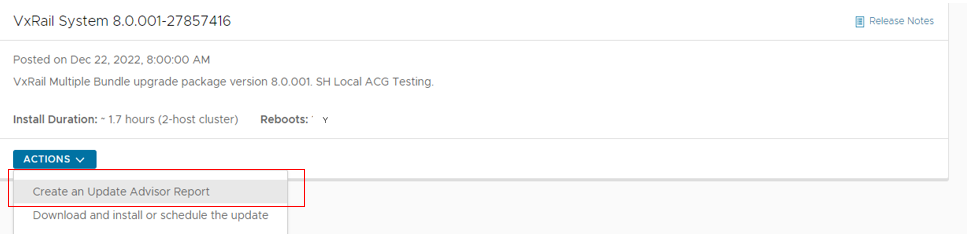
- Internet upgrade, on the
System Updates>Internet Updatestab.- The update advisor report is automatically generated with the LCM pre-check that is run every 24 hours, by default.
- VxRail Manager automatically scans the VxRail ACG database for new update paths. If new ones are found.
- A lightweight manifest file for the LCM update bundle is downloaded, and the information is populated onto the dashboard.
- VxRail Manager generates the update advisor report.
- VxRail Manager only generates a report for the recommended path.
- A user can create a new report on-demand for other update paths or rerun.

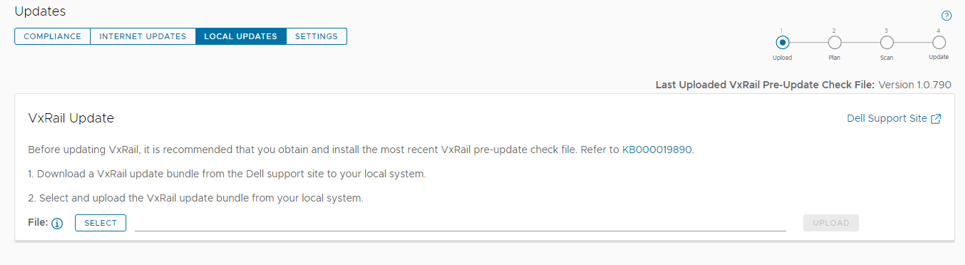
- Local upgrade, on the System Updates > Local Updates tab.
- Users for clusters located in dark sites or not configured for internet access can still generate the update advisor reports.
- VxRail Manager cannot scan for new update paths.
- Users need to download the full LCM update and ADC bundles from the Dell support website and then upload the bundles file on the System Updates > Local Updates tab.
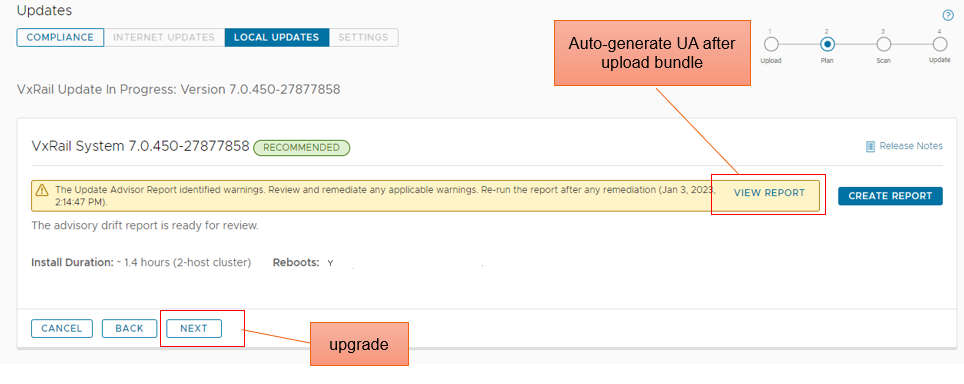
- Advisor Report will be generated after LCM bundle uploaded.
What is in the Update Advisor Report?
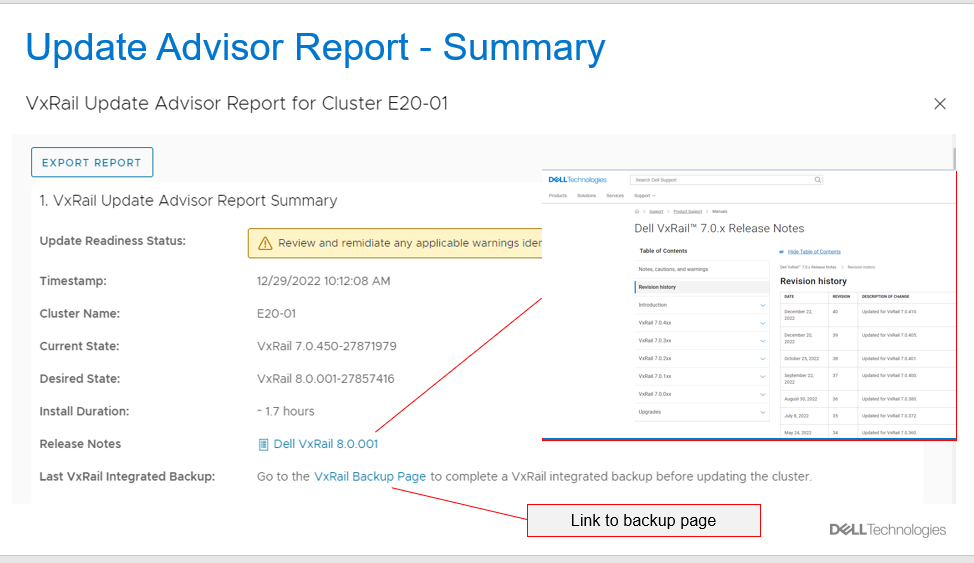
- Summary: Show the summary of the Update Advisor Report.
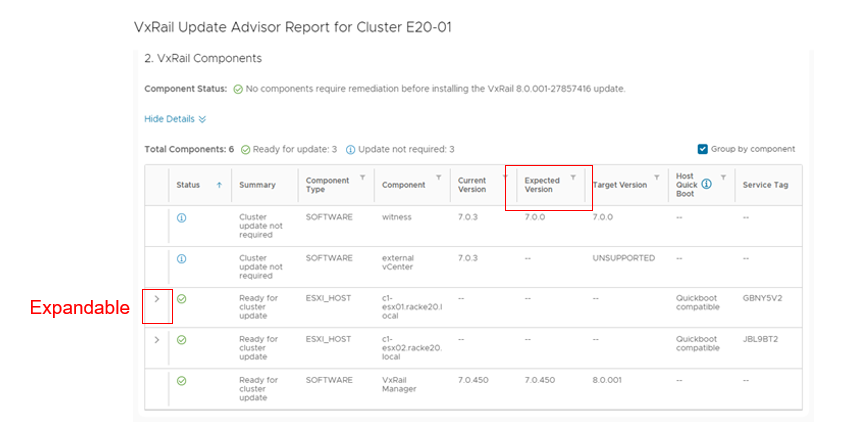
- Components: Show cluster components information.
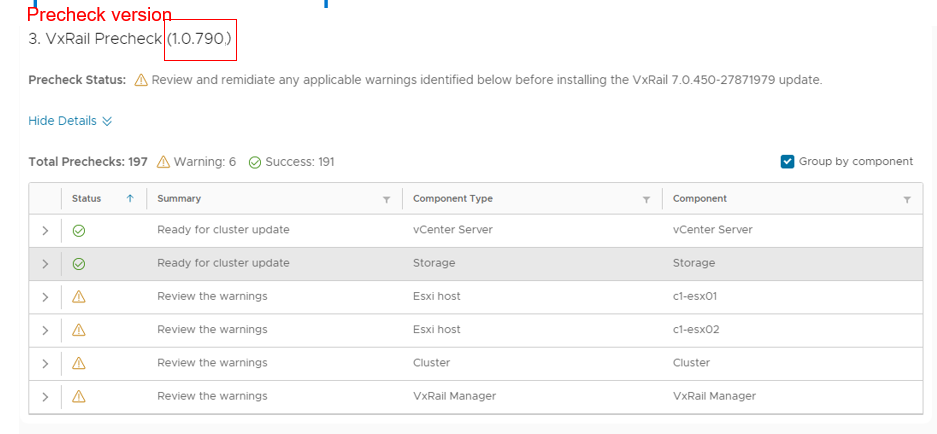
- Precheck: Show LCM precheck status
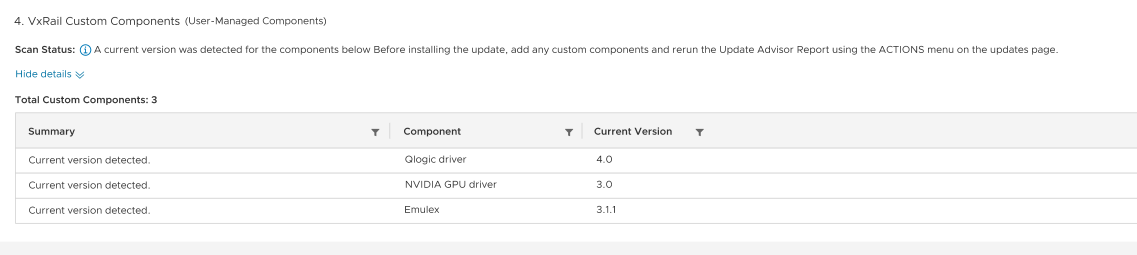
- Custom components: List all custom components.
Produits
VxRail, VxRail Appliance Series, VxRail SoftwarePropriétés de l’article
Numéro d’article: 000213039
Type d’article: How To
Dernière modification: 20 févr. 2025
Version: 3
Trouvez des réponses à vos questions auprès d’autres utilisateurs Dell
Services de support
Vérifiez si votre appareil est couvert par les services de support.