How to Uninstall Absolute
Podsumowanie: Follow these step-by-step instructions to learn how to uninstall Absolute.
Ten artykuł dotyczy
Ten artykuł nie dotyczy
Ten artykuł nie jest powiązany z żadnym konkretnym produktem.
Nie wszystkie wersje produktu zostały zidentyfikowane w tym artykule.
Instrukcje
Absolute may require uninstallation from an endpoint to:
- Fix licensing discrepancies.
- Troubleshoot the product.
- Address operating system incompatibility.
Affected Products:
- Absolute
Affected Operating Systems:
- Windows
A removal request must be submitted to uninstall the Absolute agent from an endpoint.
- Open a web browser and go to https://cc.absolute.com
.
- Populate the email address used to access the web portal and then click Next.
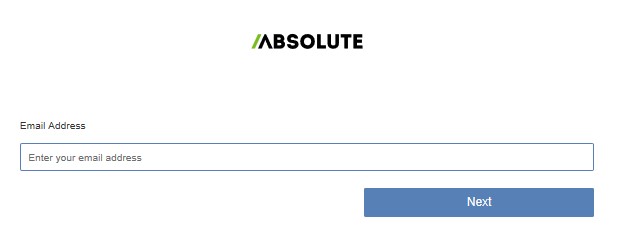
- Log In to the web portal.

- In the left menu, select the Find Devices icon.

- Click Active Devices.
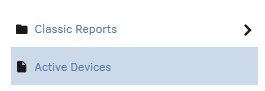
- Search for the endpoint.

- Check the endpoint to unenroll.
 Note: The example endpoint will differ in your environment.
 - Click Device Action and then select Unenroll Device.
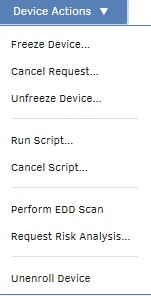
- Click Unenroll Device.
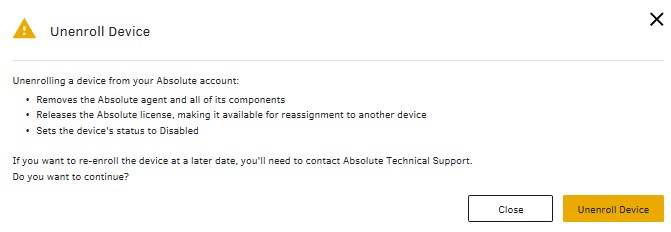
To contact support, reference Dell Data Security International Support Phone Numbers.
Go to TechDirect to generate a technical support request online.
For additional insights and resources, join the Dell Security Community Forum.
Produkty, których dotyczy problem
AbsoluteWłaściwości artykułu
Numer artykułu: 000131245
Typ artykułu: How To
Ostatnia modyfikacja: 11 wrz 2025
Wersja: 9
Znajdź odpowiedzi na swoje pytania u innych użytkowników produktów Dell
Usługi pomocy technicznej
Sprawdź, czy Twoje urządzenie jest objęte usługą pomocy technicznej.