Avamar: Ferramenta do produto GoAV para gerenciamento e solução de problemas
Resumo: O GoAV é uma ferramenta escrita para o Avamar na linguagem de programação "Go". GoAV é uma ferramenta de interface de linha de comando (CLI) usada no Avamar para coletar informações e solucionar problemas do ambiente Avamar. ...
Instruções
Visão geral
GoAV é uma ferramenta escrita em Go que fornece aos administradores do Avamar uma interface robusta para gerenciar ambientes e solucionar problemas do Avamar. Ele inclui vários recursos para automação e diagnóstico, com atualizações frequentes introduzindo novos recursos.
Fazendo download da versão mais recente GoAV Ferramenta:
1. Navegue até a página GoAV Central Solution para fazer download da ferramenta e da documentação:

2. Download goav.zip da página.
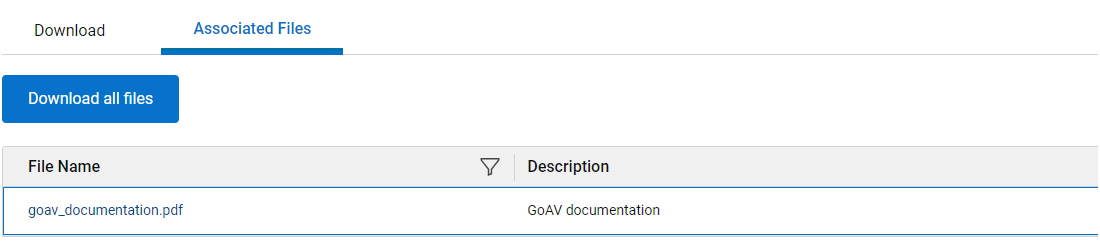
3. Clique na guia "Arquivos associados" para fazer download dos arquivos associados GoAV Documentação:
Instalando o GoAV Ferramenta:
1. Carregar goav.zip para o Avamar Utility Node
2. Extraia o .zip do servidor do NetWorker Management Console (NMC):
unzip -o goav.zip
3. Certifique-se de que o GoAV executável binário:
chmod a+x goav
4. Verifique a versão instalada:
./goav version show
===========================================================
GoAv    :        1.93
Avamar  :        19.12
Date    :        20 Mar 2025 12:03 EDT
===========================================================
COMMAND :  ./goav version show
NOTE: This tool was created and is maintained by the ISG Support Tools team
===========================================================
GoAV : 1.93
Atualizando o existente GoAV Version:
Execute o seguinte comando para atualizar GoAV:
./goav update
O recurso de atualização verifica a versão atual do GoAV no site de repositório e tenta obter a versão mais recente.
Estrutura de comando:
GoAV segue uma hierarquia de comandos estruturada, permitindo que os usuários executem várias tarefas relacionadas ao Avamar.
Command line tool for Avamar.

Usage:
  goav [command]

Available Commands:
  activity      Activity related operations.
  client        Client related operations.
  dataset       Dataset related operations.
  dd            DataDomain related operation
  documentation Generate GOAV PDF documentation.
  envinfo       Environment Information.
  help          Help about any command
  idpa          Allows a user to check or fix multiple internal client/policy issues
  mft           Allows for upload/download to or from Dell MFT.
  ndmp          NDMP related operations
  plugin        Avamar plugin related operation.
  policy        Policy related operations.
  proxy         Avamar VMImage proxy related operations.
  rabbitmq      RabbitMQ related operations.
  replication   Replication related operations.
  retention     Retention related operations.
  rule          Rules related operations.
  schedule      Schedule related operations.
  security      certificate, keystore, secure operations
  system        Avamar system related operations.
  update        Update GOAV to latest version.
  vcenter       vCenter related operations.
  version       Displays GoAV version information.
  vm            Virtual Machine related operations.

Flags:
  -d, --debug                debug output
  -f, --force                Ignore Configuration
  -h, --help                 help for goav
  -n, --noheader             Do not display header
  -s, --validate-signature   Validate GoAV digital Signature

Use "goav [command] --help" for more information about a command.
Obtendo ajuda para um comando:
Para obter ajuda detalhada sobre qualquer comando, use "-h ou --help":
./goav client show-gsan -h


Show Avamar clients in gsan, as opposed to mcdb
Gsan is where backups are actually stored, it is useful to get a list from gsan instead of mcdb sometimes!

Usage:
  goav client show-gsan [flags]

Aliases:
  show-gsan, list-gsan

Examples:
./goav client show-gsan
./goav client show-gsan --domain /REPLICATE
./goav client show-gsan --hasBackups
./goav client show-gsan --noBackups --domain /MC_RETIRED --hasbackups

Flags:
      --domain string   Specify domain root to start recursive search from (default "/")
      --hasBackups      List clients with backups in gsan, excluding clients without backups
  -h, --help            help for show-gsan
      --noBackups       List clients with no backups in gsan, excluding clients with backups
      --out string      Specify output filename for report (default "/home/admin/goav_clients/client_list_report_2023-07-10-1689007451.csv")

Global Flags:
  -d, --debug      debug output
  -f, --force      Ignore Configuration
  -n, --noheader   Do no display header
Exemplo de uso:
Para exibir todos os proxies Avamar:
./goav proxy show
===========================================================
GoAv    :        1.93
Avamar  :        19.12
Date    :        10 Jul 2023 12:48 EDT
===========================================================
COMMAND :  ./goav proxy show
NOTE: This tool was created and is maintained by the ISG Support Tools team
===========================================================
              name                 | domainFqdn |            vcenterHost            |                    id                    | activated | autoDsMapping | clientVersion
-------------------------------+------------+-----------------------------------+------------------------------------------+-----------+---------------+----------------
  abc-proxy-95.example.company.com | /clients   | xyz-test1-vcenter.lab.company.com | e90b74a9c0c4569d1a0b84fd6ff4f3026939bd12 | true      | false         | 19.12.100-83
  abc-proxy-96.example.company.com | /clients   | xyz-test1-vcenter.lab.company.com | 214d56edb74df890bd88f0c06360216b423ce5fd | true      | false         | 19.12.100-83
Referências:
GoAV Características:
-
-
Artigo 000221404.o: Avamar: Como usar
GoAVMenu de verificação de integridade do sistema -
Artigo 000215679.o: Avamar: Informações sobre
GoAVRecurso dd check-ssl -
Artigo 000220471.o: Avamar: Como usar
GoAVGerenciador de implementação de proxy -
Artigo 000225881.o: Avamar: Como usar
GoAVRecurso Integrated Data Protection Appliance -
Artigo 000223619.o: Avamar: Como usar
GoAVMenu de recuperação bare metal do client -
Artigo 000210222.o: Avamar: Como usar o
GoAVConjunto de recursos do RabbitMQ -
Artigo 000227896.o: Avamar: Disparidades de ID do client (CID) com
GoAVRemediação -
Artigo 000317368.o: Avamar: Como usar
GoAVClient Windows Avamar Logs Collector Menu
-