Energy Plans are Missing or Faulty in Windows 10
Summary: This article explains how to recover the standard Windows energy saving plans in case they are missing or faulty.
Symptoms
Cause
Resolution
Access the Energy settings
Right-click the Battery Icon at the Taskbar and select Energy Settings. Alternatively, you can open the Start menu and type in Energy Settings and then click the Enter key. In the Energy Settings window, you can see all the available energy-saving plans.
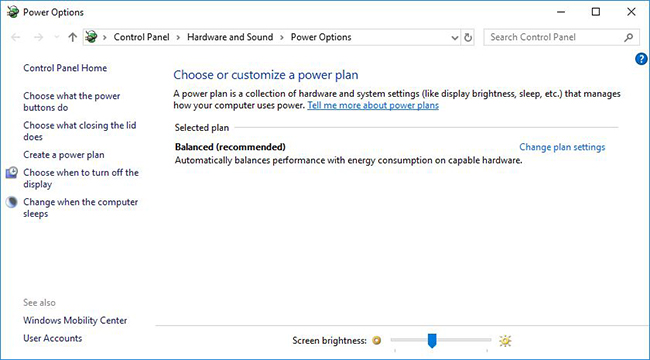
(Figure 1: Windows 10 Energy Saving Plans)
Recover Energy saving plans
-
Right-click Start and select Command Prompt (Administrator)
-
Then type the following command and confirm with the Enter key:
powercfg -restoredefaultschemes
Thereafter, all the standard Windows energy savings plans should be fully functional again.
Create an energy report
In the Energy Report, you can see all the functions of an Energy Saving Plan and which of them are faulty. These are marked in red.
-
Right-click Start and click Command Prompt (Administrator)
-
Type in the following command and confirm with the Enter key:
powercfg -energy
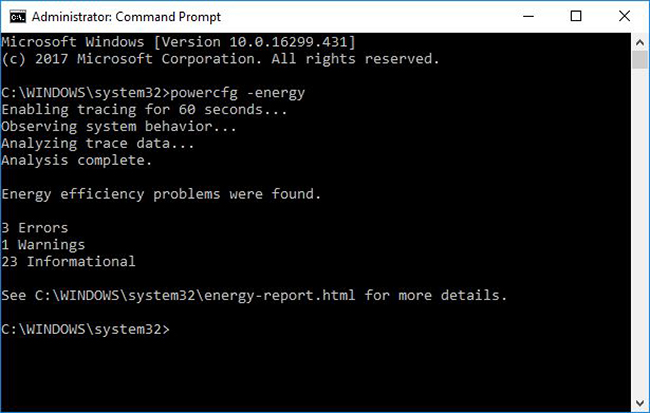
(Figure 2: Creating the Energy Report)
-
The report is saved in C:\Windows\system32\energy-report.html
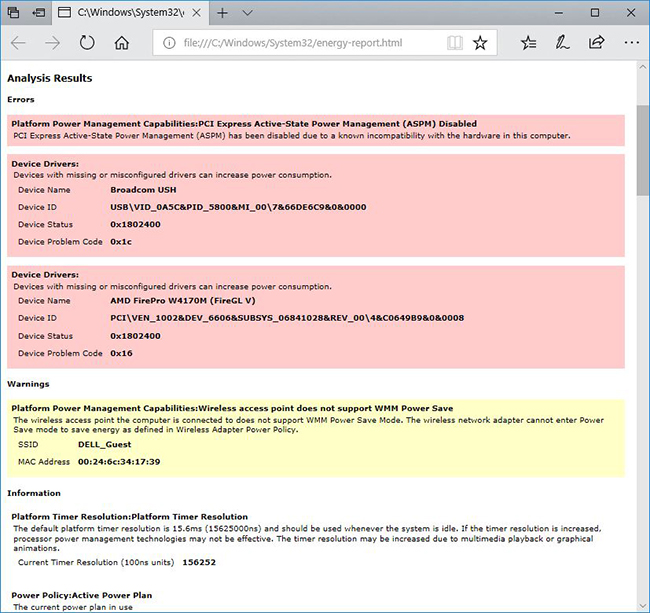
(Figure 3: Energy Report with errors)
For a solution to any reported problems, you can simply search on the Internet for the reported errors or contact Dell Support.