Monitor Cable Types Explained VGA HDMI DisplayPort and More
Сводка: Different types of monitor cables including HDMI, DisplayPort, DVI, and VGA (learn which video cable types of support UHD, FHD, and other resolutions for optimal display performance).
Данная статья применяется к
Данная статья не применяется к
Эта статья не привязана к какому-либо конкретному продукту.
В этой статье указаны не все версии продуктов.
Инструкции
Unable to configure optimal resolution
Modern LCD monitors have greater resolution capabilities than displays manufactured only a few years earlier. The new Ultra-High Definition and High Definition displays require modern cable connections to transmit the ever-increasing volume of data required to support these resolutions.
Modern high-resolution monitor options:
- 8k Ultra High Definition (UHD) (7680 x 4320)
- 5k Ultra High Definition (UHD) (5120 x 2880)
- 4k Ultra High Definition (UHD) (3840 x 2160)
- Quad High Definition (QHD) (2560 x 1600)
- Wide Ultra eXtended Graphics Array (WUXGA) (1920 x 1200)
- Full High Definition (FHD) (1920 x 1080)
Display cable capabilities
Here are the most common monitor cable connection types and the maximum resolution they support:
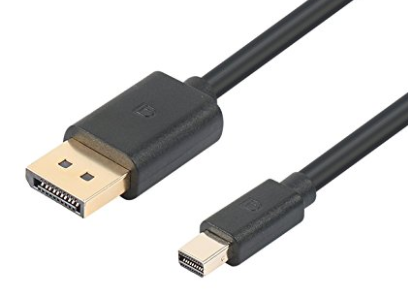
- DisplayPort (DP) and Mini-DisplayPort (mDP) 1.3 - 8192 x 4320 @ 60 Hz (Figure 1.)
- DisplayPort (DP) and Mini-DisplayPort (mDP) 1.2 (Dual Cable Connection) - 5120 x 2880 @ 60 Hz (Figure 1.)
- DisplayPort (DP) and Mini-DisplayPort (mDP) 1.2 (Single Cable Connection) - 3840 x 2160 @ 60 Hz (Figure 1.)
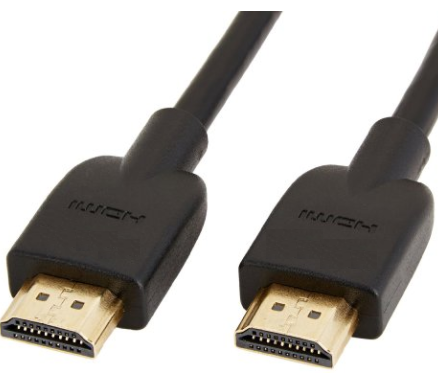
- High Definition Multimedia Interface (HDMI) 2.0 - 3820 x 2160 @ 60 Hz (Figure 2.)
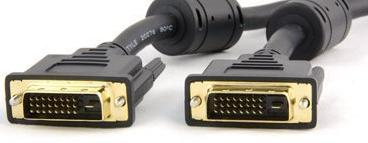
- Digital Visual Interface (DVI) (Dual Link)- 2560 × 1600 @ 60 Hz (Figure 3.)
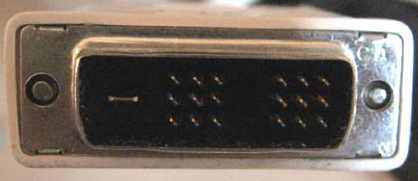
- Digital Visual Interface (DVI) (Single Link) - 1900 x 1200 @ 60 Hz (Figure 4.)
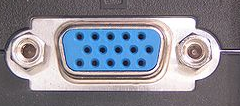
- Video Graphics Array (VGA) - 2048 x 1536 @ 85 Hz (Figure 5.)
DisplayPort Comparison
The DisplayPort interface accommodates both personal computer and home entertainment applications and does so at a lower manufacturing cost. The table below shows a comparison of display interface connectivity. This table compares DisplayPort with VGA, DVI, composite, component, S-video, and HDMI cables.
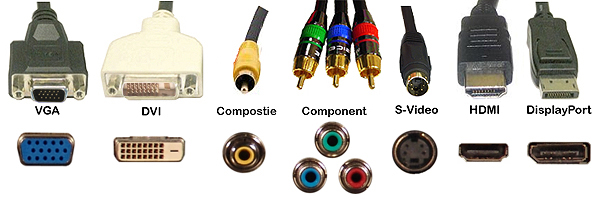
| Video Cable Comparison Table | |||||||
|---|---|---|---|---|---|---|---|
| VGA | DVI | Composite | Component | S-Video | HDMI | DisplayPort | |
| Signal Type | Analog | Digital | Analog | Analog | Analog | Digital | Digital |
| Audio | No | No | No | No | No | Yes | Yes |
| Connections | Monitor Projector |
Monitor Projector |
H.E.* Monitor (limited) Projector |
H.E.* Monitor (limited) |
H.E.* Monitor (limited) Projector |
H.E.* Monitor (limited) Projector |
H.E.* Monitor (limited) Projector |
Затронутые продукты
Alienware and Dell Gaming Monitors, C Series, D Series, E Series, P Series, S Series, SE Series, UltraSharp Premier (UP) Series, UltraSharp (U) Series, Dell Monitors, Dell Plus Monitors, Dell Pro Plus MonitorsСвойства статьи
Номер статьи: 000143545
Тип статьи: How To
Последнее изменение: 22 Jul 2025
Версия: 8
Получите ответы на свои вопросы от других пользователей Dell
Услуги технической поддержки
Проверьте, распространяются ли на ваше устройство услуги технической поддержки.