PowerStore: PowerStore system not present after logging into the online CloudIQ portal
摘要: This article provides some checks to verify that the PowerStore is configured properly to send data to CloudIQ.
本文适用于
本文不适用于
本文并非针对某种特定的产品。
本文并非包含所有产品版本。
症状
The CloudIQ portal (cloudiq.dell.com) may not display the PowerStore appliances in the existing inventory.
If the PowerStore is the first CloudIQ supported appliance in the inventory, the CloudIQ portal may display this message: No CloudIQ Compatible Systems Detected
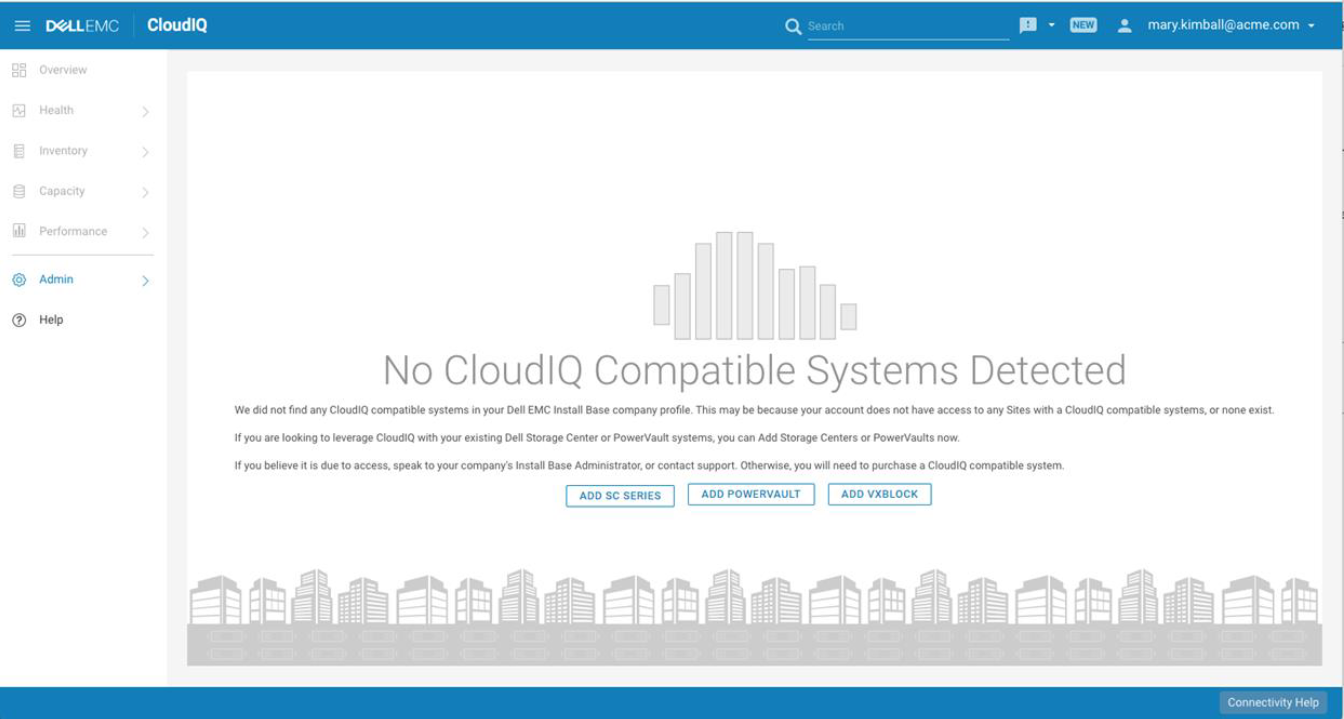
If the PowerStore is the first CloudIQ supported appliance in the inventory, the CloudIQ portal may display this message: No CloudIQ Compatible Systems Detected
原因
The problem may be caused by many different issues ranging from appliance setup to user access.
The PowerStore CloudIQ configuration is documented in KB PowerStore: How to configure CloudIQ for PowerStore
The PowerStore CloudIQ configuration is documented in KB PowerStore: How to configure CloudIQ for PowerStore
解决方案
- Make sure all the requirements are in place and the registration was done, see PowerStore: How to configure CloudIQ for PowerStore
- Confirm that the PowerStore appliance has SupportAssist enabled and Connect to CloudIQ is selected in the GUI:
Settings > Support > Support Assist
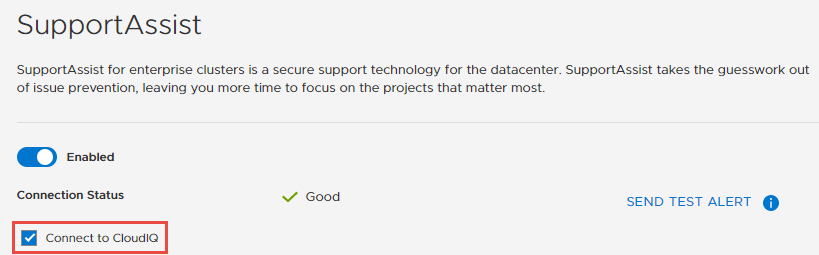
Or via CLI:
[SVC:root@xxxxx-B user]$ svc_remote_support list
Cluster Configuration:
type                      SRS_Gateway_Tier3
connectivity_qos          Good
last_update               2020-08-13 16:51:53+0
is_cloudiq_enabled        True
- Confirm that your username has completed the CloudIQ registration by logging into cloudiq.dell.com
- If you are unable to see the PowerStore in CloudIQ, engage Dell EMC support and reference this KB article.
受影响的产品
PowerStore文章属性
文章编号: 000123790
文章类型: Solution
上次修改时间: 02 6月 2025
版本: 8
从其他戴尔用户那里查找问题的答案
支持服务
检查您的设备是否在支持服务涵盖的范围内。