How to Download the Secureworks Taegis XDR Agent
摘要: Learn about how to download the Secureworks Taegis XDR Agent.
本文适用于
本文不适用于
本文并非针对某种特定的产品。
本文并非包含所有产品版本。
说明
This article provides the steps to download the Secureworks Taegis XDR Agent. The Secureworks Taegis XDR Endpoint Agent collects a rich set of endpoint telemetry that is analyzed to identify threats and their associated behaviors in your environment.
Affected Products:
- Secureworks Taegis XDR
- Secureworks Taegis ManagedXDR
- Secureworks Red Cloak Threat Detection and Response
- Secureworks Red Cloak Managed Detection and Response
Affected Operating Systems:
- Windows
- Linux
- macOS
The process to download the installer differs based on the operating system. Select the appropriate operating system for more information.
- In a web browser, go to https://ctpx.secureworks.com/login
.
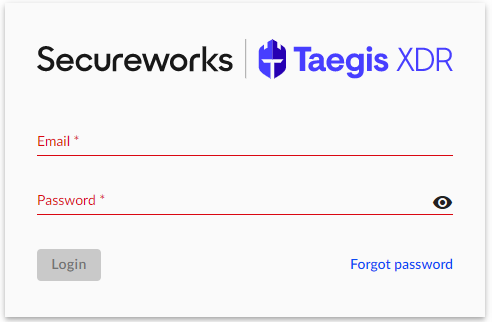
- Log in to the Secureworks Taegis XDR web console.
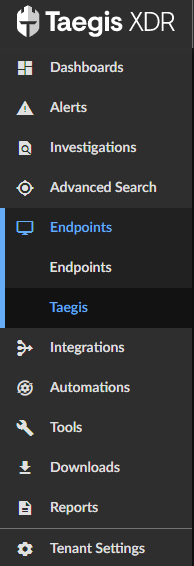
- From the left pane, select Endpoints and then click Taegis.
- From the Endpoint Management screen, click the Agent Downloads tab.
 Note: If you do not see the Agent Downloads tab, ensure that you are logged in as a user with the Tenant Admin role. If you are logged in as a Tenant Admin and this option is still missing, reference How to Get Support for Secureworks Taegis XDR.
 - From the Agent Downloads page, download the latest version by clicking the MSI button.
 Note:
Note:- If you require a previous version of the Secureworks Taegis XDR Agent, you can find it by clicking the View older packages link.
- If your version of Windows has no available packages that are listed, submit a support request to create a new or customized installation package.

Note:
- If you require a previous version of the Secureworks Taegis XDR Agent, you can find it by clicking the View older packages link.
- If your version of Linux has no available packages that are listed, submit a support request to create a new or customized installation package.
- In a web browser, go to https://ctpx.secureworks.com/login
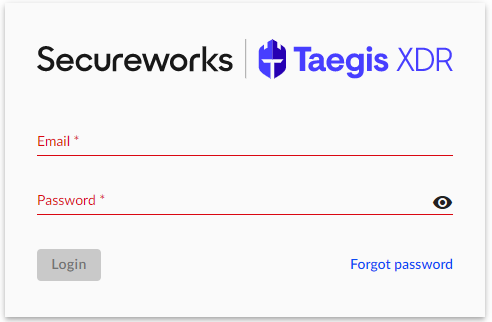
- Log in to the Secureworks Taegis XDR web console.
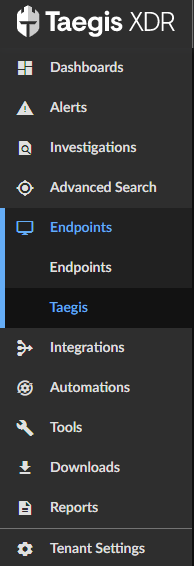
- From the left pane, select Endpoints and then click Taegis.
- From the Endpoint Management screen, click the Agent Downloads tab.
 Note: If you do not see the Agent Downloads tab, ensure that you are logged in as a user with the Tenant Admin role. If you are logged in as a Tenant Admin and this option is still missing, reference How to Get Support for Secureworks Taegis XDR.
 - From the Agent Downloads page:
- Click either RPM or DEB file.
- Click GPG Key to download the GPG key used during installation.
- In a web browser, go to https://ctpx.secureworks.com/login
- Log in to the Secureworks Taegis XDR web console.
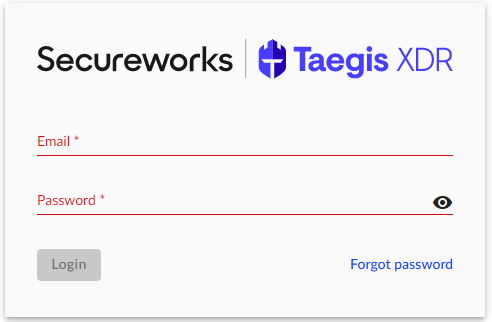
- From the left pane, select Endpoints and then click Taegis.
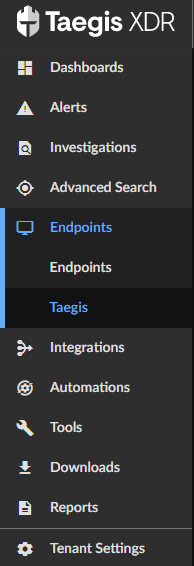
- From the Endpoint Management screen, click the Agent Downloads tab.
 Note: If you do not see the Agent Downloads tab, ensure that you are logged in as a user with the Tenant Admin role. If you are logged in as a Tenant Admin and this option is still missing, reference How to Get Support for Secureworks Taegis XDR.
 - From the Agent Downloads page, download the latest version by clicking the PKG button.
 Note:
Note:- If you require a previous version of the Secureworks Taegis XDR Agent, you can find it by clicking the View older packages link.
- If your version of Linux has no available packages that are listed, submit a support request to create a new or customized installation package.
To contact support, reference Dell Data Security International Support Phone Numbers.
Go to TechDirect to generate a technical support request online.
For additional insights and resources, join the Dell Security Community Forum.
受影响的产品
Secureworks文章属性
文章编号: 000188129
文章类型: How To
上次修改时间: 30 8月 2024
版本: 12
从其他戴尔用户那里查找问题的答案
支持服务
检查您的设备是否在支持服务涵盖的范围内。