How to Create Custom VMware Carbon Black Cloud Roles
摘要: Learn how to create custom administrator roles for VMware Carbon Black Cloud by following these step-by-step instructions for Windows, Mac, and Linux.
本文章適用於
本文章不適用於
本文無關於任何特定產品。
本文未識別所有產品版本。
症狀
This article discusses how to create custom administration roles for the VMware Carbon Black Cloud.
Affected Products:
- VMware Carbon Black Cloud Endpoint
Affected Operating Systems:
- Windows
- Mac
- Linux
原因
Not applicable
解析度
To create a custom role:
- In a web browser, go to [REGION].conferdeploy.net
Note: [REGION] = Region of tenant
- Americas = https://defense-prod05.conferdeploy.net/
- Europe = https://defense-eu.conferdeploy.net/
- Asia Pacific = https://defense-prodnrt.conferdeploy.net/
- Australia and New Zealand = https://defense-prodsyd.conferdeploy.net

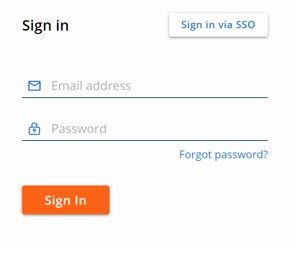
- Sign In to the VMware Carbon Black Cloud.
- In the left menu pane, expand Settings and then click Roles.
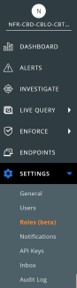
Note: The layout in the example may differ slightly from your environment.
- In the upper right, click Add Role.

- In the Add Role menu:
- Populate the Role name.
- Populate a role Description.
- Optionally, Copy permissions from another role.
- Check the appropriate Permissions.
- Click Save.
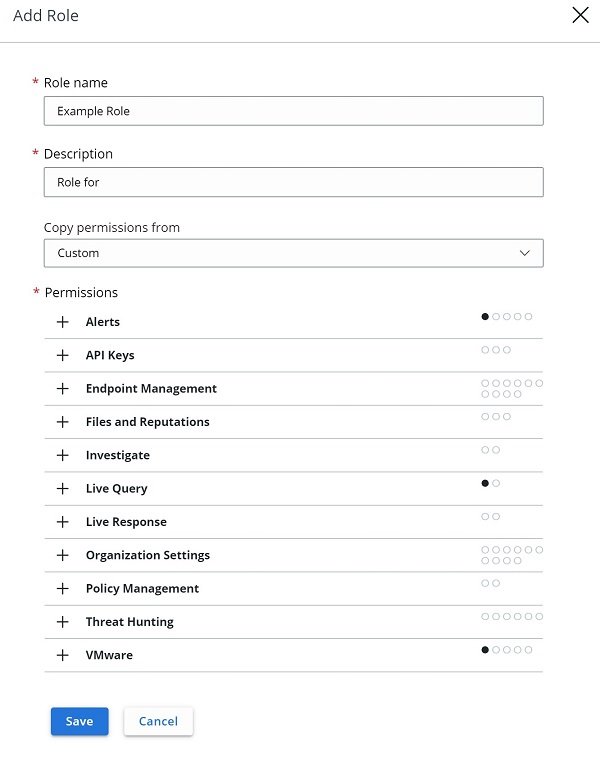
Note: The examples that are used in the screenshot will differ in your environment.
To contact support, reference Dell Data Security International Support Phone Numbers.
Go to TechDirect to generate a technical support request online.
For additional insights and resources, join the Dell Security Community Forum.
受影響的產品
VMware Carbon Black文章屬性
文章編號: 000126081
文章類型: Solution
上次修改時間: 15 2月 2024
版本: 11
向其他 Dell 使用者尋求您問題的答案
支援服務
檢查您的裝置是否在支援服務的涵蓋範圍內。