How to Cancel Consumer Subscription Support Services
摘要: Learn how to cancel Dell consumer subscription support services such as Premium Support. Follow simple steps to end your subscription.
本文章適用於
本文章不適用於
本文無關於任何特定產品。
本文未識別所有產品版本。
說明
Note: Screenshots are provided in English but the experience is localized as per your current location.
Cancel Subscription Using Dell Account
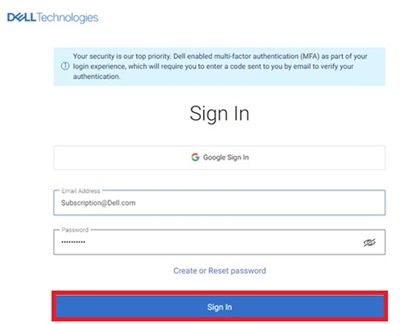
- Go to My Account page. Click the Sign In button to sign into your Dell Account using the email address used at the time of the purchase of the Dell Product or your Dell Account email address and password. For questions about creating or updating a My Account login, see the My Account FAQs.
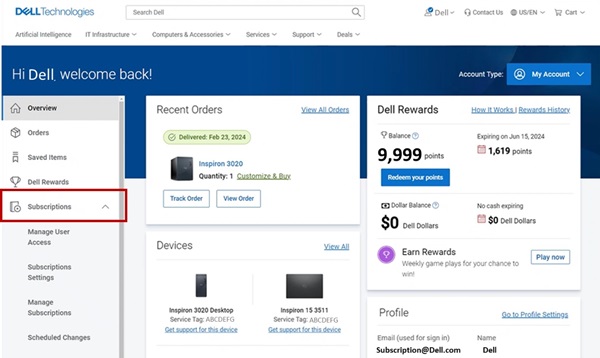
- Once you log in to the Dell Account, the home page displays a dashboard of products and services purchased, Account details, Rewards, and so on. Click Subscriptions from the left panel.
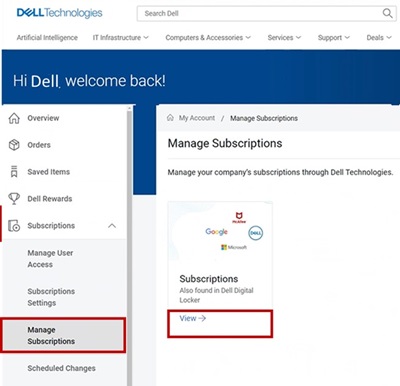
- Click Manage Subscriptions and then click View.
- The dashboard displays the hardware and software subscriptions purchased on your Dell Products.
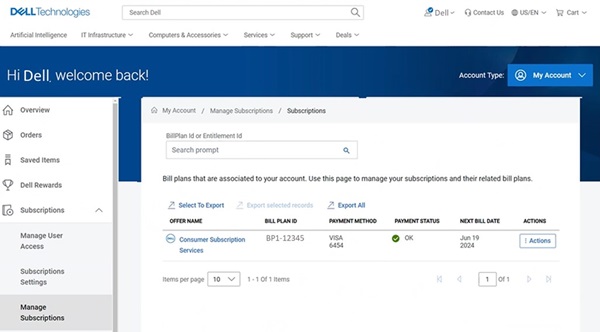
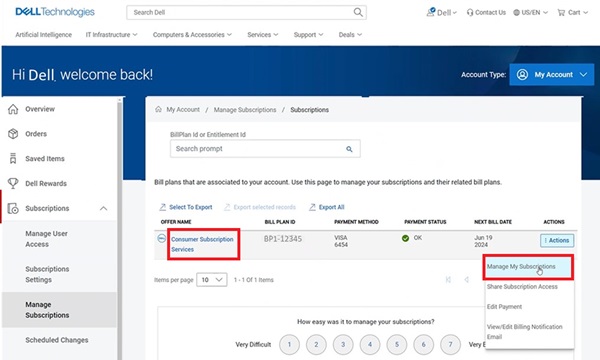
- Click the Action button on the Consumer Subscription Services which needs cancellation, and then click Manage Subscriptions. You can also click Consumer Subscription Services.
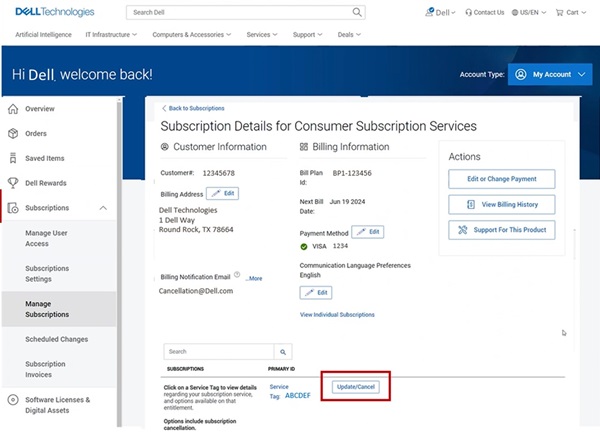
- Subscription detail of your Dell Product is displayed. Click the Update/Cancel button.
- The subscription product details page displays the subscription service details, Service tag, bill plan of your Dell Product. Click the Cancel button to cancel the Subscription.
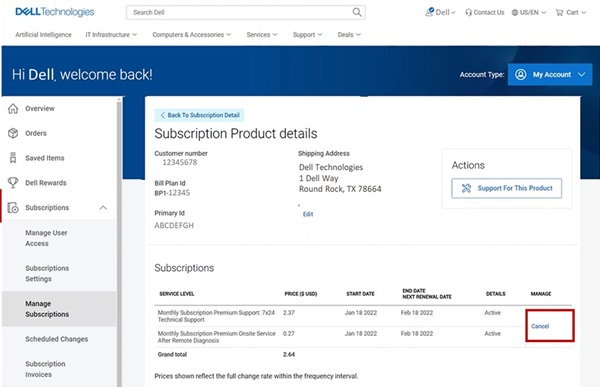 Note: The cancel button is displayed only if the subscription is eligible for cancellation. If the subscription has been previously cancelled, the Cancel button is not shown.
受影響的產品
Dell Slim, Dell Tower, Inspiron, XPS, G Series, G Series, Dell Plus, Inspiron, XPS文章屬性
文章編號: 000126747
文章類型: How To
上次修改時間: 02 9月 2025
版本: 27
向其他 Dell 使用者尋求您問題的答案
支援服務
檢查您的裝置是否在支援服務的涵蓋範圍內。