How to Generate a Battery Report Using the POWERCFG Command
摘要: Information about using the Windows POWERCFG command to create a Battery Report to help troubleshoot possible battery issues.
本文章適用於
本文章不適用於
本文無關於任何特定產品。
本文未識別所有產品版本。
說明
The following steps can be used to generate a report for the battery that may help troubleshoot issues like:
- The laptop battery is not holding a charge like before.
- The laptop battery only lasts one hour or less time.
Battery Report Using the POWERCFG Command
- Open the Command (CMD) prompt. (The Command Prompt: What It Is and How to Use It on a Dell System)
- Type the following Command:
powercfg /batteryreport
Press Enter.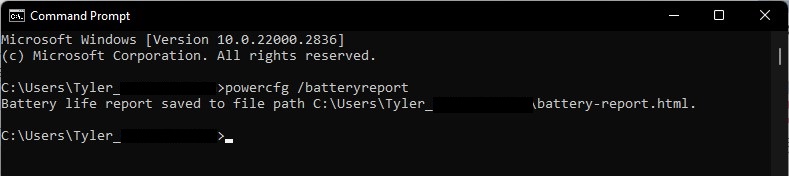
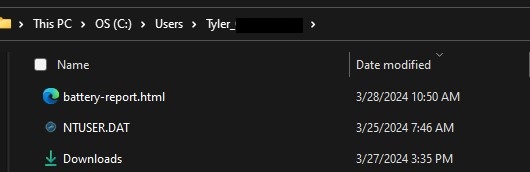
- Go to C:\Users\"user_name" in File Explorer and look for the battery_report.html file and double-click it. It should open in the default Internet browser.
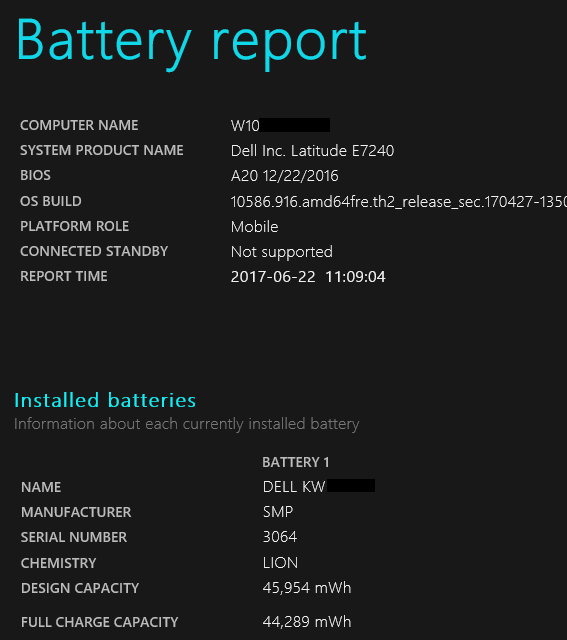
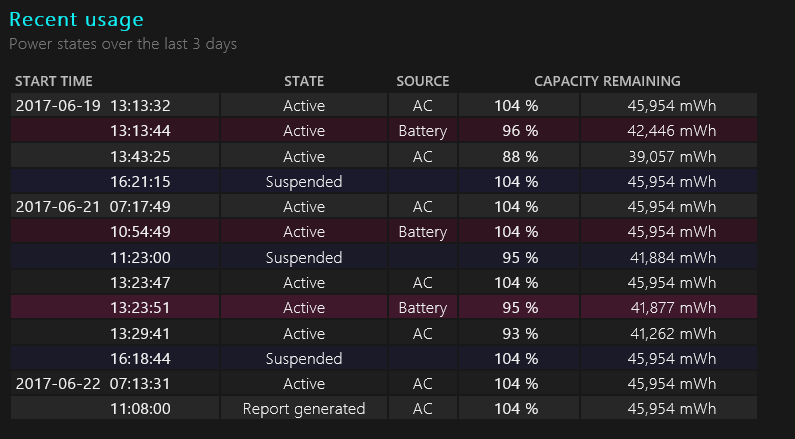
The following are example screenshots of what information is in the report and may help if the battery must be replaced.
- Battery Report:
- Recent Usage:
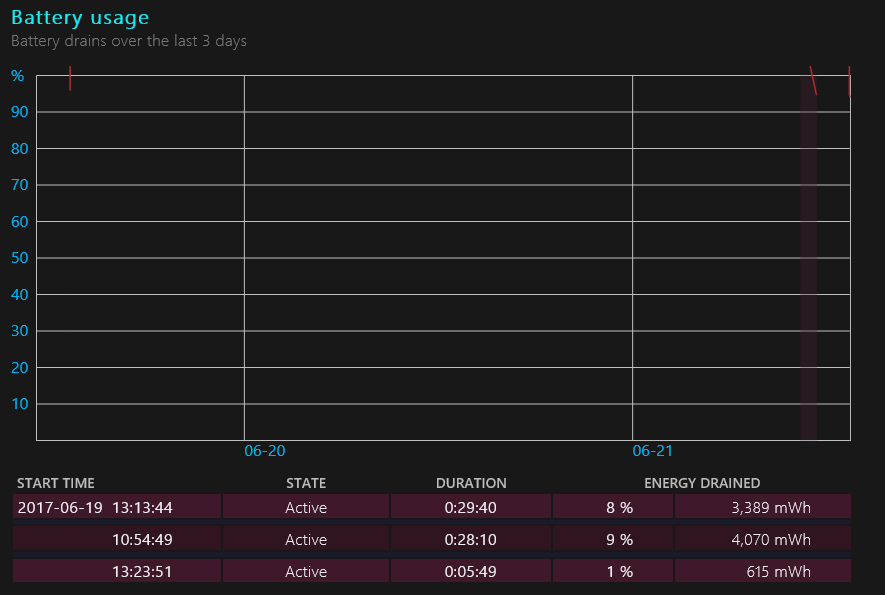
- Battery Usage:
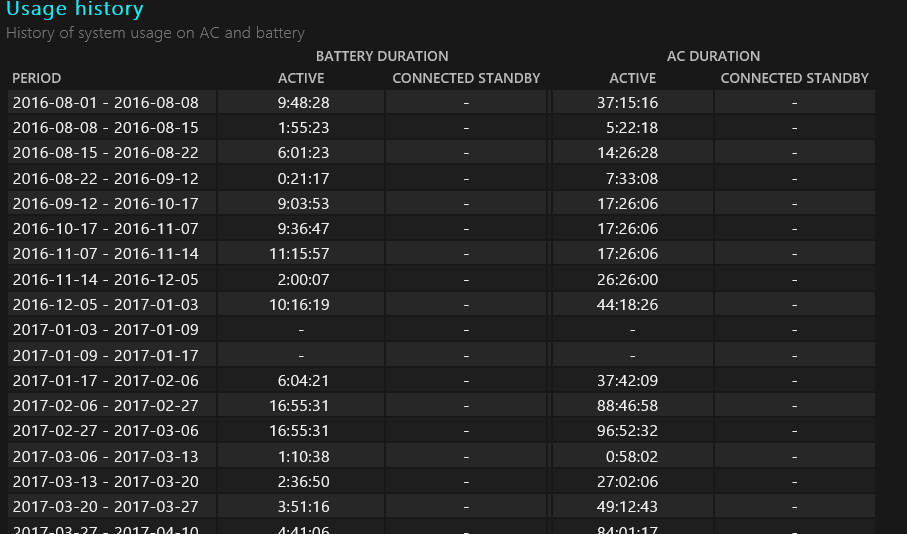
- Battery Usage History:
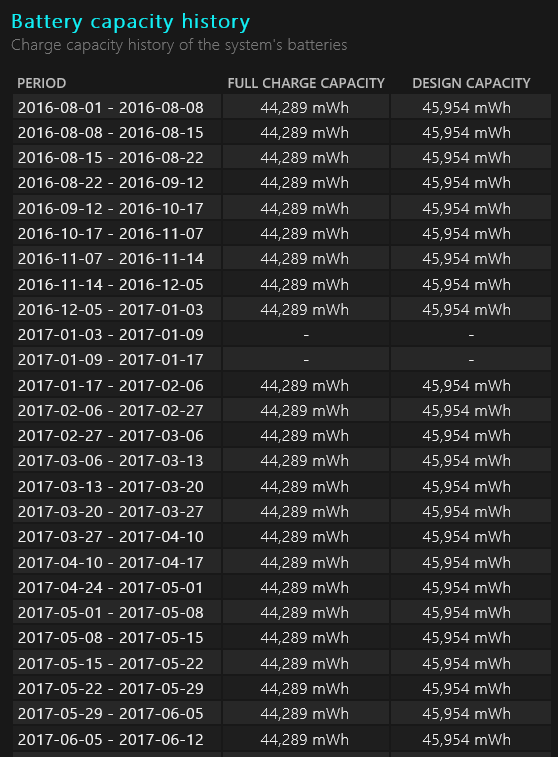
- Battery Capacity History:
Note: Battery Capacity is a primary way to determine if a battery must be replaced. More information is supplied below in the Difference Between the "Battery Design" and "Full Charge" Capacity section.
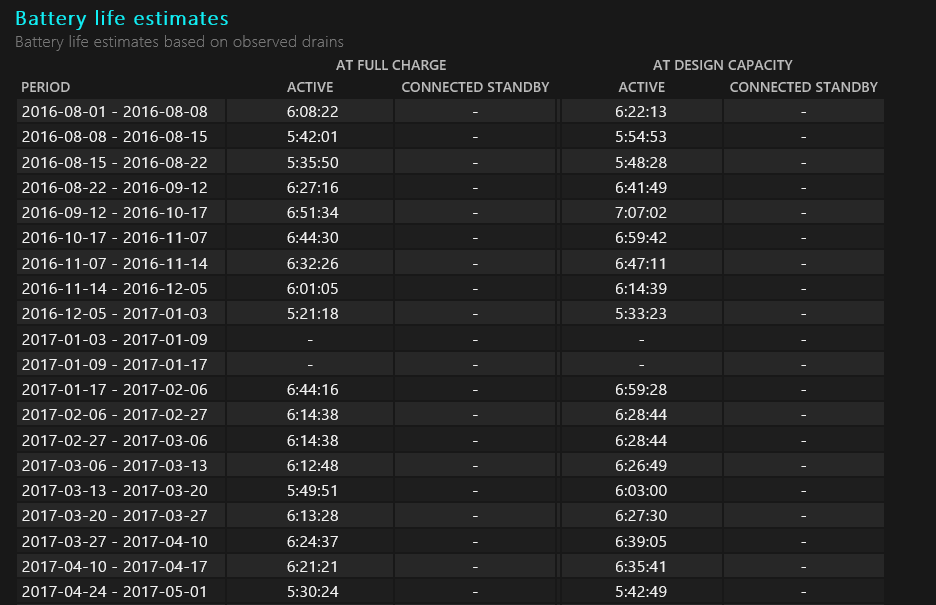
- Battery Life Estimates:
If the "Full Charge Capacity" is less than 25% of the "Designed Capacity" and the battery is more than a year old, this is normal. If the battery is less than a year old, the battery may need to be replaced. The laptop BIOS can be checked as well for the battery health.
Difference Between the "Battery Design" and "Full Charge" Capacity.
While using the Battery Report utility, you see that there is a difference in the battery design capacity compare with the full charge capacity shown.
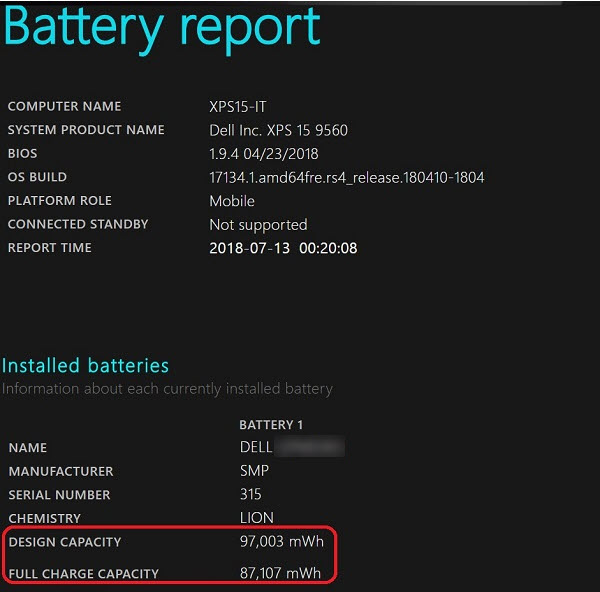
This disparity can lead you to falsely assume that there is a problem with their laptop battery.
- Full Charge Capacity: This is affected by several factors that are constantly changing. (For example, changes in the external temperature, ambient temperature, system heat soak temperature, along with things such as the number of discharges to 0% and the number of full charge cycles.)
- Design Capacity: It has a 10% buffer to allow for external changes during use. (For example, system heat can cause a cell to overvolt ever so slightly.) This prevents the battery from spiking and damaging the life of the battery cells.
This is a standard industry design and practice, and the battery is working as designed.
For more information:
受影響的產品
G Series, Alienware, Dell Laptops, Dell Plus, Dell Pro, Dell Pro Max, Dell Pro Plus, Dell Pro Premium, Inspiron, Latitude, Dell Pro Rugged, Vostro, XPS, Legacy Laptop Models, Mobile Workstations, Dell Pro Max 16 XE MC16250文章屬性
文章編號: 000130117
文章類型: How To
上次修改時間: 24 7月 2025
版本: 10
向其他 Dell 使用者尋求您問題的答案
支援服務
檢查您的裝置是否在支援服務的涵蓋範圍內。