

1 Rookie
•
2 messages
1
4184
12 août 2022 23:00
Aurora R13 - AWCC 5.5.9.0 - Service Display001VcpSrv keep crashing in loop
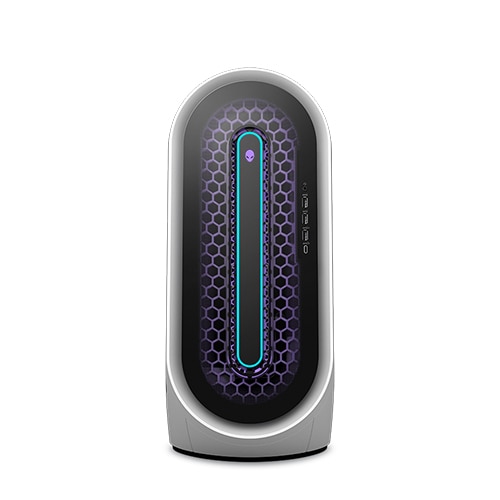
Alienware Aurora R13
Hi,
Under Windows 11, since the 5.5.9.0 update, the service Display001VcpSrv is crashing in loop. Repairing the installation change nothing.
Nom de l’application défaillante GameEyeApp.exe, version : 1.3.0.203, horodatage : 0x8806b29f
Nom du module défaillant : KERNELBASE.dll, version : 10.0.22000.832, horodatage : 0x7efab3dc
Code d’exception : 0xe0434352
Décalage d’erreur : 0x000000000004474c
ID du processus défaillant : 0x2c30
Heure de début de l’application défaillante : 0x01d8aedf1324f9ff
Chemin d’accès de l’application défaillante : C:\Program Files\Alienware\Alienware FXDisplay001 Components for AWCC\GameEyeApp.exe
Chemin d’accès du module défaillant: C:\Windows\System32\KERNELBASE.dll
ID de rapport : 41f47dc2-c8b4-41c2-97c7-fcb4347ef3d0
It was working fine with 5.5.8.0 version.
Br,
makla75
12 messages
0
15 août 2022 20:00
Hello,
I have currently solved the problem by terminating the service Display001VcpSrv, which obviously led to the error, via the Windows Task Manager and then manually deactivating it so that it does not start again even when Windows is restarted.
ElArgentino
3 messages
0
13 août 2022 09:00
Same problem here, started happening today on my Dell G3 3590. To temporarily solve the problem until it is fixed I went to C:\Program Files\Alienware\Alienware FXDisplay001 Components for AWCC, and ran the uninstaller
djaffre
3 messages
0
15 août 2022 09:00
Hello,
Same problem for me on windows 11 m15r7. The only fix is to uninstall command center and wait a functional version
We can see in windows log theses errors in loop due to a bug in gameeyesrv:
Nom de l’application défaillante GameEyeApp.exe, version : 1.3.0.203, horodatage : 0x8806b29f
Nom du module défaillant : KERNELBASE.dll, version : 10.0.22000.832, horodatage : 0x7efab3dc
Code d’exception : 0xe0434352
Décalage d’erreur : 0x000000000004474c
ID du processus défaillant : 0x4878
Heure de début de l’application défaillante : 0x01d8b089a179f692
Chemin d’accès de l’application défaillante : C:\Program Files\Alienware\Alienware FXDisplay001 Components for AWCC\GameEyeApp.exe
Chemin d’accès du module défaillant: C:\Windows\System32\KERNELBASE.dll
ID de rapport : 3854bdd0-7be8-420b-995b-45f33f4840e2
Nom complet du package défaillant :
ID de l’application relative au package défaillant :
_______________________
Application : GameEyeApp.exe
Version du Framework : v4.0.30319
Description : le processus a été arrêté en raison d'une exception non gérée.
Informations sur l'exception : System.Security.Principal.IdentityNotMappedException
à System.Security.Principal.NTAccount.Translate(System.Security.Principal.IdentityReferenceCollection, System.Type, Boolean)
à System.Security.Principal.NTAccount.Translate(System.Type)
à System.Security.AccessControl.CommonObjectSecurity.ModifyAccess(System.Security.AccessControl.AccessControlModification, System.Security.AccessControl.AccessRule, Boolean ByRef)
à System.Security.AccessControl.CommonObjectSecurity.AddAccessRule(System.Security.AccessControl.AccessRule)
à NamedPipeWrapper.Server`2[[System.__Canon, mscorlib, Version=4.0.0.0, Culture=neutral, PublicKeyToken=b77a5c561934e089],[System.__Canon, mscorlib, Version=4.0.0.0, Culture=neutral, PublicKeyToken=b77a5c561934e089]]..ctor(System.String, System.IO.Pipes.PipeSecurity)
à GameEyeApp.Form1..ctor()
à 쑂.쑂.쑂()
PotatoKarl
1 message(s)
0
15 août 2022 20:00
Same problem for me. Tho I see an error only when I shutdown the computer (GameEyeApp.exe) but I haven't look at the logs yet. Annoying. Are we beta testers?
makla75
12 messages
0
16 août 2022 04:00
Complement:
The "Display001VcpSrv" service refers to the file or application with the same name located under "C:\Programs\Alienware\Alienware FXDisplay001 Components for AWCC", which is then deactivated via the Windows Tasks Manager.
This therefore has no further effects on Windows itself or its system-relevant services, functions and apps.
makla75
12 messages
0
17 août 2022 05:00
Quote: "This therefore has no further effects on Windows itself or its system-relevant services, functions and apps."
If you look at the properties of the "Display001VcpSrv" file, it is obviously linked to the "GameEyeApp.exe", which is located in the same program directory and which creates a (further) service/task "GameEyeSrv" when the "Display001VcpSrv" service is activated .
I can't say what "interactions" with Windows itself or its system-relevant services, functions and apps might result from the deactivation of "Display001VcpSrv" and thus the "GameEyeApp".
Hence the note on deactivation of the above Services: Always at your own risk!
Brad L (retired)
11 Legend
•
2.7K messages
0
23 août 2022 23:00
The Alienware team has been made aware of this issue with AWCC 5.5.9.0 and is looking into it. They're looking into the root cause and we'll keep you posted on what we hear back.
I realize there was a workaround shared, but just wanted to update this thread.
Jadorwin
1 Rookie
•
2 messages
0
24 août 2022 00:00
Thanks for the update
tynaoned
1 Rookie
•
19 messages
0
1 septembre 2022 08:00
Following the update of the AWCC last version this is what i have no more thermal &and i can't chose rgb fo the interior of the R13
tynaoned
1 Rookie
•
19 messages
0
1 septembre 2022 08:00
Hi hope they will found the solution even with the RGB who is not working anymore inside the computer too...
DELL-Abdelhakim F
11 Legend
•
2.9K messages
0
2 septembre 2022 07:00
Avez vous pensez à désinstaller
C:\Program Files\Alienware\Alienware FXDisplay001 Components for AWCC
Ralf_83
1 Rookie
•
50 messages
0
2 septembre 2022 07:00
Please fix this problem Dell