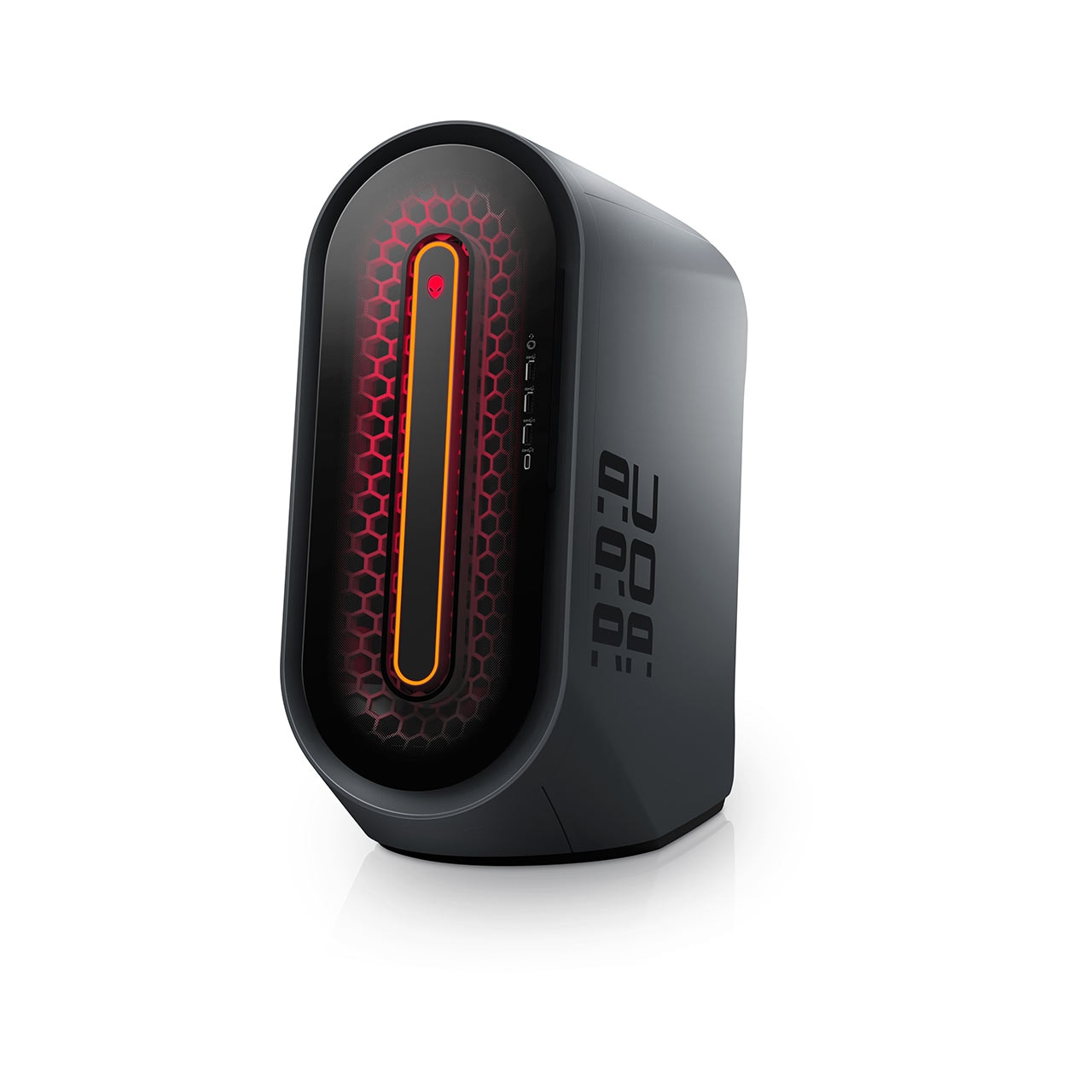
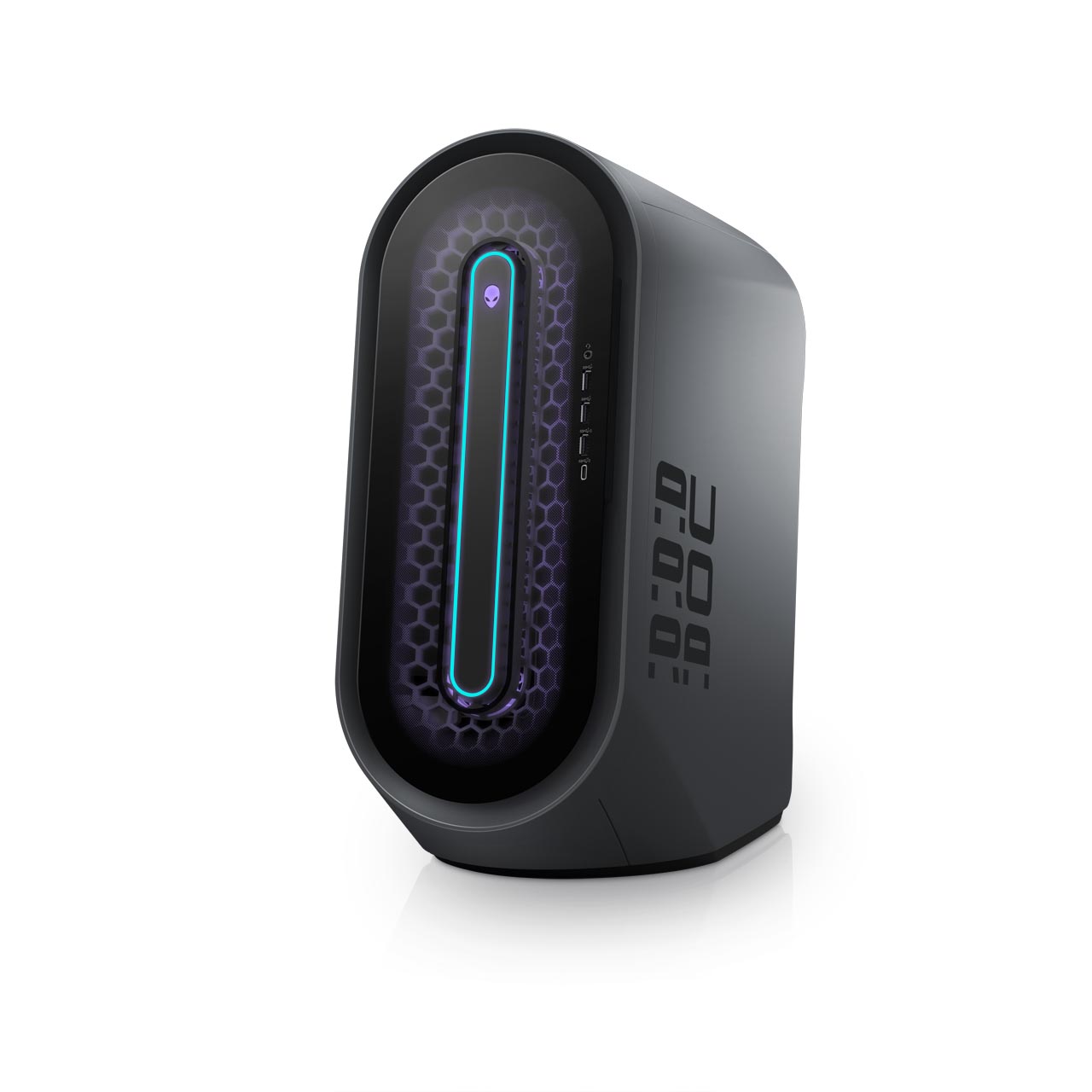
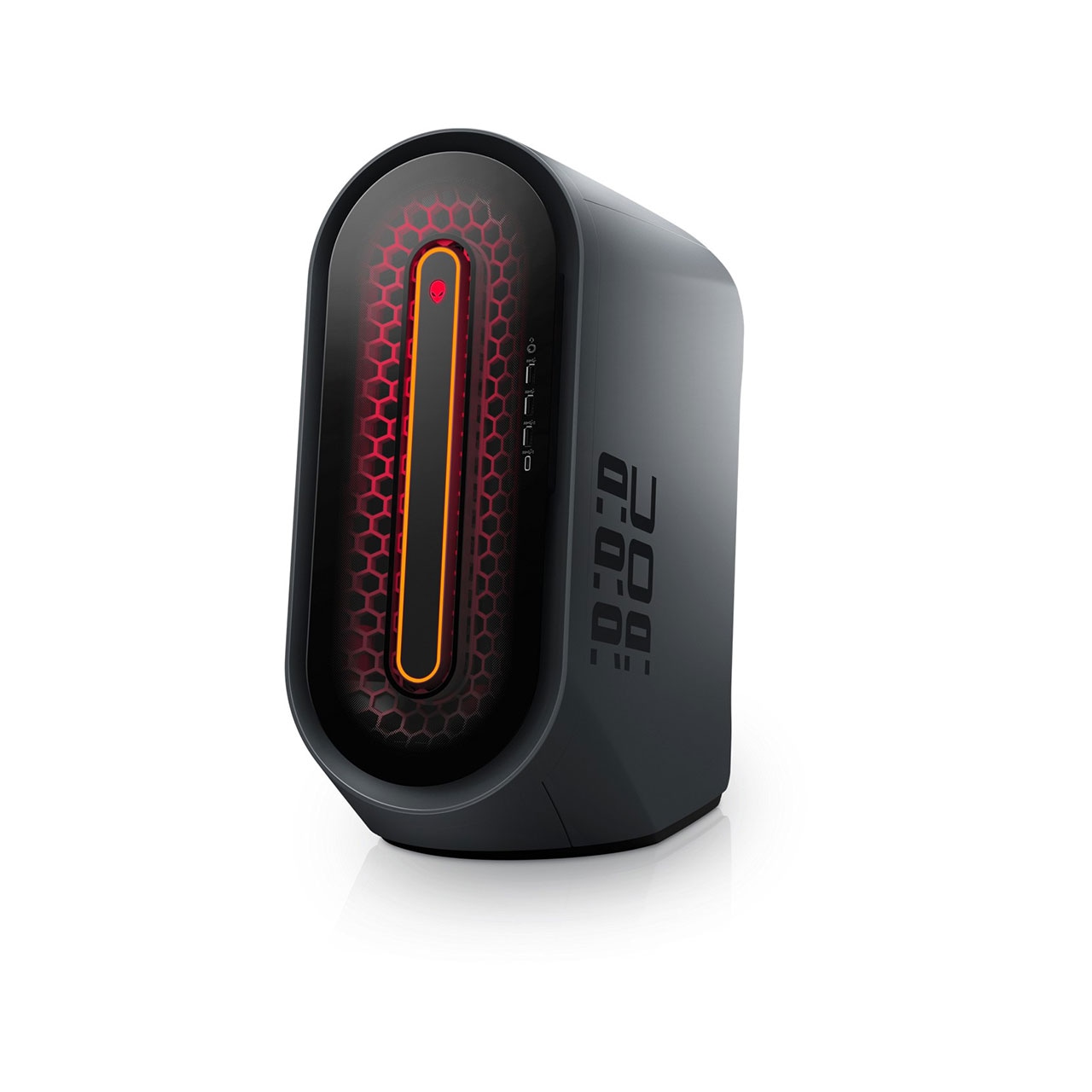
This product is unavailable. Below we have suggested a comparable system.
The Most Upgradeable MicroATX Alienware Desktop Ever!
- High Performance Liquid Cooling Standard
- Supports NVIDIA® SLI and ATI CrossFireX™ multi-graphics processing unit (GPU) graphics technologies
- Features strategic internal component layout for easy upgrades and thermal control
Gaming Graphics and Expandable PerformanceThe Aurora enables hardcore graphics options in a compact, yet highly expandable mid-tower desktop chassis. Many gamers demand hardcore graphics and GPU performance to increase 3D quality and HD gaming immersion. For these gamers, it’s all about the graphics cards under the hood — and the Aurora delivers.Giving Gamers More OptionsWith the Intel® P55 chipset, the Aurora gives you a broad range of dual core and quad core CPU options. It also enables high-end graphics options without needing to invest in the X58 architecture.
Dual and Quad-Core CPUsA quick guide to the Aurora’s processorsView Details | ![]() | Extreme Graphics and Processor PerformanceIf you’re looking for dominant HD gaming power in a mid-tower chassis, the Aurora with the Intel® X58 Architecture is the rig you’re looking for. Combining both the top graphics and processor options with an 875W power supply, this Aurora delivers.High End CPU and Motherboard TechnologyThe X58-based Aurora allows you to rip through applications and games with your choice of quad-core factory- overclocked CPUs, and full x16 PCI-Express 2.0 graphics slots. It’s the perfect option for enthusiasts who need high-performance for gaming as well as video editing, multimedia or 3D.
Crank Your System’s PerformanceThe Aurora with the Intel X58 chipset gives enthusiasts additional options to tweak and tune performance.View Details |

Dominate with Dual Graphics Options
Run this space-saving desktop with the latest dual graphics technologies, and your enemies won't know what hit them. ATI™ CrossFireX™ and NVIDIA® SLI™ graphics options deliver high frame rates at HD resolutions, all while maxing out game settings. Add a second graphics card to experience a whole new level of spectacular performance and lifelike imagery.ATI CrossFireX - Dominate any game with the ultimate multi-GPU performance gaming platform with Microsoft® DirectX technology.
View Details
NVIDIA SLI - Don’t dial back game settings; crank ’em up. With NVIDIA® SLI™ graphics and Microsoft® DirectX® technology, you can experience your digital media like never before.
View Details
Multi-GPU Support - With NVIDIA® SLI® technology, you can increase your gaming performance by up to 100%, while enjoying vivid images and fast transitions. With optional dual graphics cards, you can power up to four independent digital displays. Stay deep within your game on a main monitor and still keep up with your other tasks.
Complete Immersion - Build your system with some of the best gaming GPUs and still have room for the other essentials of an immersive experience, including crystal-clear sound and optimized networking.

Your Command Center
Alienware™ Command Center provides intuitive, user-friendly access to exclusive applications, including AlienFX™ lighting effects, Alienware thermal controls and AlienFusion power management. Updates and new releases download directly into Command Center, creating an evolving tool for personalizing your system.AlienFX Lighting — Choose from an array of 20 colors — up to an amazing 160,000 accent lighting color combinations — to customize the effects across four distinct zones.
View Details

Revolutionary Design
The Alienware Aurora is designed for extreme performance from the inside out. Keep your edge with Alienware's most upgradeable MicroATX desktop, and a sturdy, organic design that helps improve airflow and lets you easily get inside for quick upgrades. And you can personalize your machine with your choice of a Cosmic Black or Lunar Shadow chassis.Liquid Cooling — Eliminate distractions with high-performance CPU liquid cooling, which is more than twice as quiet as the standard heatsink and fans on other PCs. The efficient cooling also increases the reliability of your overclocked* settings.
View Details

Easy Upgrades - Look inside the Alienware Aurora, and you'll see why it's easy to make this desktop your own. You can access many of the core components without any tools for fast upgrades and hassle-free service. (Or you can just show them off.)
Front Panel Access - Simply press down on the first louver to connect USB and front audio cables, without needing to reach to the back of the chassis. The ports are articulated to reduce front-door snag when cables are connected, so you can avoid unwanted tangling and costly mishaps.
Rear Entry - Use the chassis's last louver, towards the rear of the system, as the handle for opening the case for upgrades and service. The rear of the chassis also includes lighting for added convenience when adding or removing cables.
Power Supply Cage - Now it’s easy to upgrade your power supply unit. After using the power supply release handle, you can access the PSU cage with a single-cable harness. And avoid the frustration of "bird's nest" cabling.
Front Panel Access - Simply press down on the first louver to connect USB and front audio cables, without needing to reach to the back of the chassis. The ports are articulated to reduce front-door snag when cables are connected, so you can avoid unwanted tangling and costly mishaps.
Rear Entry - Use the chassis's last louver, towards the rear of the system, as the handle for opening the case for upgrades and service. The rear of the chassis also includes lighting for added convenience when adding or removing cables.
Power Supply Cage - Now it’s easy to upgrade your power supply unit. After using the power supply release handle, you can access the PSU cage with a single-cable harness. And avoid the frustration of "bird's nest" cabling.

* Dell does not recommend operating the processor or other system component beyond factory default settings. This may cause system instability and reduce the operating life of your system components.
Optical Drive
- Single Optical Disc Drive Options
24X Dual-Layer Burner (DVD±RW) (Standard)
Dual Layer Blu-ray Disc™ Reader (BD-ROM, DVD±RW, CD-RW)
Dual Layer Blu-ray Disc™ Burner (BD-RE, DVD±RW, CD-RW)
Dual Optical Disc Drive Options
Drive 1: 24X Dual-Layer Burner (DVD±RW)
Drive 2: Dual Layer Blu-ray Disc™ Reader (BD-ROM, DVD±RW, CD-RW)
Drive 1: 24X Dual-Layer Burner (DVD±RW)
Drive 2: Dual Layer Blu-ray Disc™ Burner (BD-RE, DVD±RW, CD-RW)
Ports
- Front I/O Ports
(2x) High-Speed USB 2.0
(1x) Firewire IEEE 1394
(1x) Microphone In
(1x) Headphone/Speaker Out
(1x) 19-in-1 Media Card Reader (optional)
Rear I/O Ports
(1x) eSATA
(1x) RJ-45 Gigabit Ethernet
(6x) High-Speed USB 2.0
(1x) Firewire IEEE 1394
(1x) Microphone In
(1x) Line-In
(1x) Front Left/Right Speakers
(1x) Center Speaker
(1x) Rear Left/Right Speakers
(1x) Side Left/Right Speakers
(1x) SPDIF Digital Output (TOSLINK) (Only available with Intel® X58 Architecture)
(1x) SPDIF Digital Output (Coax) (Only available with Intel® X58 Architecture)
HDTV Tuners Options
Internal PCI-e Digital/Analog TV Tuner (Optional)
Slots
- Memory Slots
4x 240-Pin DDR3 SDRAM Slots (With Intel® P55 Architecture)
6x 240-Pin DDR3 SDRAM Slots (With Intel® X58 Architecture)
PCI Slots
With Intel® P55 Architecture
Mechanical Specification
Slot 1: PCI-Express 2.0 x16
Slot 2: PCI-Express 2.0 x1
Slot 3: PCI-Express 2.0 x16
Slot 4: PCI-Express 2.0 x1
Electrical Specification
Slot 1: PCI-Express 2.0 (x16 with single graphics, x8 otherwise)
Slot 2: PCI-Express 2.0 x1
Slot 3: PCI-Express 2.0 (x8 graphics slot)
Slot 4: PCI-Express 2.0 x1
With Intel® X58 Architecture
Mechanical Specification
Slot 1: PCI-Express 2.0 x16
Slot 2: PCI-Express 2.0 x1
Slot 3: PCI-Express 2.0 x16
Slot 4: PCI-Express 2.0 x1
Electrical Specification
Slot 1: PCI-Express 2.0 x16
Slot 2: PCI-Express 2.0 x1
Slot 3: PCI-Express 2.0 x16
Slot 4: PCI-Express 2.0 x1
Power
- Alienware™ 525 Watt Multi-GPU Approved Power Supply
Alienware™ 875 Watt Multi-GPU Approved Power Supply (Standard with Intel® X58 Architecture)
Chassis
- Motherboard and Chassis Form Factor
MicroATX Motherboard, Mid-Tower Chassis
System Dimensions
426mm (16.77") - Height
645mm (25.39") - Depth
250mm (9.84") - Width
Average Weight - 20.41 Kg. (45 lbs)
Motherboard Options
Alienware™ Approved Intel® P55 MicroATX Motherboard (Standard)
Socket 1156, Dual-Channel DDR3 Memory Support
Alienware™ Approved Intel® X58 MicroATX Motherboard (Standard with Intel® X58 Architecture)
Socket 1366, 900 Series Intel® Core™ i7 Ready, Dual Triple-Channel DDR3 Memory Support
Processor Cooling
Alienware™ High-Performance Liquid Cooling
Regulatory
- REGULATORY MODEL: D01M
REGULATORY TYPE: D01M001
Aurora R2 Desktop