
UNSOLVED
Bluetooth drivers not available ?
Hello, I received my Dell Inspiron 16 plus 7630 PC last week... everything works except some missing Bluetooth drivers.. (but the bluetooth still works!)
Windows 11 up to date
Additional drivers up to date
Snappy driver installer: finds no drivers.
Dell SupportAssist updated.
Bios up to date.
HELP!
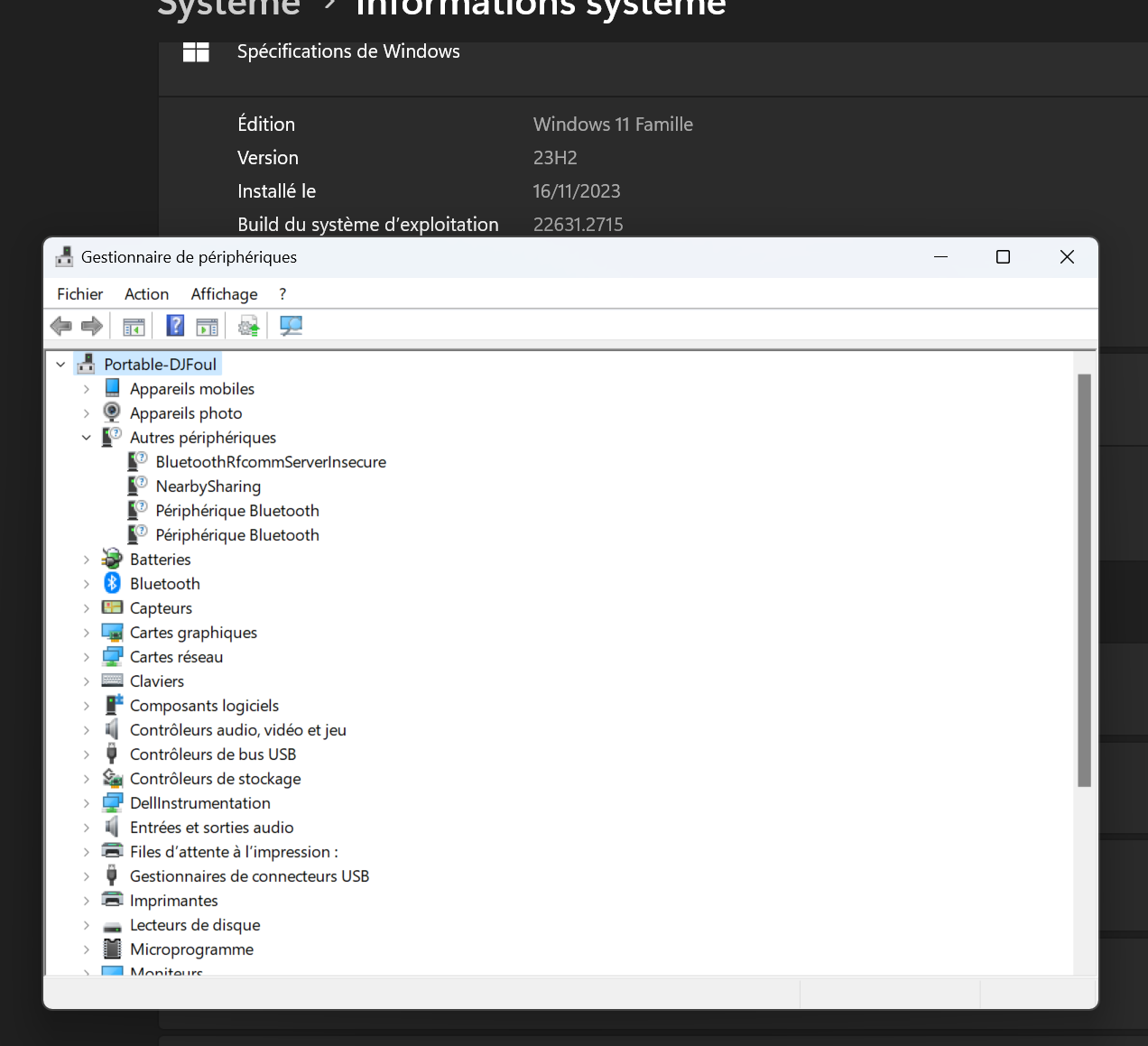
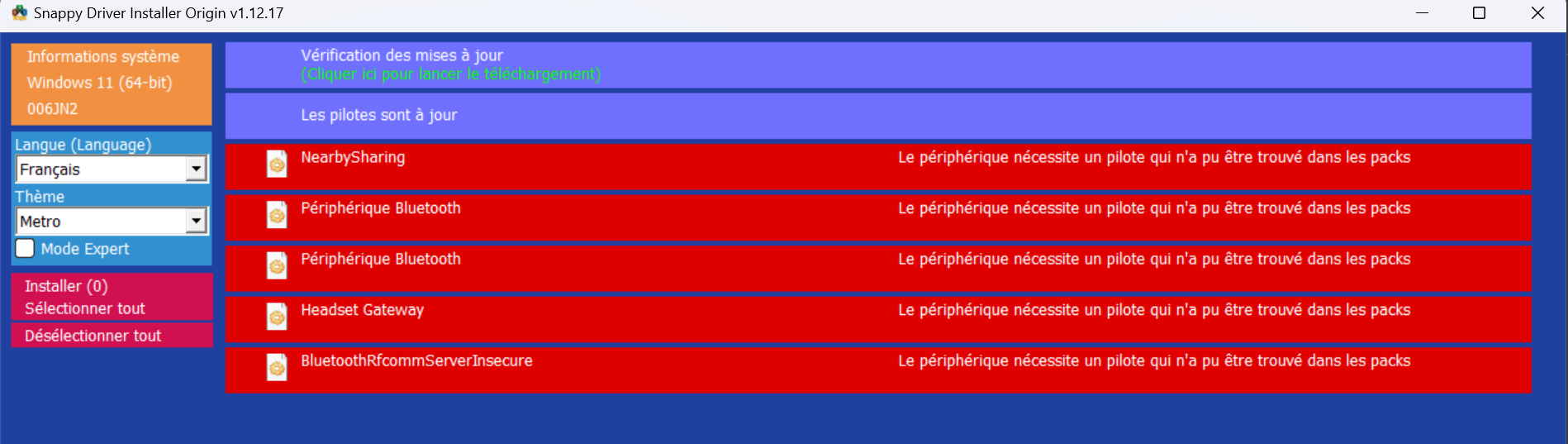
0
0
Posted November 23rd, 2023 16:01
Here is my bluetooth drivers/version : All my peripherals are working (smartphone, headphone, pad..)
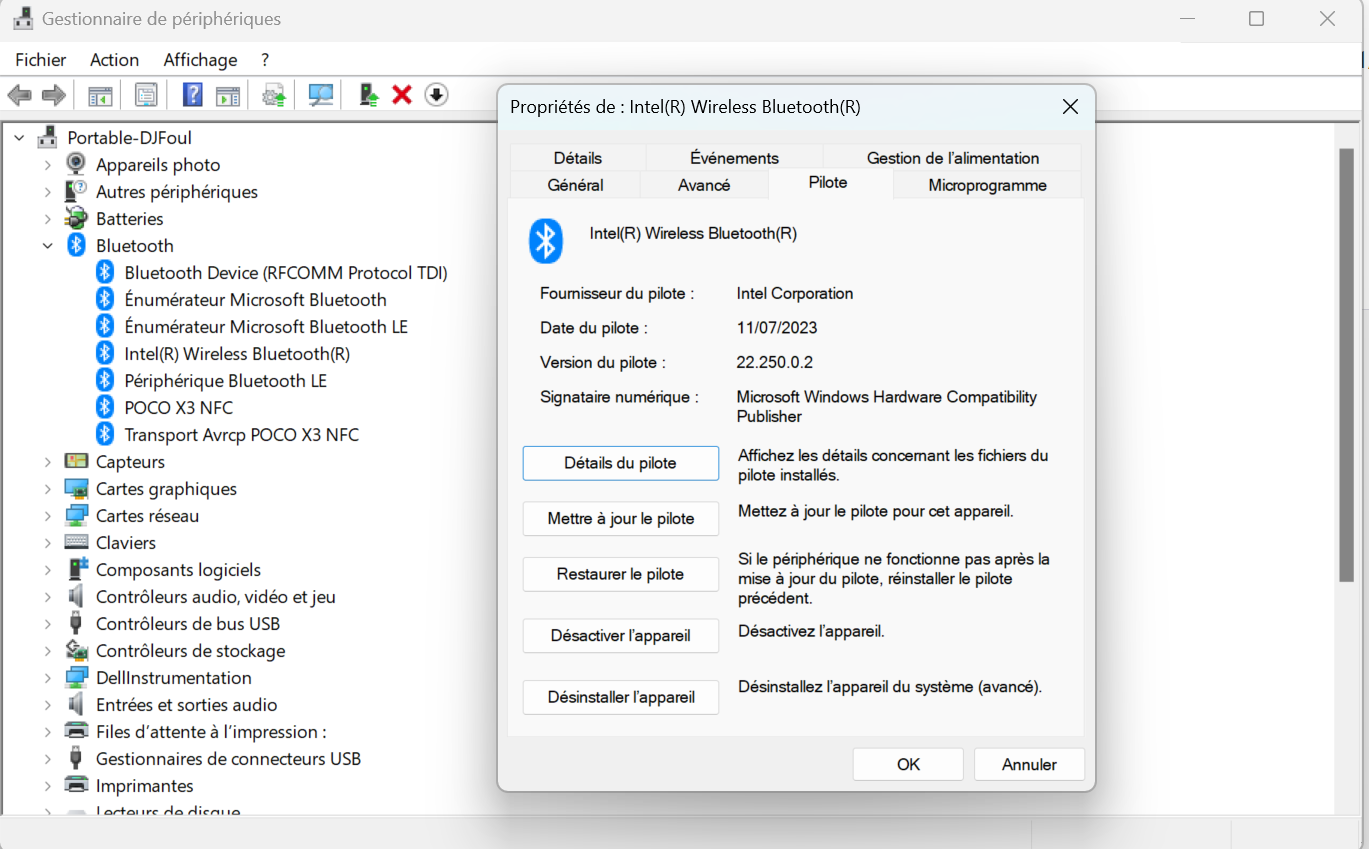
(edited)
0
0
Posted November 23rd, 2023 17:00
i just found the prob !
related to my POCO X3 NFC phone.. i appaired it to not enter password.. but it cause this errors...
Deleted and all just work fine..
thx ;)
(edited)
0
0
Posted November 23rd, 2023 17:41
Hi @DJ-Foul :
Do you have a Home or Pro edition of Windows 11, and do you allow Windows Update to install driver updates for your hardware?
Go to your Inspiron 16 Plus 7630 support page at https://www.dell.com/support/home/en-ca/product-support/product/inspiron-16-7630-laptop/drivers, expand the Visit List section ***, and then click the "This Device" tab shown below and enter your unique Service tag to filter that page for recommended updates for your system. Which of the two Bluetooth adapters shown below does it find as a match for your system?

I'm not sure why Device Manager doesn't display the specific model number (e.g., AX210, AX411, etc.) for your Intel Bluetooth adapter but there only appear to be two Bluetooth drivers offered for Inspiron 16 Plus 7630 computers as shown in my image above - that is, either a v22.250.0.2 driver (rel. 28 Sep 2023) or a v22.250.0.4 driver (rel. 04-Oct-2023). Regardless, Device Manager shows your current v22.250.0.2 driver was released 11/07/2023, and if SupportAssist v3.x does not detect an available update for your Bluetooth driver when you run a manual update check at Home tab | Get Drivers & Downloads and your Bluetooth peripherals are all working correctly then you likely have the latest Bluetooth driver that is certified for your Dell Inspiron 16 Plus 7630 System BIOS.
If you're concerned your Intel Bluetooth driver is out-of-date you could try running the Intel Driver & Support Assistant (DSA) to check for available updates. Just note, however, that any drivers suggested by the Intel DSA may not be certified for your Dell BIOS, and I only install firmware and hardware drivers that are recommended by my Dell Update for Windows Universal v5.x app (which I prefer over SupportAssist v3.x) and are listed on my Intel 5584 support page. Here's the warning Intel DSA shows about a newer graphics driver update it detects for my Intel UHD Graphics 620 GPU, which I did not install.

See the Intel support article What Components Does Intel Driver & Support Assistant (Intel® DSA) Detect? , and note that the Intel DSA does not detect updates for Intel chipset drivers or Intel Ethernet drivers (unless you own an Intel NUC small-form computer or Intel Computer Stick).
*** If the full list of recommended updates is not displayed on your Inspiron 16 Plus 7630 support page then see my 23-Nov-2023 post in my thread Recommended Updates (View List) Not Displayed on Inspiron 15 5584 Support Page for a possible workaround.
--------------
Dell Inspiron 5584 * 64-bit Win 10 Pro v22H2 build 19045.3693 * Firefox v120.0.0 * Microsoft Defender v4.18.23100.2009-1.1.23100.2009 * Malwarebytes Premium v4.6.6.294-1.0.2189 * Macrium Reflect Free v8.0.7690 * Dell Update for Windows Universal v5.1.0 * My Dell v2.2.6.0 * Fusion Service v2.2.14.0 * Intel Driver & Support Assistant v23.4.39.9(edited)
0
0
Posted November 23rd, 2023 18:31
Home edition... but my drivers are fine if i remove my phone to paired devices... the prob is gone..
the stranges lines (?) on the Device Manager are here only when my phone is paired...
0
0
Posted November 23rd, 2023 22:42
i found how to remove them : https://www.youtube.com/watch?v=9YeknP9LNkI

lmacri
6 Operator
•
1873 Posts
•
7974 Points
0
0
Posted November 23rd, 2023 15:41
Hi DJ-Foul:
When you open Device Manager and expand the Bluetooth section, what is the full name and current driver version of your Bluetooth adapter?
For example, my Inspiron 15 5584 has a Qualcomm QCA9377 combination wireless / Bluetooth adapter and my Bluetooth driver version is currently v10.0.0.1238 **, which is the driver version recommended for this adapter on my Inspiron 15 5584 support page at https://www.dell.com/support/home/en-ca/product-support/product/inspiron-15-5584-laptop/drivers ***.
** The release notes for my Qualcomm QCA61x4A/QCA9377 Wi-Fi and Bluetooth Driver v12.0.0.1118 state that after you install this update "the QCA9377 Wi-Fi version that is displayed in Device Manager is v12.0.0.1118" while the Bluetooth version that is displayed in Device Manager is v10.0.0.1238".
*** If your full list of recommended updates is not displayed on your Inspiron 16 Plus 7630 support page at https://www.dell.com/support/home/en-ca/product-support/product/inspiron-16-7630-laptop/drivers after you enter your unique Service Tag to filter results for your specific hardware configuration then see my 23-Nov-2023 post in my thread Recommended Updates (View List) Not Displayed on Inspiron 15 5584 Support Page for a possible workaround.
----------------
Dell Inspiron 5584 * 64-bit Win 10 Pro v22H2 build 19045.3693 * Firefox v120.0.0 * Microsoft Defender v4.18.23100.2009-1.1.23100.2009 * Malwarebytes Premium v4.6.6.294-1.0.2189 * Macrium Reflect Free v8.0.7690 * Dell Update for Windows Universal v5.1.0 * My Dell v2.2.6.0 * Fusion Service v2.2.14.0
(edited)