
Solved!
Go to SolutionOptiplex 780 Black Screen
I have an Optiplex 780 slimline. The video cable is a proprietary Dell DVI splitter. I have tried both ports 1 and 2. When the system boots, the screen remains black until Windows starts. After Windows boots the video system works fine. The problem is, I can't get into setup or the boot menu because I can't see anything during POST.
Remove the splitter and directly connect it to access the bios. The splitter is not recognized pre boot. Why do you need a splitter? What's on the other side of the splitter--another monitor? It helps us to know what operating system you have.
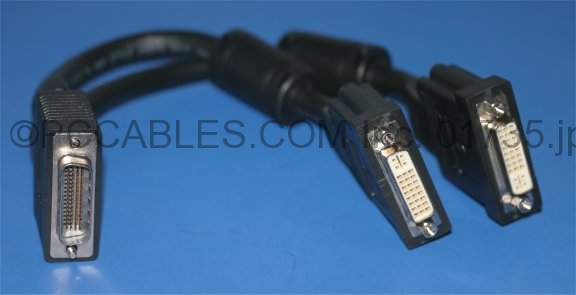
Because the port on the video card is not DVI. It's a proprietary port that requires the Dell video cable which has two ports on the end of the cable. I believe it is a DMS-59 cable.
Like this:
http://www.pccables.com/images/LFH59_CABLE_DMS59_DY599A_NVIDIAPNYHP_DVI.jpg

mooreted
10 Posts
5287
0
Posted November 6th, 2013 12:00
New video card fixed it. Strange problem to have, but at least it's working now.