
Solved!
Go to SolutionOptiplex 7060 SFF dvd install problem
This 7060 has never had a dvd drive. Trouble with the mechanical install. I have a Dell DVD drive and a blue plastic carrier that snaps to the side of the drive. I listed part numbers below. That goes into the metal drive carrier in the 7060. I've watched several videos and read the Service Manual. Looks simple.
Using that blue plastic carrier I can't get drive to seat correctly or click into main carrier. Goes in straight then there's friction and drive is goes at an angle.
Nothing looks bent or broken. Seems the blue plastic carrier at certain point presses against main carrier keeping it from seating properly.
Could there be a compatibility issue with the drive, the little blue plastic carrier, and main drive caddy? Is there more than one version of that plastic snap-on side carrier?
Thx for advice.
Drive is Dell H-L Hitachi-LG GU90N
Little blue plastic carrier is LITE-on 60066 TECH f1119
Main drive caddy is Foxcon 3598
0
0
Posted September 20th, 2025 19:34
can you upload the little blue plastic carrier photo?
I think you need to use a genuine latch to install dvd in sff
Dell oem latch for 7060 Sff
LATCH, OPTICAL DEVICE DRIVE, SLIM, SLIM FORM FACTOR, D7
DVD-/+RW 8x4H4R8it should look like
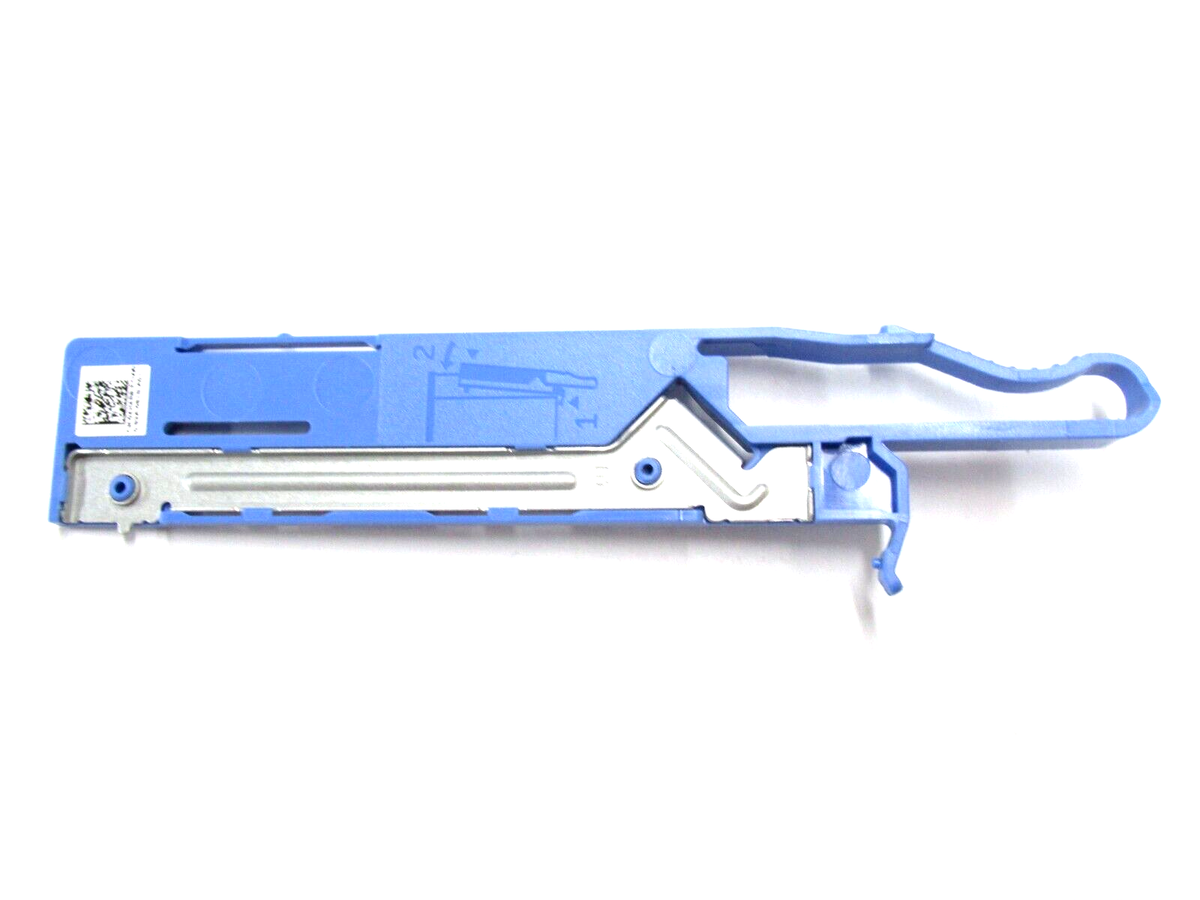
use this eBay to match Foxcoon part number
https://www.ebay.com/itm/126083683404
Foxconn 3598 seems to be the correct one.
GU90N matches the 1st option below
Dell oem dvd for 7060 sff
Optical drive DVD+/-RW, 8X, 9.5T, GU90N, made by Hitachi-LG Data Storage (HLDS)
8x Slimline DVD+/-RW Drive9M9FK Optical drive DVD+/-RW, 8X, 9.5T, made by Philips + Lite-On (PLDS)
Дисковод DVD-дисков с загрузочным лотком (чтение и запись дисков DVD/CD)PNDVV Optical drive DVD, 8X, SATA, 9.5T, DU90N, made by Hitachi-LG Data Storage (HLDS)
8x DVD-ROM 9.5mm Optical Disk DriveDKC2X (edited)
0
0
Posted September 20th, 2025 20:43
use this video if you have not seen it. I would flip the 3.5 hdd cage upside down outside case to slide in the dvd. this may help you find out where a friction may lie if there is one
0
0
Posted September 20th, 2025 21:08
RedXPS:
My blue caddy is obviously different! The nubbins do fit, BTW.
So am I correct that the right part is 4H4R8?
If so, thx for fixing my problem RedXPS.


0
0
Posted September 20th, 2025 21:28

redxps630
11 Legend
•
16317 Posts
•
82847 Points
0
0
Posted September 20th, 2025 19:54
did you make sure both small nubnins of the latch are snapped into small side holes of dvd? there is a small illustration of how the latch needs to hook on the dvd side as shown on it.
(edited)