
UNSOLVED
B
bseklecki_ge
1 Rookie
•
60 Posts
•
22 Points
0
324
January 16th, 2026 16:18
Precision 7920 Rack - NVMe RAID?
I see the PCIe Riser #1 has a Intel VROC Key.
Is it possible to setup NVMe RAID if I have the correct PCIe -> NVMe adapter cards for installation on Riser?
(There appears to be no NVMe ports directly on the motherboard)
Thanks,
~Brian
0
0
Posted January 18th, 2026 23:10
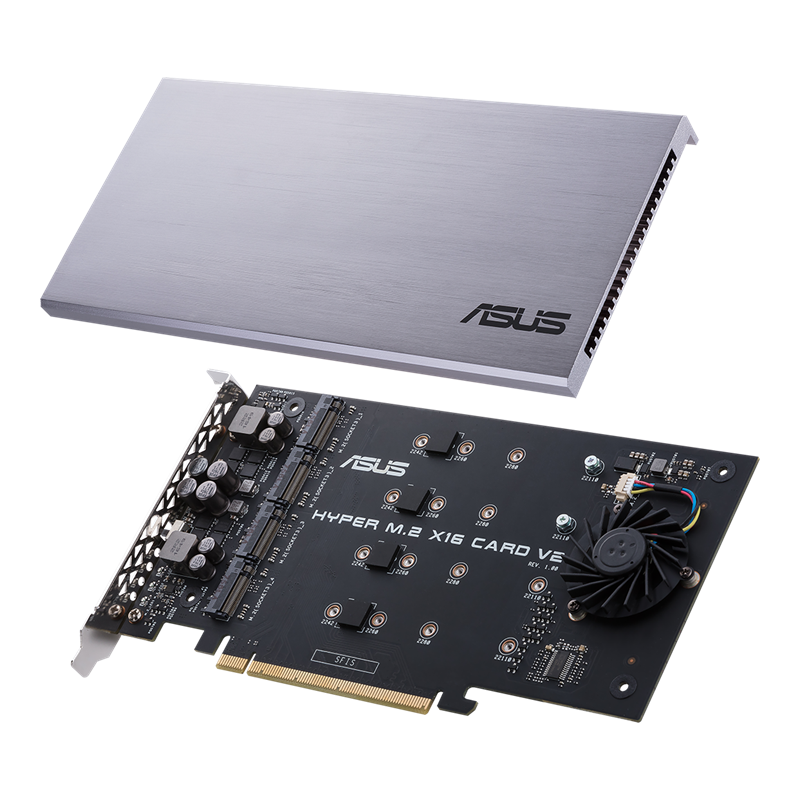
When I say "PCIe Riser Card", i mean an a card like-so (This one Asus ,but other brands available):
0
0
Posted January 23rd, 2026 09:45
It seems that Dell has their own variety of this:
The latest revision claims to be compatible with PCIe Gen3/Gen4/Gen5, so although it doesn't explicitly say Precision 7920, it should be backward compatible.

0
0
Posted January 26th, 2026 16:58
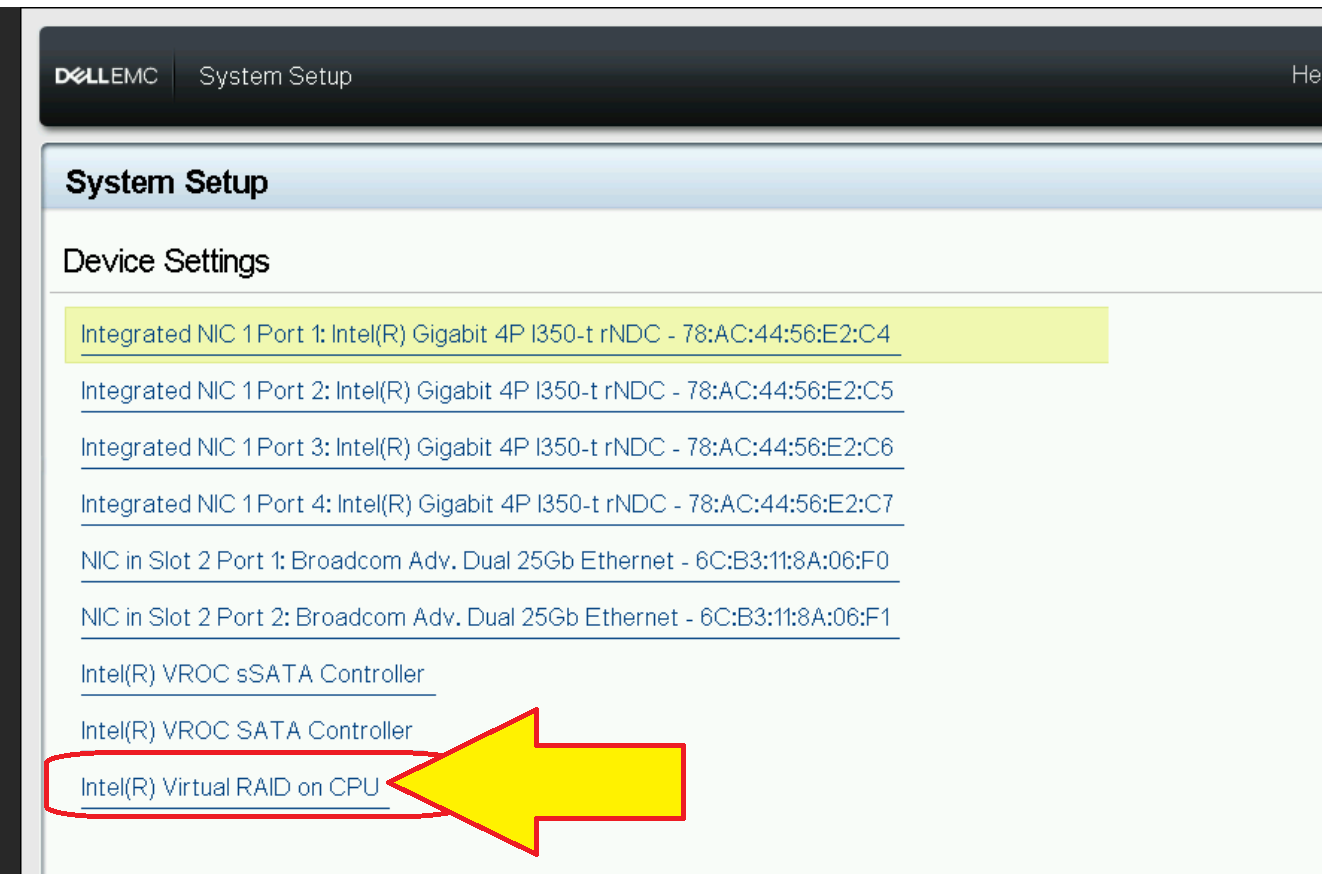
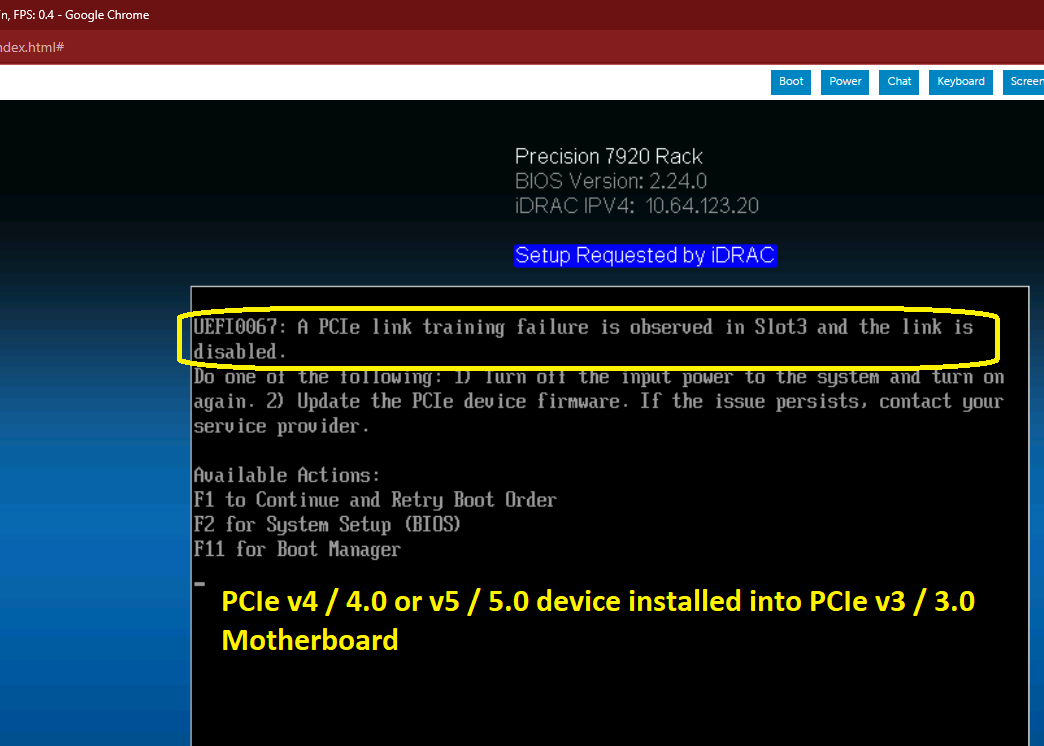
My testing is successful:
UEFI0067 "A PCIe Link Training Failure" is an error when ther eis a PCIe v4 / v5 card installed whe nthe Preision 7920 northbridge only supports PCIe v3.0 . Take care to buy a PCIe Riser compatible with your system (Asus makes three different generations )


(edited)
0
0
Posted January 29th, 2026 11:08
The Precision 7920 Rack handles NVMe RAID beautifully via Intel VROC, provided you use the PCIe Riser slots. Since there are no onboard M.2 ports, you’ll need a Dell Ultra-Speed Drive Quad or Duo card. With the VROC Key already installed on Riser 1, you can configure bootable RAID arrays directly in the BIOS. For the best performance, ensure you have a custom resolution utility download to manage high-end display outputs post-configuration.

bseklecki_ge
1 Rookie
•
60 Posts
•
22 Points
0
0
Posted January 17th, 2026 10:18
I probably should have specified:
Intel RST vROC - NVMe RAID.
I asked, because I switched the AHCI mode to enable to RST mode to RAID, and then, in then after a warm boot, the UEFI setup the menu offered "SATA RAID" but not a generic Intel RST/vROC Setup Menu (as is present in the UEFI menu of Precision 5820XL or Precision 5860 Tower)