
UNSOLVED
R750 USB PCIe
Hi,
I need a compatible USB PCIe card (either usb 2 or 3) that I can use as pass through with esxi. I assumed that any USB PCI card would be happy, but the server doesn’t even POST with it installed (see screenshot) so I guess they aren’t all compatible for some reason.
Is there a list of compatible cards / anyone had experience of adding a USB PCIe card?
Thanks!
Ian
211
0
Posted December 12th, 2022 08:00
Hi,
Do you have a link for a suitable card? Also, do you know if it supports pass through to VMWare?
Thanks
Ian
182
0
Posted December 12th, 2022 16:00
Hello, I'm afraid the questions is rather to be directed to VMware.
Internal: 1 port (USB 3.0)
Social Media and Communities Professional
Dell Technologies | Enterprise Support Services
#IWork4Dell
Did I answer your query? Please click on ‘Mark as Accepted Answer’. ‘Thumbs up’ the posts you like!0
0
Posted September 27th, 2023 21:12
First check this: https://www.dell.com/support/kbdoc/en-us/000176841/bios-halts-during-power-on-self-test-post-after-applying-idrac9-4-00-00-00-firmware
Then verify this configuration in the BIOS, you can access by the iDRAC interface in:
Access iDRAC Web interface: Configuration -> BIOS Settings -> Slot Disablement
 Access iDRAC Web interface: Configuration -> BIOS Settings -> Slot Bifurcation
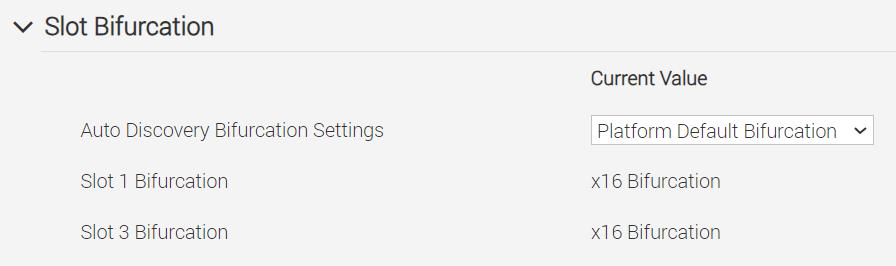 Finally, you could try doing a System Update and see if there are some critical firmware updates.

DELL-Shine K
6 Operator
•
3042 Posts
251
0
Posted December 6th, 2022 19:00
USB PCIe card is not supported on PowerEdge servers. As it is not supported, we can not guarantee that it will work. PowerEdge R750 support Internal USB where you will get a USB slot inside the chassis. You can refer below link for details
https://www.dell.com/support/manuals/en-us/poweredge-r750/per750_ism_pub/installing-the-internal-usb-card?guid=guid-c4d7dc00-8f9b-4f45-99a8-612bb1a6b5ac&lang=en-us