
UNSOLVED
T
thedavegray
2 Intern
•
26 Posts
0
359148
January 8th, 2016 15:00
No product key for oem
Hi,
Dell have sent me a new windows 8.1 disk so that I can reinstall windows as the current install is messed up.
Problem is that when I boot from this disk it asks for a product key which I don't have.
I contacted the person who sent me it but got an out of office, wouldn't mind but I'm supposed to have next day service from Dell.
Any ideas?
1569
0
Posted January 9th, 2016 13:00
When reinstalling a dell oem version, just skip the key request when it comes up in the beginning and continue with the installation. At the end it will read the embedded key and activation will complete.
1569
1
Posted January 9th, 2016 19:00
When reinstalling a dell oem version, just skip the key request when it comes up in the beginning and continue with the installation. At the end it will read the embedded key and activation will complete.
For a Windows 8.x/10 OEM SLP key doing so will force installation of the wrong Edition. This will result in the inability to activate the product... The correct Edition must be selected at the start and no product will be requested it will be automatically picked up and input by the installation media, taking the end user straight to the license agreement screen.
1577
0
Posted January 11th, 2016 03:00
I'm not sure I follow you. I'm booting from a Win 8.1 disk supplied by Dell, there is no way to chose a version, the only choices are locale, language and keyboard then it's on to the product key screen, as I mentioned further up the thread there is no way to bypass this, a product key must be entered.
1569
0
Posted January 11th, 2016 03:00
This does not work. There is no way past the product key screen, you have to enter a code and this being an OEM re-install I o not have one.
1577
0
Posted January 11th, 2016 04:00
The model is a M6800 with a UK spec. It was purchased in Germany and needs the service tag transferring to the UK, I have a link for this and will does this once I've re-installed and corrected all the Windows issues.
1577
0
Posted January 11th, 2016 04:00
Hi,

I'm at work now so can't say for sure what the Windows sticker says, however I do think it's either Pro Windows or Pro Windows 8.
Can't recall (apart from 8.1) what the disk says, I will update from home tonight.
Thanks
1577
0
Posted January 11th, 2016 04:00
As I mentioned Dell have likely sent a Disk with the wrong Edition of Windows 8.1...
More than likely the disk contains the wrong Edition of Windows 8.1 hence the reason you are requested to input a product key. The correct Edition would not ask for one.
What is the model and what is the sticker affixed to the system?
What does it say on the disc?
(1)
(2)
(3)
(4)
(5)
1577
0
Posted January 11th, 2016 05:00
If the system has a Windows 8.1 Pro sticker and Dell have shipped Windows 8.1 installation media you have the wrong Edition. Download a Windows 8.1 Pro .iso and make your own Bootable USB:
http://dellwindowsreinstallationguide.com/download-windows-8-1-retail-and-oem-iso/
https://www.youtube.com/watch?v=meWKm6lWtmw
Alternatively Download Windows 10 TH2 and Clean Install:
http://dellwindowsreinstallationguide.com/download-windows-10-oem-and-retail-iso/
https://www.youtube.com/playlist?list=PL1RkaknDn7v-Ucth4gt0U3BHVSY7oNkWr
Your Windows 8.1 Pro Key will be accepted by Windows 10 (not N or Single Language) installation media. Windows 10 media will automatically pickup your Windows 8.1 Pro key and install Windows 10 Pro.
318
0
Posted January 11th, 2016 06:00
The laptop definitely shipped with 8.0 as I recall upgrading it.



Philip_Yip
11 Legend
•
16052 Posts
•
65915 Points
1569
0
Posted January 8th, 2016 19:00
More than likely the disk contains the wrong Edition of Windows 8.1. What is the model and what is the sticker affixed to the system?
What does it say on the disc?
(1)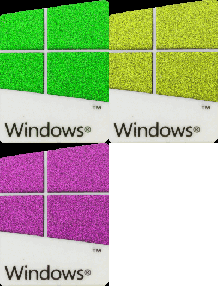 (2)
(2) (3)
(3)
(4) (5)
(5)
Windows 11 Installation Guide
Windows 7 Installation Guide