
Solved!
Go to SolutionDoes not detect headphone microphone
Hello,
For some time now and with various DELL updates, the laptop does not detect the headphone microphone, connected through the 3.5 jack. I have tried it with several headphones.
When I plug in the headphones, on this control panel screen, it detects the headphones but not the mic, which says "Not connected."
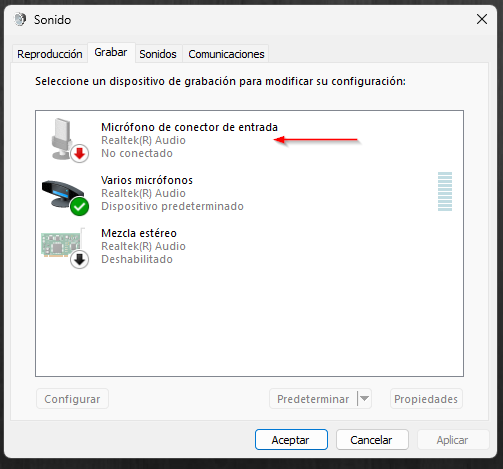
I have tried to install the Realtek Audio Console where, in theory, it detects the devices and you can configure them, but there is no compatible version, the updates in DELL say that it is not, and if I download the entire Realtek Audio driver, it does not install this console.
Until a few weeks ago, when inserting the jack cable, a screen asked me if they were speakers, microphone, headset.... now nothing appears and I understand that it assumes that they are headphones or speakers without microphone.
Let's see if I'm lucky and someone has some tricks...
Thank you!!
0
0
Posted April 2nd, 2024 14:42
do you have MaxAudioPro installed?
choosing the headset option from the list should enable both your mic and headphone.
(edited)
0
0
Posted April 2nd, 2024 19:19
What type of jack does the microphone require? There are TRS and TRRS -- your system may not support the microphone component. If not, an inexpensive USB adapter is all you need.

FJ Corb
1 Rookie
•
7 Posts
0
0
Posted April 3rd, 2024 07:08
@bacillus1
Great!!
I didn't find the list of devices but this option "Advanced" that reactivates the popup message that requests the type of device when connecting it.
Thank you!