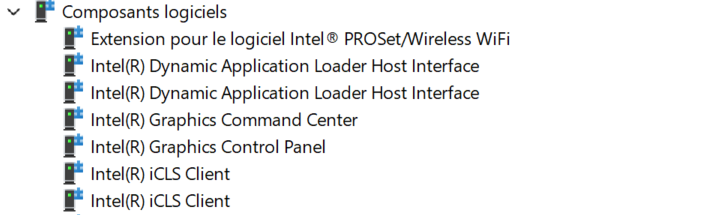
MS says not to worry about it. If you check the individual drivers' properties The Events tab will show somewhat different info. If you're still concerned you can uninstall the second of the duplicates and restart laptop. Do *not* delete the driver during the process. I'm betting the 'second' driver entry returns.


Maxd1
3 Novice
•
136 Posts
•
503 Points
0
1
Posted November 25th, 2025 02:10
MS says not to worry about it. If you check the individual drivers' properties The Events tab will show somewhat different info. If you're still concerned you can uninstall the second of the duplicates and restart laptop. Do *not* delete the driver during the process. I'm betting the 'second' driver entry returns.
I have the same issue on a Windows 10 machine.