
UNSOLVED
n7110 internal microphone problem
I have a dell Inspiron n7110 laptop computer With Windows 7. Integrated microphone do not working. I can't recording voice and speak with Skype. When i connected an external microphone it's okay. I try reinstall sounddrivers and update BIOS - w/o success. Help, please.
mark briana
6 Posts
1153
0
Posted January 16th, 2013 18:00
I am having the same exact issue for the same exact computer and none of these suggestions have worked and I've tried everything i can think of, i am pretty computer savvy. but i am stumped. please help me.
Dell-Rajesh R
6 Operator
•
3318 Posts
1153
0
Posted January 16th, 2013 18:00
Hi gambino978,
I have replied to your post on a different link.
Kindly refer below mentioned link:
Awaiting your response!
Jim Coates
6 Operator
•
13582 Posts
1153
0
Posted January 18th, 2013 04:00
Can't seem to get my links to work this morning. The service manual is here:
Jim Coates
6 Operator
•
13582 Posts
1153
0
Posted January 18th, 2013 04:00
There is a possibility of hardware failure. Several owners have reported to us that the connection to the mic array can become loose. Checking that requires loosening or removing the bezel that surrounds the display screen. For instructions, download the N7110 service manual and follow the instructions for the bezel. Those instructions are in the "Display" section. If you attempt this be careful to not disturb any components behind the bezel except the mic connection.
Note: if your laptop is still under warranty then DO NOT do this because you will risk voiding your warranty. Instead contact Rajesh R and discuss having a Dell repair technician perform the process.
Jim Coates
6 Operator
•
13582 Posts
1153
0
Posted January 18th, 2013 04:00
That didn't work either, so let's try this one:
mark briana
6 Posts
1153
0
Posted January 18th, 2013 08:00
the connection was loose. i figured it out yesterday when every time i touched the area around the webcam, i would hear the usb connect/disconnect sound. so i took off the plastic bezel cover and wulya! loose cable. it was a sinch. thanks for your reply
mark briana
6 Posts
1153
0
Posted January 18th, 2013 08:00
the connection was loose. i figured it out yesterday when every time i touched the area around the webcam, i would hear the usb connect/disconnect sound. so i took off the plastic bezel cover and wulya! loose cable. it was a sinch. thanks for your reply

Jim Coates
6 Operator
•
13582 Posts
1153
0
Posted October 21st, 2011 06:00
The internal mic is part of the webcam, so the webcam software should be installed and started. For help in installing it, see the article

"Webcam Not Functioning"
Also, install the Realtek audio driver for the N7110 if you have not yet done so. (If it is already installed you will see the words "Realtek High Definition Audio" in the Sound properties.) Go to the Sounds properties and select the Recording tab. It should look similar to this:
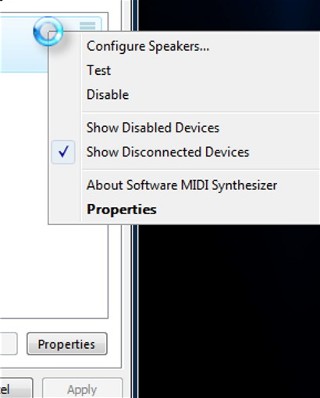
Make "Microphone" or "Microphone Array" the default device. If you do not see "Microphone" or "Microphone Array", right click in the white area.and select to show disabled devices and show disconnected devices.
If the mic array is hidden there, enable it.