
Solved!
Go to SolutionDell t360 extremely loud
I just received this dell t360 for one of our locations and it is crazy loud. I guess it is because I added a boss n1? But isn't this server meant for small business where the server will be in the office space? I don't get why they put such a loud fan in this thing. My t440s are super quiet compared to this and they are way more powerful. Can I return this?
0
0
Posted April 10th, 2025 14:27
Once I loaded server 2022 for hyperv the fan speed calmed down to 25%, until the April updates, when it started ramping up fan speed randomly. Luckily installing the latest bios update corrected that. Still this system should have better fan management available, it is disappointing from dell.
0
0
Posted May 5th, 2024 10:06
hello Mate,
these are loud but not that much you can check the BOIS F/W if not up to date and BIOS settings too.
0
0
Posted April 4th, 2025 19:24
I've got two of these T360 units that are both randomly ramping up the fans to around 5000 RPM. They are too loud for an office environment. I've looked at the temperature logs and there's no reason that these fans should be ramping up to full speed. We've used DSU to upgrade everything to the latest version and it's still doing this. We've already bought several more of these for other office and we have to find a solution to this. These fans at 5000 RPM are super loud so Dell is going to have to find a solution for this. We have the BOSS card but they just have the standard fans in them.
0
0
Posted April 4th, 2025 20:13
Jsip75,
Normally I would suggest ensuring the BIOS and iDrac are up to date, but you said that you already updated.
The next thing I would want to confirm is if there is a BOSS controller or GPU installed in the server, as both will increase fan speed to help with cooling.
Lastly, I would check the iDrac to see how the cooling is configured, as found here.
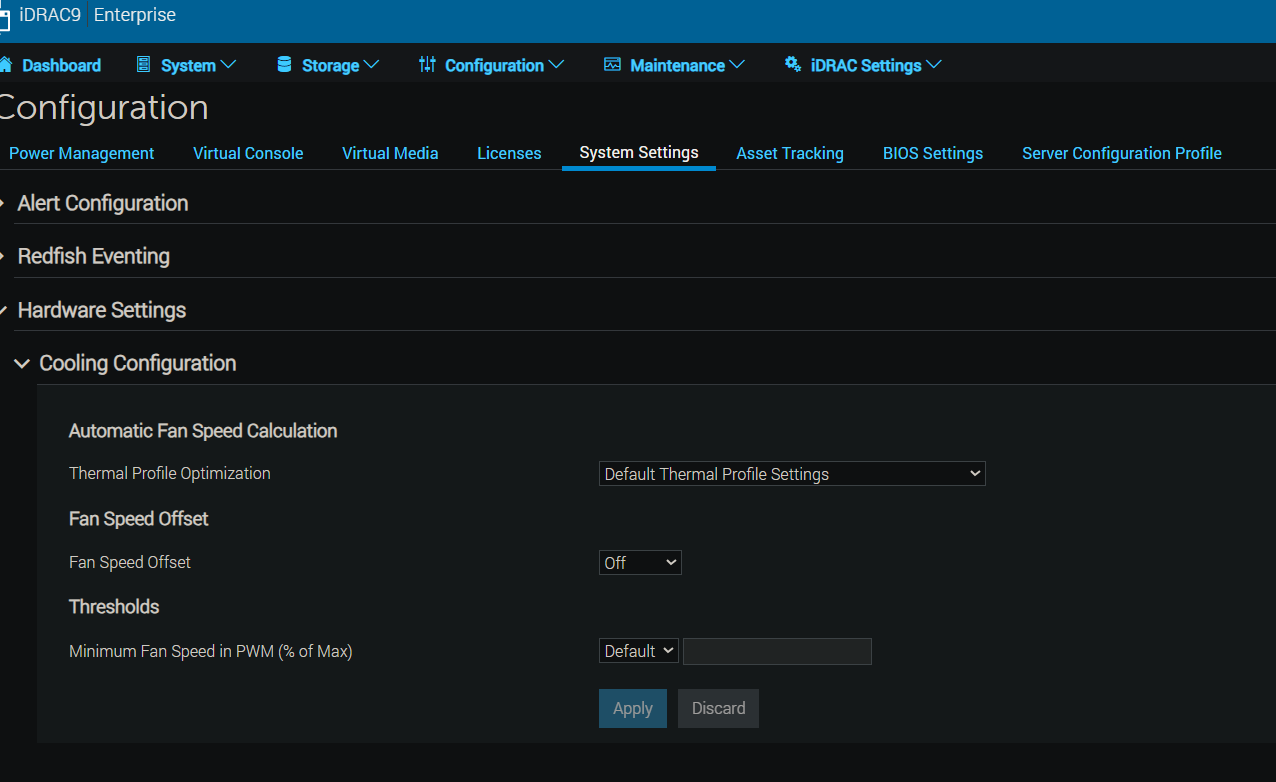
Let me know what you see. and if this helps.
DELL-Chris H
Social Media and Communities Professional
Dell Technologies | Enterprise Support Services
#IWork4Dell
Did I answer your query? Please click on ‘Mark as Accepted Answer’. ‘Thumbs up’ the posts you like!0
0
Posted April 4th, 2025 21:16
There is a BOSS card installed. The Cooling Configuration is showing the same as what you have there. I've Included images. As you can see, the fan was running at over 5000 RPM while the temperatures for the system were around 74 F. It's also not constantly running that fast. It's very intermittent but happens through out the day. This also isn't just on one server. We have 4 T360s that are exhibiting this behavior. We're about to set up several more that I have no doubt will do the same thing. We never had this issue with the T350s we purchased with BOSS cards and we purchased a lot of them.
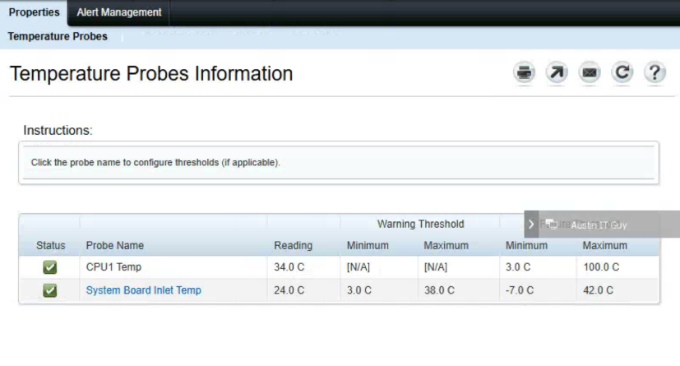
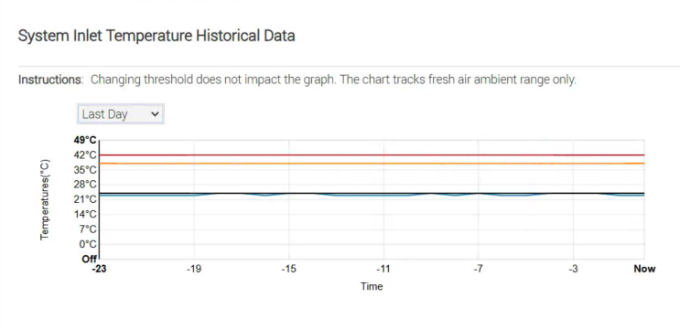
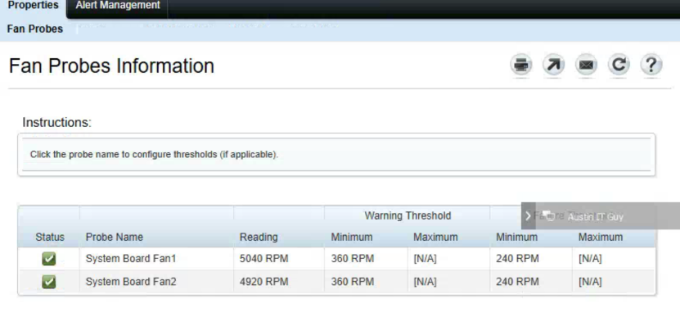
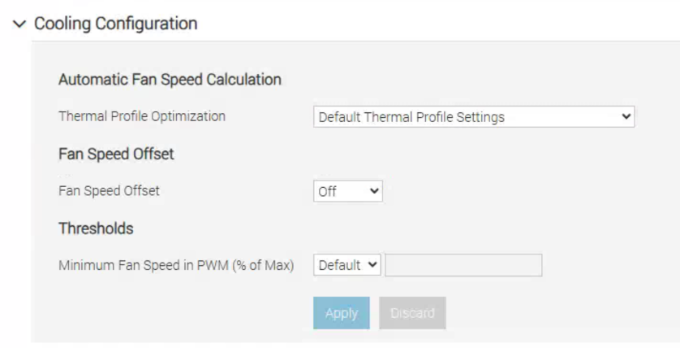
(edited)
0
0
Posted April 7th, 2025 05:04
Hello would you kindly send your service tag here https://www.dell.com/community/en/direct-messaging so that we can help you better?
Respectfully,
Social Media and Communities Professional
Dell Technologies | Enterprise Support Services
#IWork4Dell
Did I answer your query? Please click on ‘Mark as Accepted Answer’. ‘Thumbs up’ the posts you like!0
0
Posted April 10th, 2025 14:07
Can you please provide an update here when you can. I also have a brand new T360 that ramps up to 100% fan randomly with 0 load on it and average cool temperatures.

jsip75
1 Rookie
•
3 Posts
•
2 Points
0
0
Posted April 10th, 2025 16:51
I spoke with Dell support about this. They told me that the issue is the latest versions of the iDRAC firmware. We downgraded the iDRAC firmware to version 7.10.90.00 from 7.20.10.05 and that fixed the issue. Below is the link they gave me for the 7.10.90.00 firmware that does not have the fan issue. We've ran our T360 units for a couple of days now and we've been told that they've run quielty and haven't had any issues.
iDrac 7.10.90.00 Firmware