
UNSOLVED
R
RomaniTheDino
1 Rookie
•
1 Message
•
4 Points
0
21
October 25th, 2026 01:45
Alienware M15 R4 audio issues.
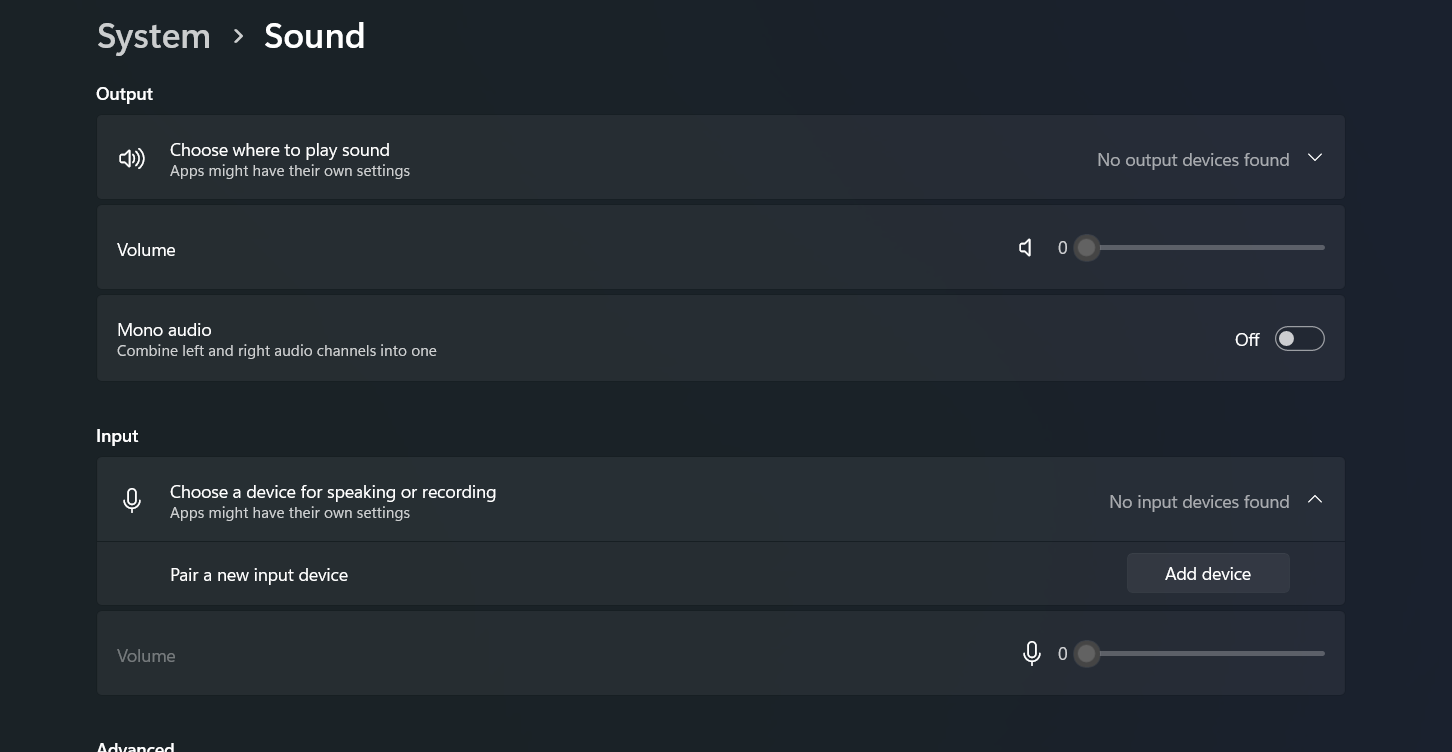
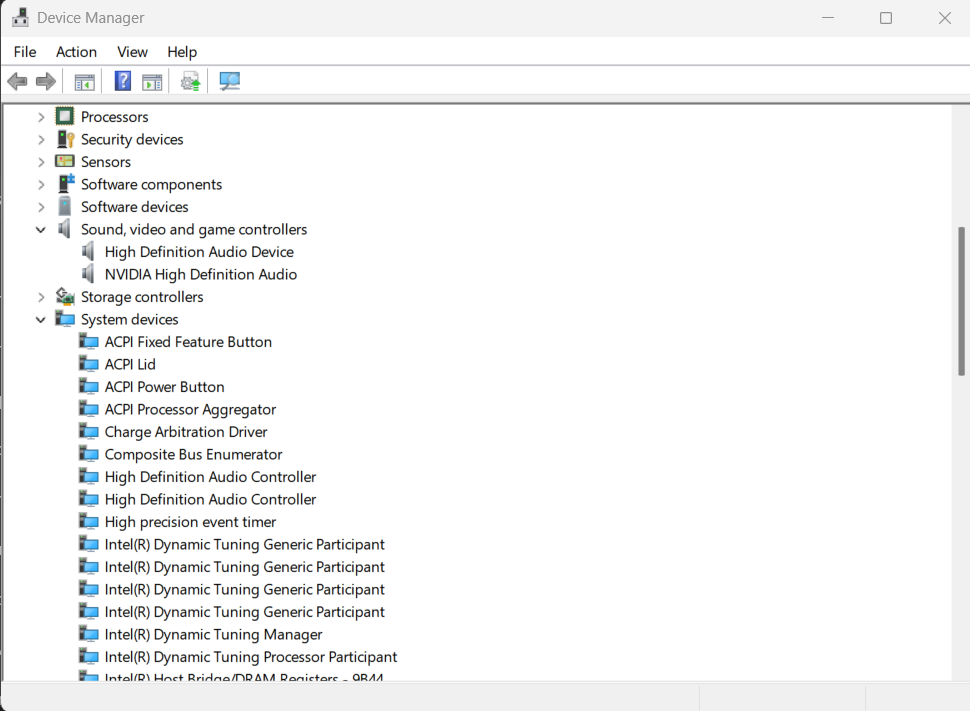
Recently took apart my Alienware M15 R4 in order to thoroughly dust and clean the interior, as I was experiencing some overheating issues. I did have an issue with the 2 small wires on the right side input output board, which appear to connect to the display assembly and broke loose from their connections on the left I/O board while disassembling the laptop. However, I was able to reattach and crimp the connectors back onto the wires, and after putting everything back together the laptop worked without issues. Monitor, camera, microphone, speakers, USB ports, ethernet, and all functions worked properly that same day. I did not move the laptop from its location on my desk and when I came to try to use the device the day after, I found that the laptop indicated that no input or output devices were connected, even the internal audio devices. I have confirmed that all internal connectors/cables are still in place and all the USB ports still function properly, even when connecting a headset to the USB for audio input/output. I have also removed and reinstalled all audio devices in Device Manager, restarted the PC, checked all settings in BIOS, and downloaded and updated the Alienware BIOS drivers, Intel Chipset drivers, and the Realtek High Definition Audio drivers. But despite all these steps and updating/replacing all the aforementioned drivers with the appropriate drivers downloaded from the Dell support section, the issue still persists, and no internal audio devices are detected, despite USB headsets working perfectly for both input and output when connected to either the left or right I/O boards. If it helps at all, I have also found that the actual 3.5mm auxiliary headphone jack on the left I/O board also does not function. But at this point, I am just about at my wits end, and I was hoping to find someone who has some insight into the issue that could maybe point me in the right direction before I start guessing and swapping random components. Thanks!

0
0
Posted October 25th, 2026 12:32
Hi
A picture of the affected area may help.
Something more localised than this...

https://www.dell.com/support/product-details/en-gb/product/alienware-m15-r4-laptop/resources/manuals
Kind Regards
anne_droid


noahmitchell
1 Rookie
•
14 Posts
•
36 Points
9
1
Posted October 25th, 2026 03:02
That overnight change is the biggest clue — it worked after reassembly and then dropped out without being moved, so I'd suspect a connection that isn't quite solid rather than a dead audio chip. Since USB audio works but nothing internal shows up at all, not even the headphone jack, check whether the internal audio device is even listed in Device Manager with hidden devices shown, and run the pre-boot diagnostics audio test to see if it's Windows or hardware. If it's missing there too, I'd reopen it and reseat the left I/O board cable and the speaker cable properly, and look closely at those crimped wires for a strand that's broken or shorting under the connector. A hand-crimped joint can test fine one day and fail the next, so don't start swapping boards until you've ruled that out.