
UNSOLVED
Computer Does not boot up
After a power outage or if I turn off my computer it does not boot up and the scanner and printer also do not load. I have to press the power button and tap F12 a number of times before the repair screen appears. I have had to go through this lengthy process quite a few times. As a consequence I never switch the computer off, instead having it go into hibernation overnight. I am reluctant to experiment because of the time it takes to get the repair screen. Is this a hardware problem?
5
0
Posted November 17th, 2026 23:22
So the scanner and printer also do not power on? Or they are not connecting your dell system? More than likely the power outage has caused some sort of motherboard damage to the Dell system, and possibly the scanner/printer if they too have power issues. I would recommend backing up your data if you have not done so already.
DELL-Daniel V
#IWork4Dell
Digital Support Forum LiaisonNew to Community? Check our FAQ!
5
0
Posted November 18th, 2026 00:25
Neither the scanner nor the printer have power issues. They normally turn on as part of the booting up process. I would like to post pictures of the BIOS screens and the boot options but I will have to find the time as to do so I have to turn off the computer and go through the time consuming proces of pressing the power button and tapping the F12 key until the rescue screen eventually appears. I assume I can't see these screens without going through this process? By that I mean that I can't see them when Windows is open?
0
0
Posted November 20th, 2026 10:24
@anne_droid
@anne_droid I have an Optiflex SFF 7010 using Windows 11.This afternoon the computer went down spontaneously. The repair and recovery process ran but the computer still did not boot, though the scanner and printer started. I evenually got it going but I'm not sure what I did.
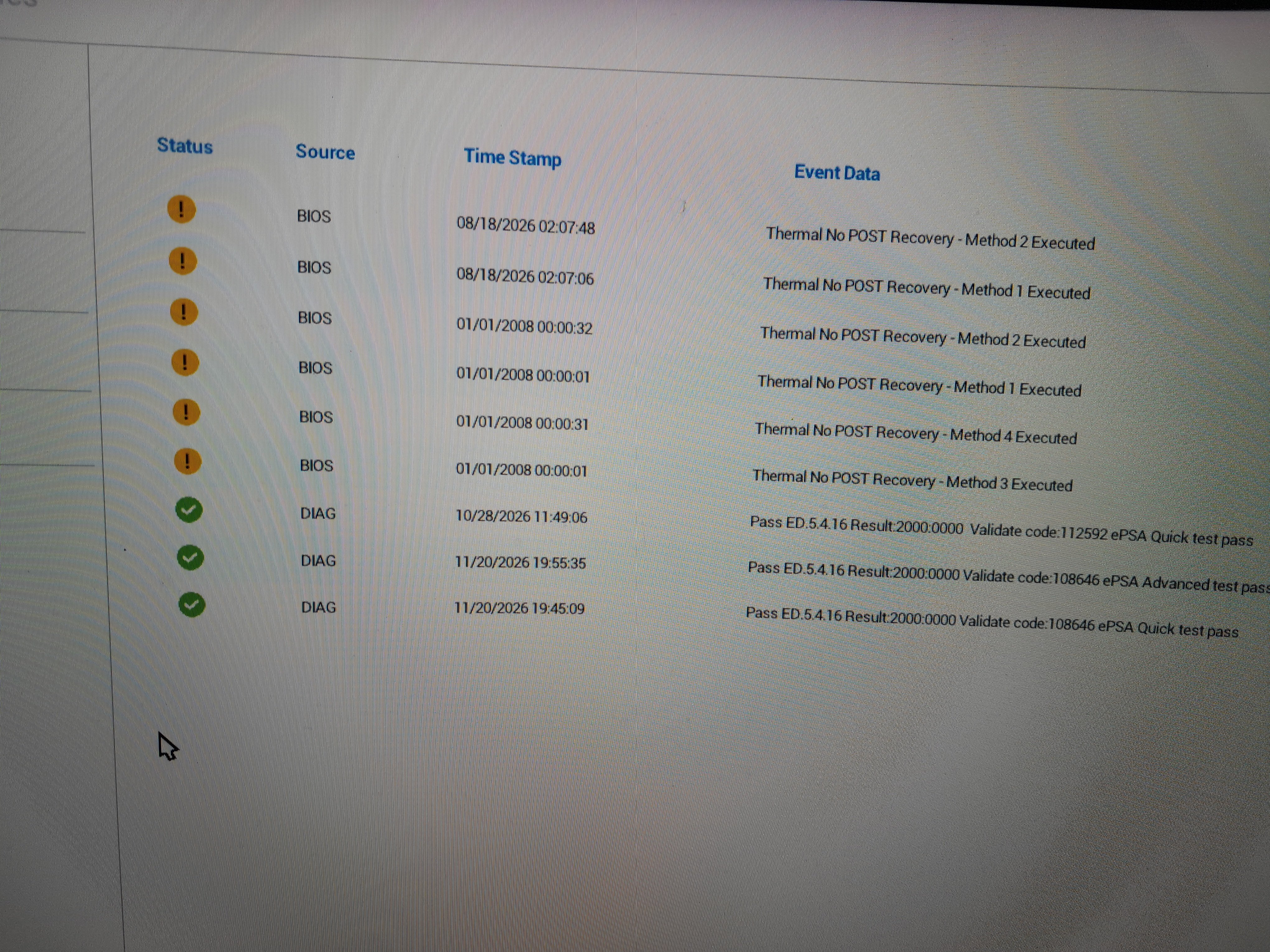
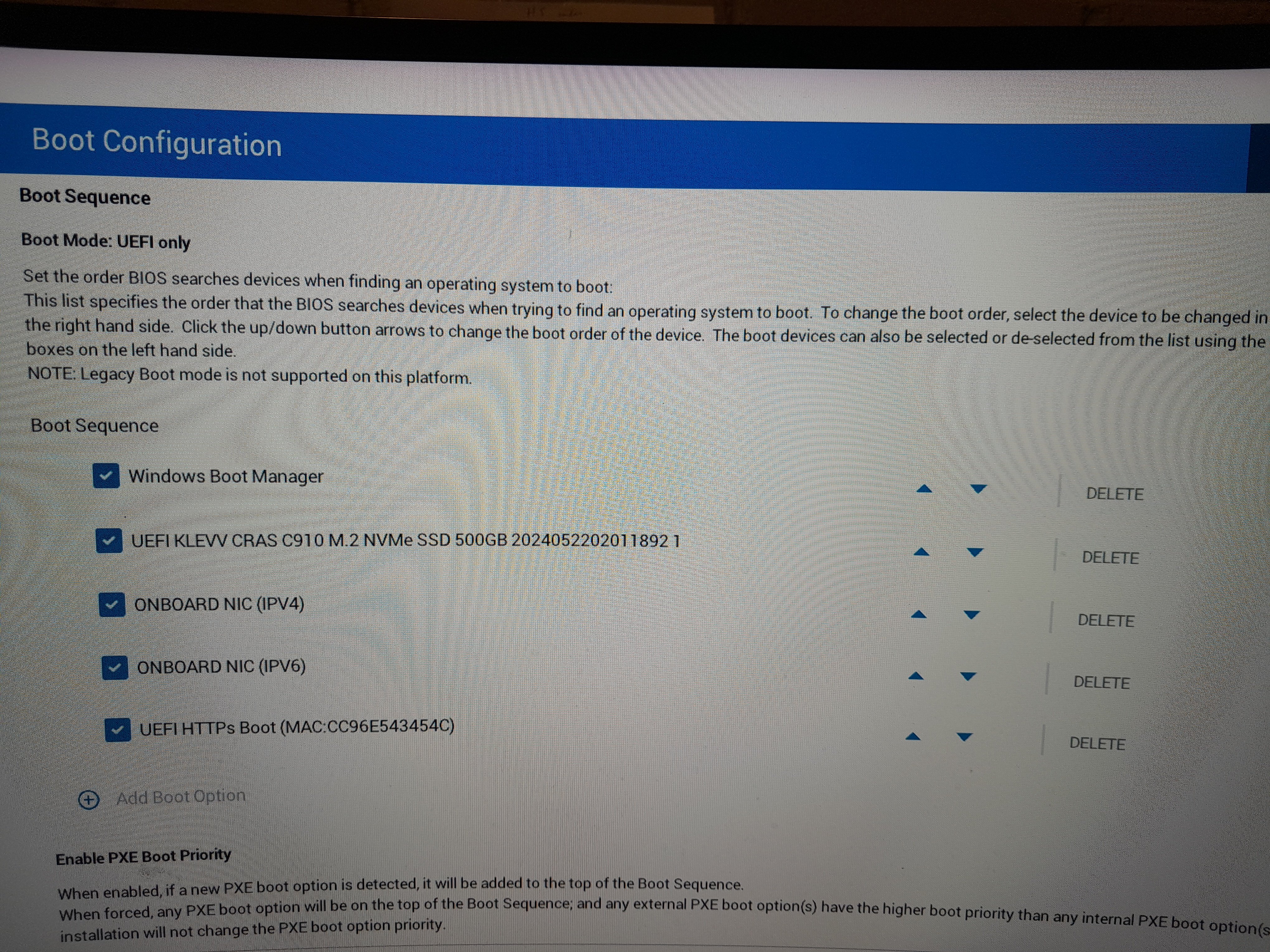
0
0
Posted November 20th, 2026 11:46
Hi
Wot I would do....
Make a USB with the latest BIOS (and have the option to use the RCV version also)....
AND try and figure out if it's me or Dell that can't count.
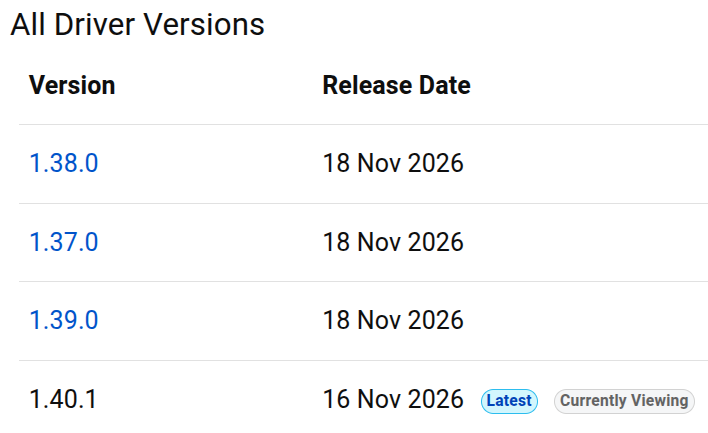 Because I would expect 1.40.1 to be later date than the 1.3X.0, and your picture suggests your BIOS is dates to 18 NOV 2026.I definitely don't understand the BIOS reference for the 01/01/2008.Double check with Dell via Get Help Now if you can.When/IF it is confirmed that 1.40.1 is the latest, then that is wot I would try.I would delete the options to boot from PXE (Onboard NIC's).If in doubt please ask.
Kind Regards
anne_droid

3
0
Posted November 20th, 2026 11:48
Hi
Could you double check the BIOS version dates please.
I know I do daft things, but this is weird even by my standards.
Kind Regards
anne_droid

anne_droid
6 Operator
•
2675 Posts
•
9833 Points
8
0
Posted November 17th, 2026 10:53
Hi
Please can you confirm the Make Model and OS, along with any configuration details like touch screen, backlit keyboard, SFF or tower etc etc.
Can you view and post pictures of the BIOS screens, especially the boot options?
What did the repair screen offer as options?
Need a lot more info to offer practical solutions.
Kind Regards
anne_droid