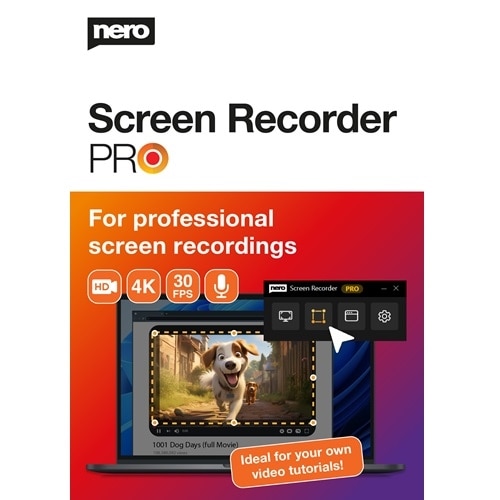
Nero Screen Recorder PRO
Windows screen recording made easy!
That's what Nero Screen Recorder PRO can do:
Record your Windows screen in high quality: Whether you want to record games, create tutorials or record online meetings. Nero Screen Recorder Pro ensures that your videos are of the highest quality. You can easily customise your recording settings to suit your needs. Whether you want to adjust the resolution, frame rate or audio settings. Nero Screen Recorder gives you the flexibility you need for your recordings.
Function overview
Record high-quality videos
Nero Screen Recorder allows you to record high quality videos with crystal clear resolution. Whether you are recording games, creating tutorials or recording online meetings, Nero Screen Recorder ensures that your videos are of the highest quality. Thanks to advanced video encoding technology, you can expect smooth and sharp videos with vibrant colours. Say goodbye to pixelated and blurred recordings. Nero Screen Recorder takes your video recordings to a new level.
Capture dynamic gameplay
With Nero Screen Recorder you can effortlessly capture gameplay. Whether you're an avid gamer or content creator, Nero Screen Recorder lets you record your gaming sessions in high resolution and with stunning detail. With its user-friendly interface and powerful recording features, you can capture every exciting moment of your gaming adventures. From intense battles to epic victories, Nero Screen Recorder lets you relive your gaming experiences and share them with your friends and followers. Start recording your gameplay with Nero Screen Recorder today!
Easy creation of tutorials
The Nero Screen Recorder is the perfect tool for creating tutorials. The intuitive user interface and powerful recording features let you easily record your Windows screen and explain concepts step-by-step. Whether you want to teach a software tutorial, demonstrate a process or share learning content, Nero Screen Recorder gives you the tools you need. With the ability to record your Windows screen, your voice and the sound of your computer, you can give clear and concise instructions to your audience. Start creating engaging and informative tutorials with Nero Screen Recorder today!
Customise the recording settings
Nero Screen Recorder allows you to customise your recording settings to suit your needs. Whether you want to adjust the resolution, frame rate or audio settings, Nero Screen Recorder gives you the flexibility you need for your recordings. You can choose the resolution you want, from standard definition to high definition to 4K resolution, to ensure your recordings are captured with the level of detail you want. Additionally, you can adjust the frame rate to achieve smooth playback or reduce the file size. Nero Screen Recorder gives you full control over your recording settings, allowing you to create videos that are perfectly tailored to your needs.