Self-repair, Maintain, or Upgrade Parts for Your Dell Device
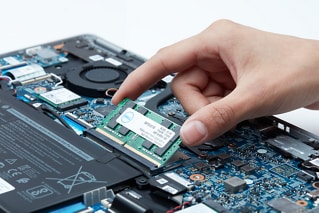
Customers have the option to continue to self-repair, upgrade, and maintain their Dell devices after their original hardware warranty has expired. Dell provides several options to assist customers with updating hardware, diagnosing issues, and replacing parts.
To get started, find your device model by using your Service Tag or Serial Number:
 |  |  |
Parts for your Dell | AR Assisted Parts Replacement | Documentation |
| Find compatible parts and upgrades for your device | Use Dell AR Assistant to guide you through replacing parts on your Dell | Reference Owner’s Guides and teardown manuals |
 |  |  |
Schedule Repair Service | Diagnostics | Drivers and BIOS |
| Access our Out-Of-Warranty repair services to get your Dell fixed | Run a quick test or identify your product to see more diagnostic options | Identify your product to get the latest available updates |
Video Resources
Video Resources
Dell Technologies has introduced an Augmented Reality (AR) Assistant that allows customers to replace parts wi
th ease. The AR Assistant is a smartphone application that guides customers through the parts replacement process. Customers can download the app from the iOS and Google Play stores and choose their system model and the part that needs to be replaced. The app provides step-by-step instructions and enables customers to view the process from any angle. Once the part is replaced, customers can run Dell diagnostics to confirm the issue is resolved. The app does not require customers to log in or store any personal information.
...
Please refer to the Dell AR Assistant Frequently Asked Questions for more information.
|
Dell AR Assistant for Android |
Dell AR Assistant for iOS |


The video explains how to use SupportAssist to scan your system hardware for identifying and resolving hardwar
e issues. You can perform a quick hardware scan, scan a specific hardware component, or scan the entire system. The video demonstrates how to perform a quick hardware scan and submit a support request if an issue is detected. If an issue is detected, an appropriate notification is displayed on the tile and the optimization tiles are disabled. To view the details of the issue detected and create a support request, click Fix Now.
...

This video explains how the Dell software diagnostic service works. You'll learn how to schedule a diagnostic
call with a Dell-certified software specialist, what issues can be addressed, and how the technician helps resolve software-related problems. In some cases, a technician may reinstall the operating system and assist with backing up data. If the issue cannot be fixed, Dell will refund the service fees.
...
Other Resources

SupportAssist for PCs
Use SupportAssist to keep your dell optimized SupportAssist for PCs
Support Library
Visit our support library to find more helpful resources. Support Library