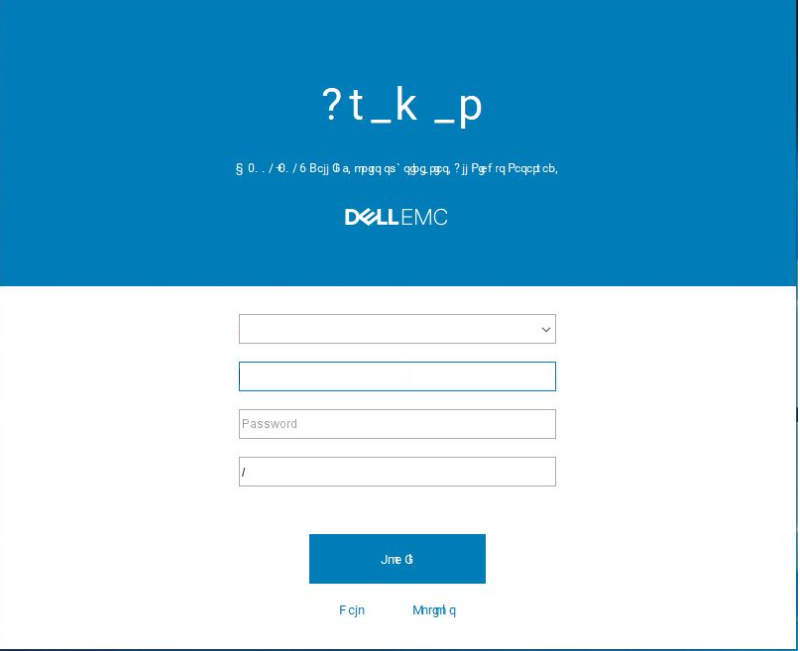
Avamar: UI display is unreadable due to the Roboto Font
Résumé: Avamar: UI display is unreadable due to the Roboto font.
Cet article concerne
Cet article ne concerne pas
Cet article n’est associé à aucun produit spécifique.
Toutes les versions du produit ne sont pas identifiées dans cet article.
Symptômes
The Avamar UI is unreadable:
Cause
Avamar uses an old version of the Roboto font.
Résolution
Workaround #1:
1. From the workstation where the Avamar UI is installed, go to the fonts in the control panel.
2. Delete the Roboto font.
3. Download the new Roboto font from https://fonts.google.com/specimen/Roboto (external link) and install it.
The issue should now be resolved, and the UI font should be displayed correctly.
Workaround #2:
1. On the Administrators Personal Computer, edit the following file: c:\Users\{USER_NAME}\.avamardata\var\mc\gui_data\prefs\mcclient.xml
2. Make the following changes:
From:
entry key="roboto_font_enabled" value="true"
To:
entry key="roboto_font_enabled" value="false"
Note: If the above flag does not exist, manually add it.
Produits concernés
AvamarProduits
AvamarPropriétés de l’article
Numéro d’article: 000060433
Type d’article: Solution
Dernière modification: 13 Oct 2025
Version: 6
Trouvez des réponses à vos questions auprès d’autres utilisateurs Dell
Services de support
Vérifiez si votre appareil est couvert par les services de support.