NetWorker: Unable to decrypt data: BAD_DATA - NMC
Summary: When launching the NetWorker Management Console (NMC) or accessing specific resources within the interface, the operation may fail with the error: "Unable to decrypt data: BAD_DATA."
Symptoms
Getting error message Unable to decrypt data: BAD DATA while opening NetWorker Management Console (NMC)
OR
Unable to open Server properties window (by right clicking the hostname and clicking properties OR when clicking Server properties link)
OR
Error message when updating the password for VMWS user, using nsradmin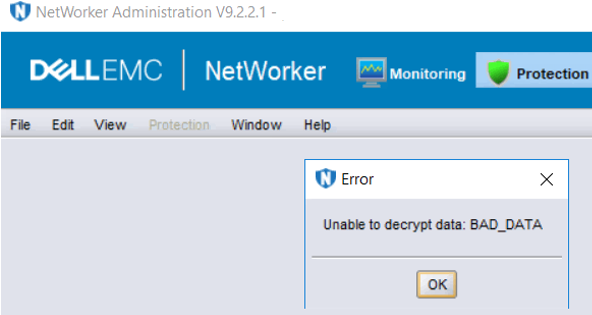
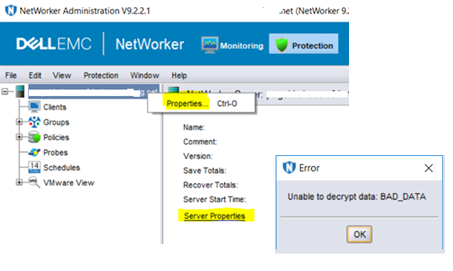
When this issue occurs, the daemon.raw typically records one or more of the following errors:
- Linux:
/nsr/logs/daemon.raw - Windows (Default):
C:\Program Files\EMC NetWorker\nsr\logs\daemon.raw - NetWorker: How to use nsr_render_log to render .raw log files
nsrvmwsd BSAFE critical Unable to load configuration: Unable to decrypt data: BAD_DATA
...
nsrd NSR warning Unable to operate on ciphertext for attribute VMWS user password in resource <NetworkerServer> for resource type NSR with new key. Re-enter the value for the attribute to resolve this error: Unable to decrypt data: BAD_DATA
...
nsrsnmd BSAFE critical Unable to query NSR database for list of configured devices: Unable to decrypt data: BAD_DATA
Cause
Resolution
Update VMWS user password in NetWorker database, using nsradmin tool in offline mode.
- Stop NetWorker Service
- On the NetWorker server, stop NetWorker services:
Linux: nsr_shutdown
Windows: net stop nsrexecd
OR
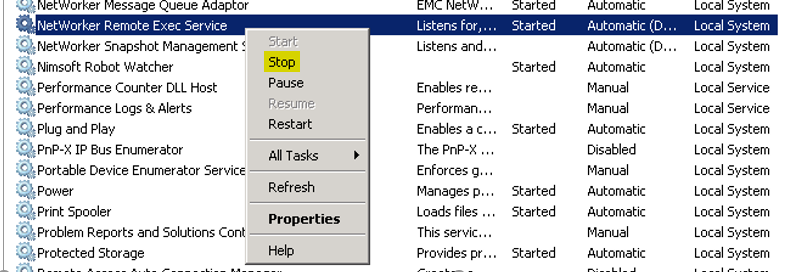
Start > Run > type services.msc
Look for NetWorker Remote Exec Service and Stop it.

-
- Confirm that all nsr services stop:
Linux: ps -ef | grep nsr
Windows: tasklist | findstr nsr
- Make a copy of the NetWorker Media Database (mm) and Resource (res) folders:
Location of Folders:
Windows:
<Installation_Drive:\Program Files\EMC NetWorker\nsr\mm><Installation_Drive:\Program Files\EMC NetWorker\nsr\res\nsrdb>
Example: C:\Program Files\EMC NetWorker\nsr\mm and C:\Program Files\EMC NetWorker\nsr\res\nsrdb
Linux:
Example: /nsr/mm and /nsr/res/nsrdb
- Connect to NetWorker database in offline mode

D:\Program Files\EMC NetWorker\nsr\res>nsradmin -d nsrdb
NetWorker administration program.
Use the "help" command for help, "visual" for full-screen mode.
nsradmin> . type: nsr
Current query set
nsradmin>
- Update the password for VMWS user info in the nsrdb database (offline)
nsradmin> update VMWS user password:PutNEWpasswordHere
VMWS user password: *******;
Update? y
updated resource id 2.0.76.45.0.0.0.0.40.68.39.90.10.112.115.152(1482)
nsradmin> quit
- Start the NetWorker Service
Windows:
From Admin Command Prompt: net start nsrd
If the server is also an NMC server: net start gstd
Or:
Start > Run > type services.msc
Start NetWorker Backup and Recover Server.
If the server is also an NMC server, start: EMC GST Service
Linux: systemctl start networker
- Open the NMC and verify that the issue is no longer occurring.