How to Add Users to the Dell Threat Defense Administration Console
Summary: Learn step-by-step instructions to configure accounts for Dell Threat Defense by following these instructions.
This article applies to
This article does not apply to
This article is not tied to any specific product.
Not all product versions are identified in this article.
Instructions
Note:
- As of May 2022, Dell Threat Defense has reached End of Maintenance. This product and its articles are no longer updated by Dell. For more information, reference Product Life Cycle (End of Support and End of Life) Policy for Dell Data Security. If you have any questions on alternative articles, either reach out to your sales team or contact endpointsecurity@dell.com.
- Reference Endpoint Security for additional information about current products.
This article covers how to add users to the Dell Threat Defense administration console.
Affected Products:
- Dell Threat Defense
Affected Operating Systems:
- Windows
- Mac
The base configuration only has the initial purchaser that is listed as an administrator to the Dell Threat Defense console. Dell Technologies recommends adding additional users to help manage and support Dell Threat Defense.
- From a web browser, go to the Dell Threat Defense administration console at:
- North America: https://dellthreatdefense.cylance.com
- Europe: https://dellthreatdefense-eu.cylance.com
- Asia Pacific: https://dellthreatdefense-au.cylance.com
- North America: https://dellthreatdefense.cylance.com
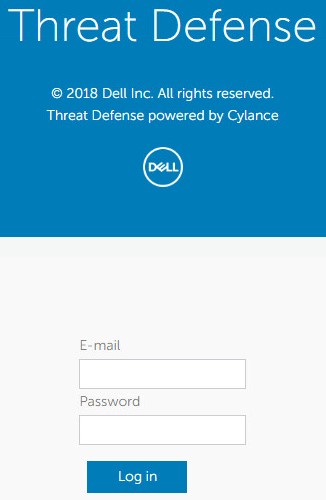
- Log in to the Dell Threat Defense administration console.
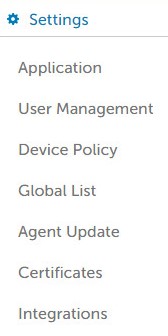
- In the console, click the Settings tab.

- Under Settings, click User Management.
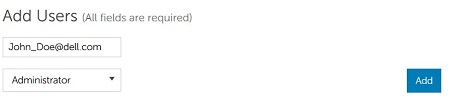
- Under the Add Users section:
- Enter the user's Email.
- Select either the User, Zone Manager, Administrator, or Read-Only role from the drop-down menu.
- Click Add.
 Note: The user's email must be unique for each Threat Defense tenant.
 - The user receives an email from td-no-reply@cylance.com with information about completing the registration process. If the user is having issues with registering, reach out to Dell Data Security ProSupport for further assistance. For more information, reference Dell Data Security International Support Phone Numbers.
Note: A user has one week to complete the registration process before the link expires.

To contact support, reference Dell Data Security International Support Phone Numbers.
Go to TechDirect to generate a technical support request online.
For additional insights and resources, join the Dell Security Community Forum.
Affected Products
Dell Threat DefenseArticle Properties
Article Number: 000124580
Article Type: How To
Last Modified: 22 May 2025
Version: 14
Find answers to your questions from other Dell users
Support Services
Check if your device is covered by Support Services.