VNX: Connecting to control station using its credentials getting access denied via ESRS (User Correctable)
Summary: Connecting to control station using its credentials getting access denied via ESRS but its working in customer environment.
This article applies to
This article does not apply to
This article is not tied to any specific product.
Not all product versions are identified in this article.
Symptoms
Customer can able connect to the Control station using nasadmin credentials in their environment.
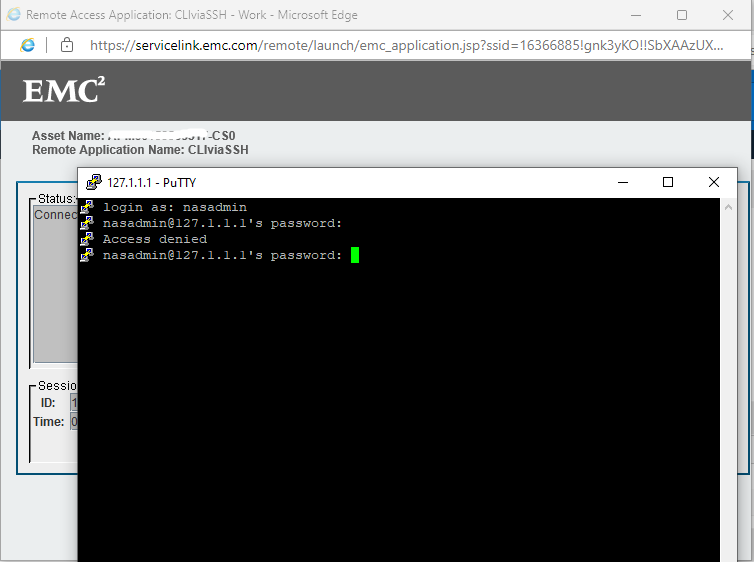
But via ESRS, its getting access denied.
Cause
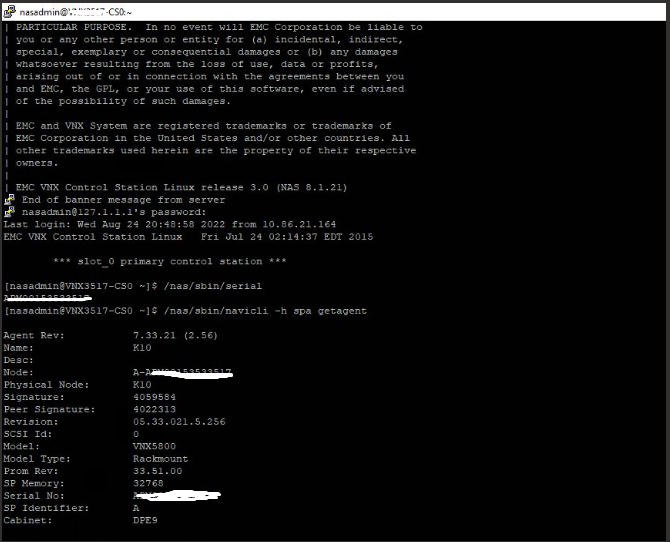
SP B (Storage processor) and CS0 (control station) assigned with same IP address xx.xx.xx.xx in the ESRS gateway. Hence, whenever we try to connect control station through CLIviaSSH, it connects to SPB. It caused the issue, when we tried to login with the nasadmin credentials.
Resolution
1: In the ESRS portal (https://servicelink.emc.com/), search the array serial number and click on CS0 node and in the next page under Asset connectivity, click on the ESRS gateway.
2: On the left side, under Device additional info, click on Managed Devices.
3: Search the array serial number and you can see array serial number nodes and their respective IP address. Make sure they are assigned correct IP addresses properly. In our case, CS0 was assigned same IP as SP B.
4: Click on Edit option and give the correct IP address and save. Then try to connect putty.
2: On the left side, under Device additional info, click on Managed Devices.
3: Search the array serial number and you can see array serial number nodes and their respective IP address. Make sure they are assigned correct IP addresses properly. In our case, CS0 was assigned same IP as SP B.
4: Click on Edit option and give the correct IP address and save. Then try to connect putty.
Affected Products
VNX1 Series, VNX2 SeriesArticle Properties
Article Number: 000203107
Article Type: Solution
Last Modified: 07 Nov 2025
Version: 6
Find answers to your questions from other Dell users
Support Services
Check if your device is covered by Support Services.