PowerEdge: Mellanox ConnectX-5 25 GbE Driver Red Hat Linux Script installation steps
Summary: This article may guide and help on driver installation steps for the Mellanox ConnectX-5 25 GbE Network card by using the Mellanox Linux Driver and installation script on Red Hat Enterprise Linux Operating System. ...
Instructions
Here we have a Dual Port Mellanox ConnectX-5 25 GbE Network card installed on server with firmware version 16.32.20.04.
Mellanox ConnectX-5 EN 25 GbE Dual-port SFP28 Adapter - 16.32.20.04
Mellanox ConnectX-5 EN 25 GbE Dual-port SFP28 Adapter - 16.32.20.04
Operating system installed: Red Hat Enterprise Linux release 8.4
Kernel Version: 4.18.0-305
Installed Mellanox Driver version
Driver: mlx5_core
Version: 5.0-0
Kindly see the screenshot below for quick reference.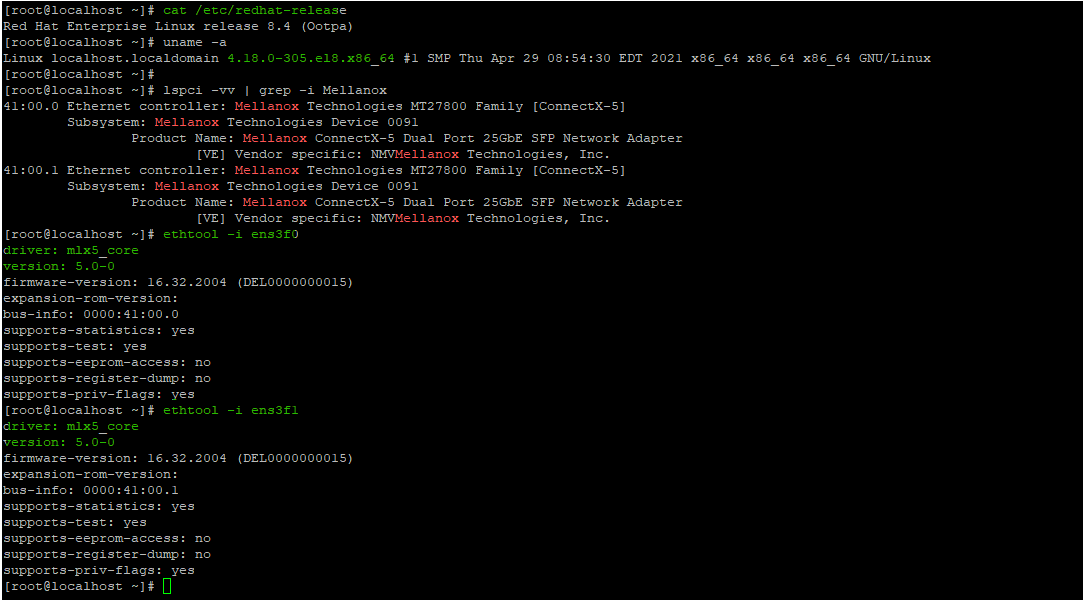
Mellanox Linux Driver along with the driver installation script (Filename: MLNX_OFED_LINUX-5.5-1.0.3.2.tar) can be downloaded from the link https://www.dell.com/support/home/en-us/drivers/driversdetails?driverid=kh1kn&oscode=rhel8&productcode=poweredge-r7525
Driver release notes can also be seen here: https://dl.dell.com/FOLDER08134565M/1/Linux-Driver.txt?uid=7da4e141-6200-4086-ac84-15822bc3c30c&fn=Linux-Driver.txt
Once extracted the file, go to the respective Operating System folder to start the driver installation.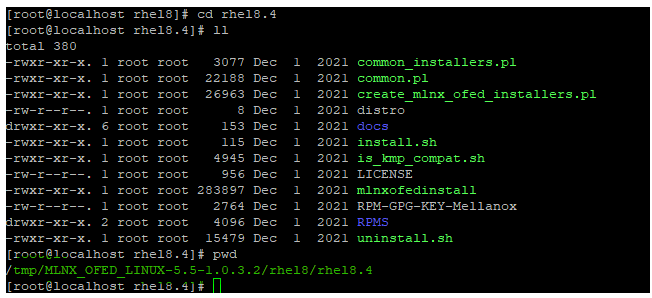
To run the installation script, follow the commands below.#./install.sh
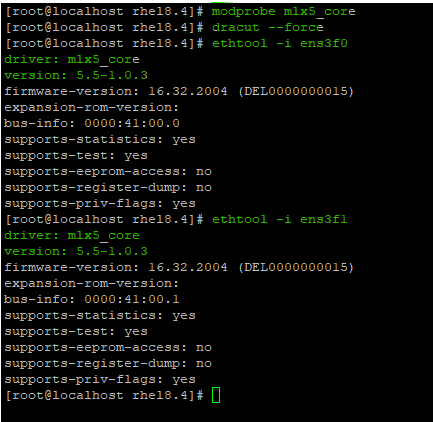
Post installation of the script, run the below commands and then determine the Mellanox driver version.#modprobe ml5_core#dracut --force#ethtool -i <network interface name>
Now, we noticed that the new installed Mellanox driver version is below.Driver: mlx5_coreVersion: 5.5-1.0.3