VxRail: LCM Failure Occurred While Scheduling Firmware
Summary: iDRAC runtime exception causes firmware updates to the ESXi host failed, need reboot iDRAC to resolve.
This article applies to
This article does not apply to
This article is not tied to any specific product.
Not all product versions are identified in this article.
Symptoms
This issue happens during LCM, when trying to apply firmware updates to the ESXi host.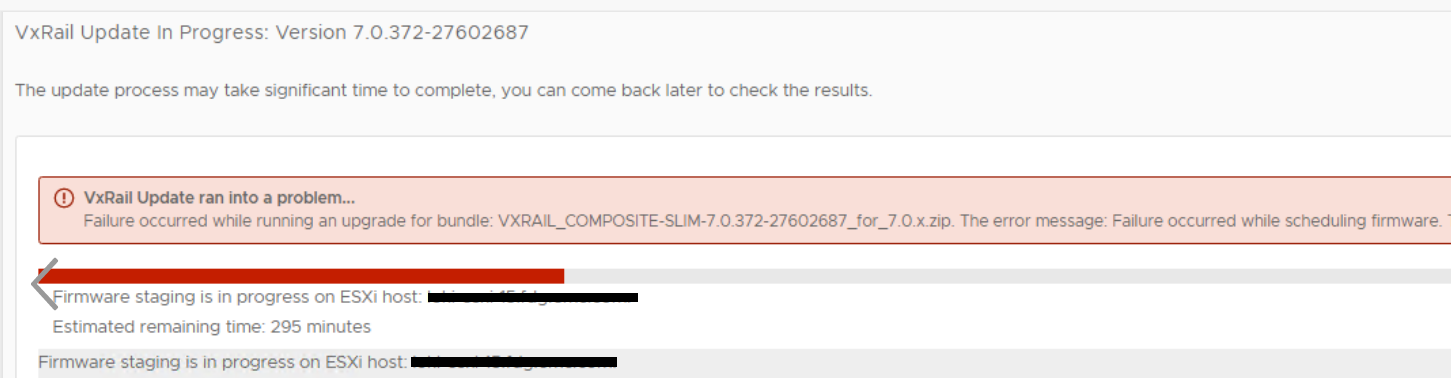
Login to the error reporting host iDRAC UI > Maintenance > Job Queue, there are no upgrade jobs.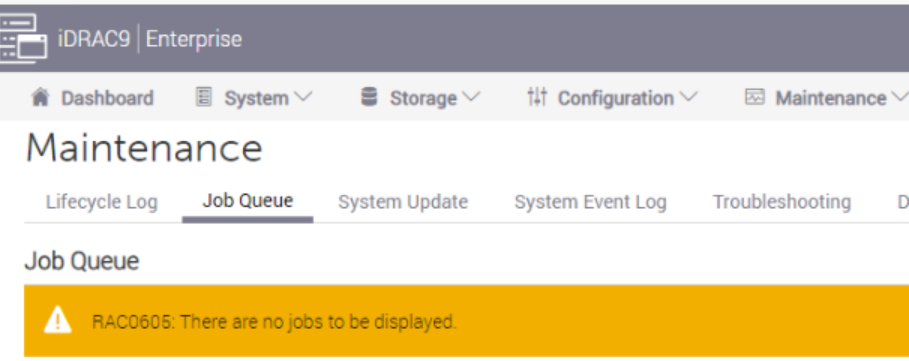
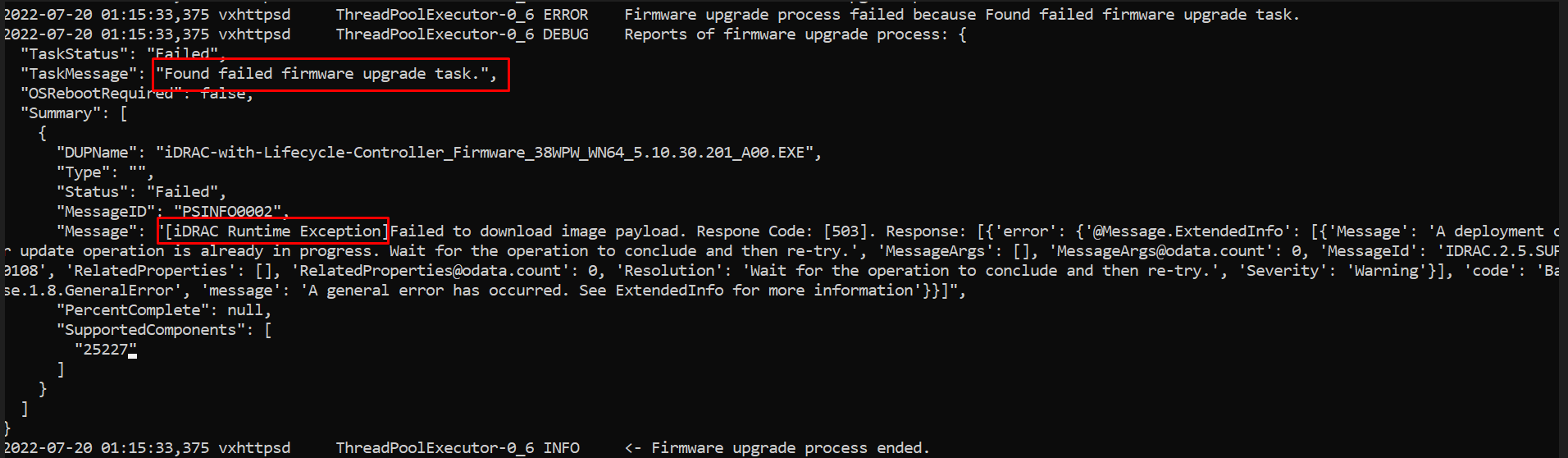
Check vxps_main.log file on the error reporting ESXi host, you can find failed firmware upgrade task due to iDRAC runtime exception.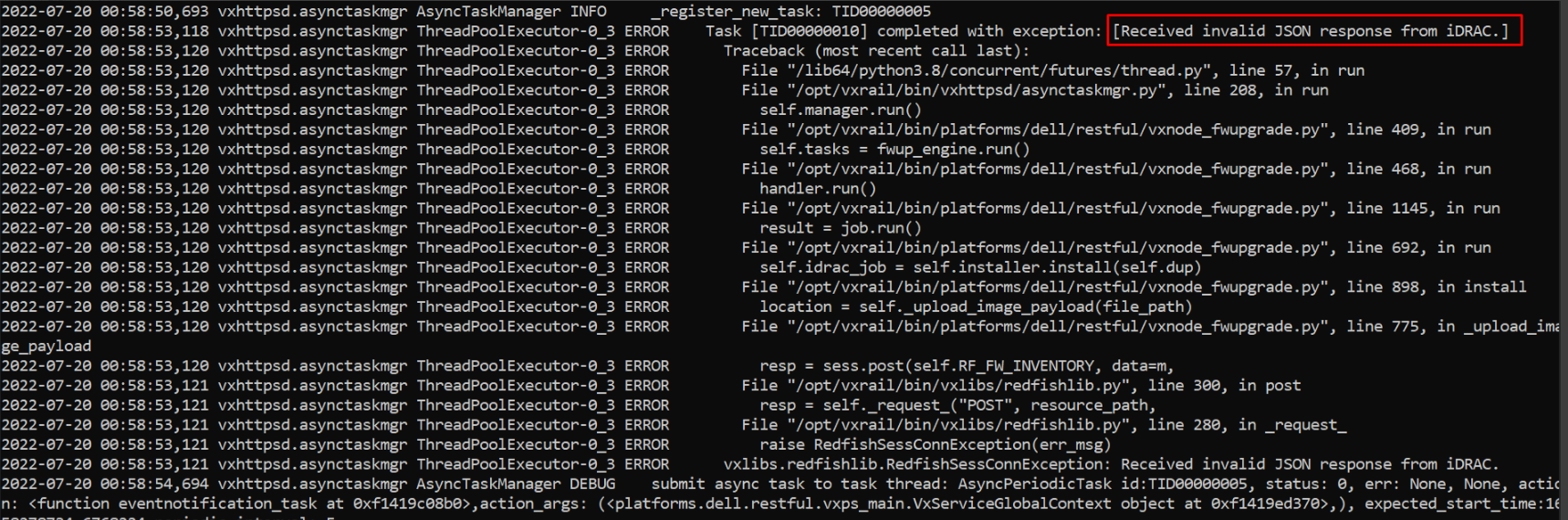
Cause
It is due to iDRAC runtime error, Dell iDRAC team is still investigating the root cause.
Resolution
This issue is fixed in the VxRail 7.0.480 release.
For impacted releases, an iDRAC reboot can clear the runtime error and workaround this issue.
- Log in to iDRAC UI of the error reporting host and reboot iDRAC
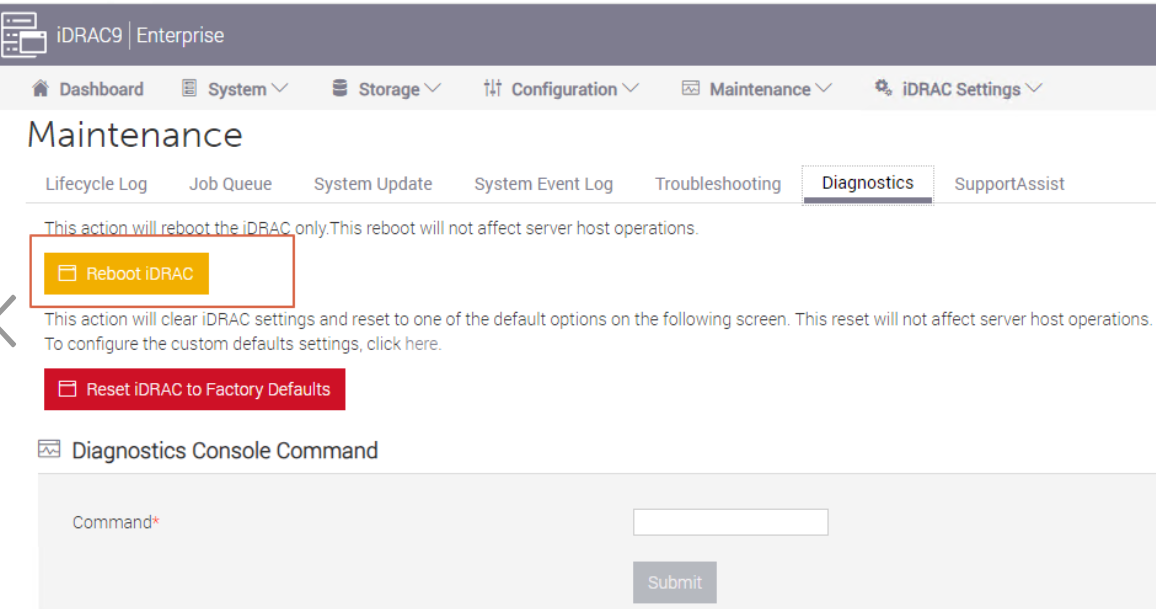
- After iDRAC is rebooted, retry LCM from VxRail plugin UI.
Article Properties
Article Number: 000216383
Article Type: Solution
Last Modified: 19 Feb 2026
Version: 3
Find answers to your questions from other Dell users
Support Services
Check if your device is covered by Support Services.