NetWorker: How to Update the Index Path for Multiple Clients
Summary: After changing the location of the index folder on the NetWorker server, use this article to update the index paths for all clients in one move. Examples shown in this article are on a Linux operating system; however, these steps can be used for Windows operating system as well. ...
This article applies to
This article does not apply to
This article is not tied to any specific product.
Not all product versions are identified in this article.
Instructions
NOTE: The purpose of this article is to explain how to update multiple client's Index Path configurations at once. Use the below step only if all clients have indexes in the same folder (for example, /index).
- In the NetWorker Management Console, go to Protection > Clients > Add Column > More > Index path.
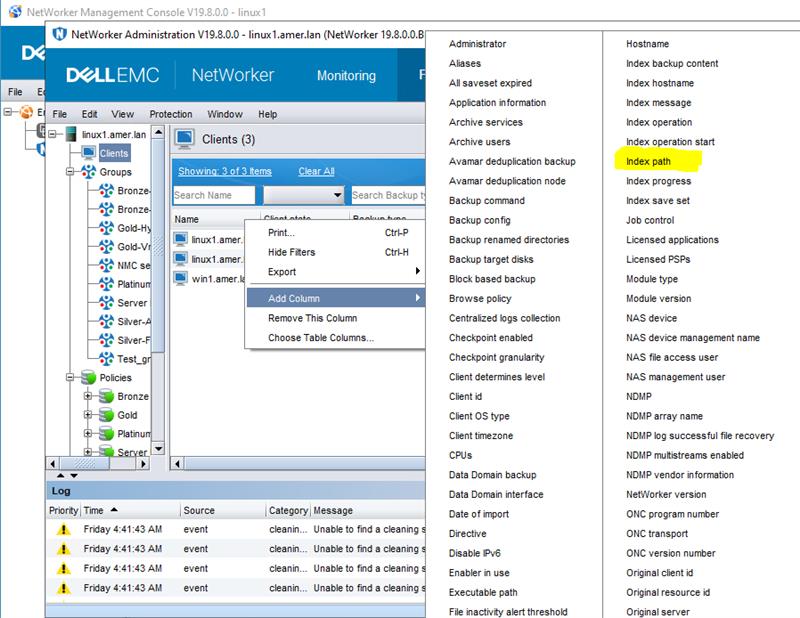
Figure 1: NMC client column options
- Click the Index path column for any individual client > press CTRL + A (to select all).
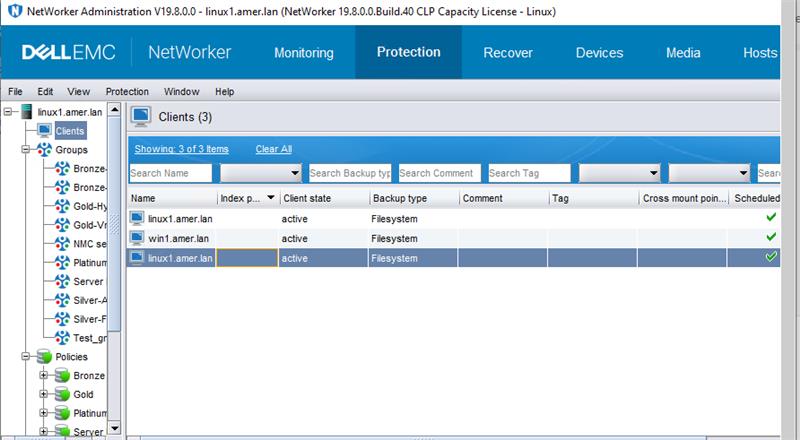
Figure 2: Click Index Path for any individual Client with CTRL+A to select all.
- Right-click the Index path column > select Edit Index path.
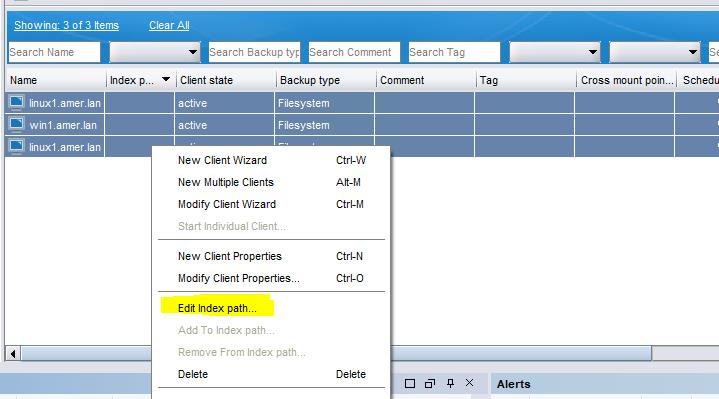
Figure 3: Click Edit Index path for Index path column.
- Enter the path's new folder as "/nsr/new_index_folder" (see below snip) > Click OK.
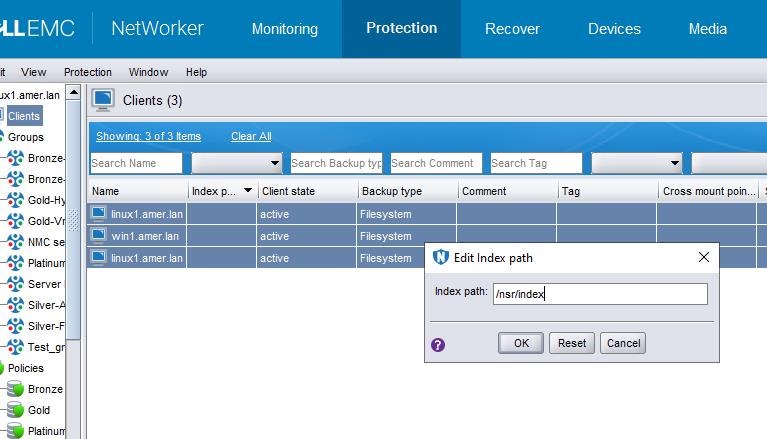
Figure 4: Enter the path's new folder as "/nsr/new_index_folder
- The following error may occur:
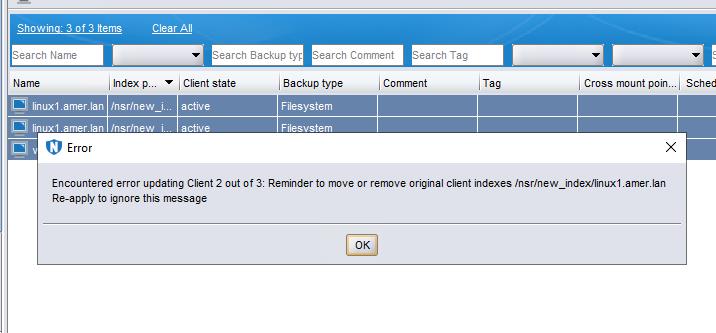
Figure 5: Error may occur: Encountered an error updating Client 2 out of 3. Remember to move or remove original Client indexes.
NOTE: This is a confirmation pop out. Press OK and then press OK again in the "Edit index path" window. Repeat this step until the "Edit index path" window closes.
- The index path is updated successfully:
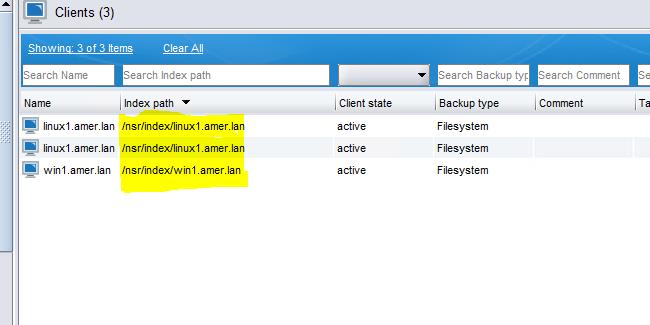
Figure 6: Screenshot of updated Index path
Additional Information
Dell KB article 80544: NetWorker: How to Move a Client File Index to a New Location
Affected Products
NetWorkerArticle Properties
Article Number: 000217030
Article Type: How To
Last Modified: 18 May 2026
Version: 5
Find answers to your questions from other Dell users
Support Services
Check if your device is covered by Support Services.