IDPA: PowerProtect DP Rapid Upgrade Checker (RUCK): ACM Common Password Check Failed.
Summary: RUCK fails Upgrade readiness check "acm_common_password", this is due to Common and Hypervisor Manager password tags are not the same.
This article applies to
This article does not apply to
This article is not tied to any specific product.
Not all product versions are identified in this article.
Symptoms
"acm_common_password" check has failed in RUCK.
 ACM common password check failed
Cause
"acm_common_password" RUCK check failure due to common password not matching Hypervisor Manager password. This causes the Hypervisor Manger password to revert to an older common password during 2.7.4 upgrade and may lock out user from login.
Resolution
In order to fix this issue, change the IDPA password using ACM UI to align all passwords to the new common password.
CAUTION: The password change may take 5 minutes to 10 minutes. This changes the password for all IDPA components.
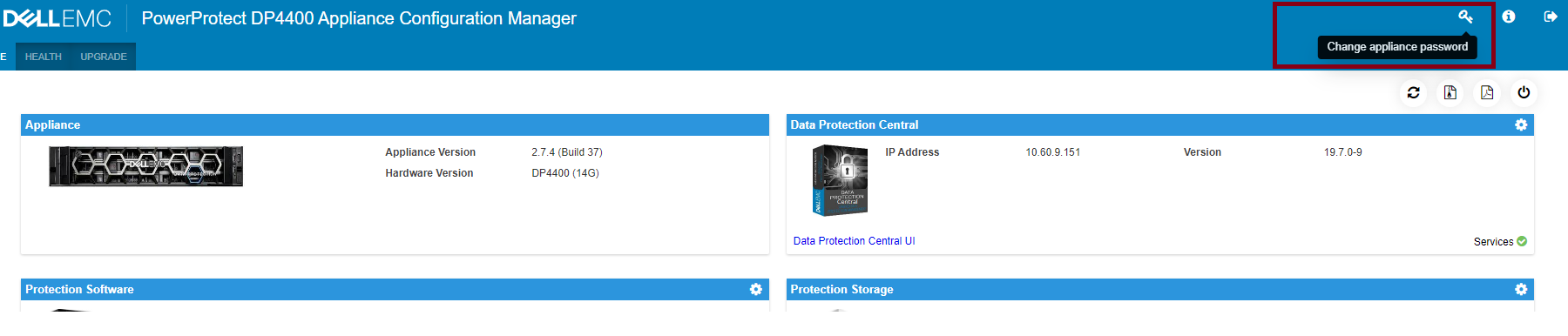
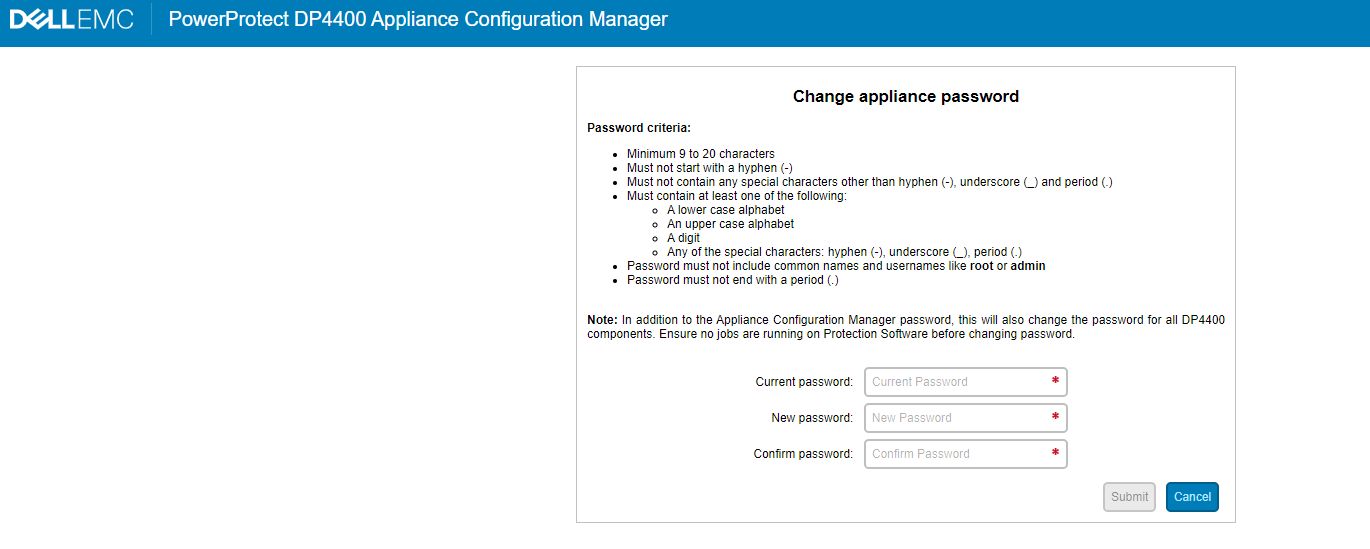
Run RUCK again to confirm the "acm_common_password"and all other checks pass and proceed with the upgrade.

NOTE: In IDPA 2.7.2, 2.7.3 and 2.7.4 the change password workflow completes with errors if DPC was manually upgraded to 19.7.
Affected Products
PowerProtect DP4400, PowerProtect Data Protection Software, Integrated Data Protection Appliance Family, Integrated Data Protection Appliance SoftwareArticle Properties
Article Number: 000217764
Article Type: Solution
Last Modified: 19 May 2026
Version: 9
Find answers to your questions from other Dell users
Support Services
Check if your device is covered by Support Services.