VCF on VxRail: Rotating Mystic User Account Password Fails
Summary: Rotating Mystic user account password fails with an error "Current password: You must wait longer to change your password passwd: Authentication token manipulation error passwd: password unchanged" ...
This article applies to
This article does not apply to
This article is not tied to any specific product.
Not all product versions are identified in this article.
Symptoms
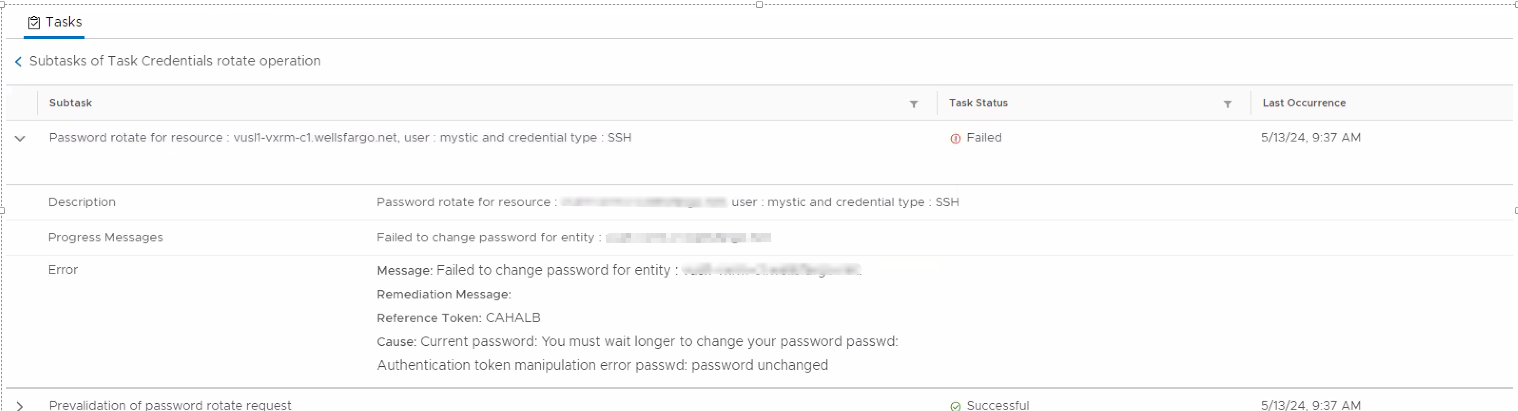
Rotating Mystic user account password fails with an error.
Cause: Current password: You must wait longer to change your password passwd:
Authentication token manipulation error passwd: password unchanged
Cause
The Minimum number of days required for password change is set to, for example 7. This prompts an error message:
Cause: Current password: You must wait longer to change your password passwd:
Authentication token manipulation error passwd: password unchanged
Resolution
To resolve this issue:
- Log in to VxRail Manager as Mystic.
- Change to SU.
- Run the command:
# chage -d 0 mystic
- Retry the rotation from SDDC Manager for the mystic user again.
Additional Information

Affected Products
VxRail E560 VCF, VxRail E560F VCF, VxRail E560N VCF, VxRail G560 VCF, VxRail G560F VCF, VxRail P570 VCF, VxRail P570F VCF, VxRail P580N VCF, VxRail S570 VCF, VxRail V570 VCFProducts
VxRail V570F VCFArticle Properties
Article Number: 000225075
Article Type: Solution
Last Modified: 14 Jul 2025
Version: 4
Find answers to your questions from other Dell users
Support Services
Check if your device is covered by Support Services.