NetWorker: Oracle backups fail with lockbox errors after nsrdr is run
Summary: After performing a NetWorker disaster recovery (nsrdr) procedure, Oracle Recovery Manager (RMAN) backups fail with a lockbox error ("Failed to open lockbox"), while NetWorker client file‑system backups continue to complete successfully. The nsrdr process does not fully restore the Oracle client lockbox data, which prevents the NetWorker server from retrieving the Oracle credentials required for RMAN backups. Deleting and re‑creating the affected client lockbox resolves the issue. ...
Symptoms
NetWorker Oracle RMAN backups fail with a lockbox error. NetWorker client file‑system backups on the same clients complete successfully. The NetWorker data zone experienced a failure, and the administrator performed the NetWorker disaster recovery (nsrdr) procedure before encountering the lockbox error. The backup session log shows the following error (client FQDN varies per environment):
139170:nsrdavsc: Unable to obtain the user credentials from the lockbox due to the following error: "Failed to open lockbox /nsr/lockbox/myclient.mydomain.com/clb.lb"
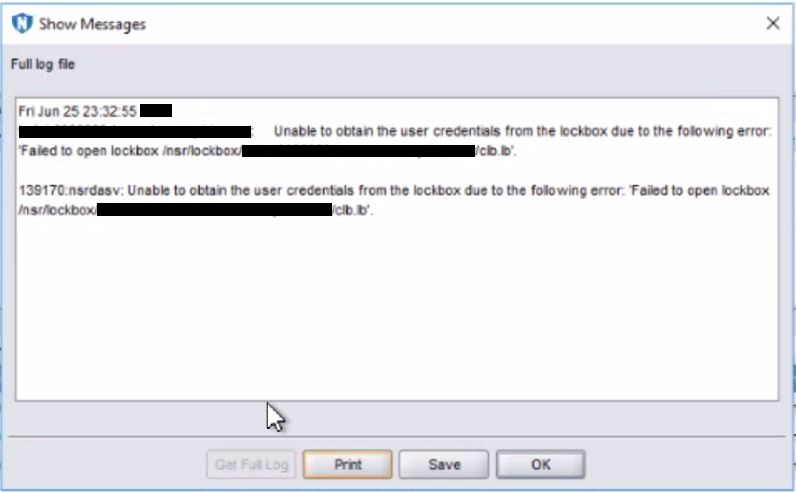
Figure 1. Log File Error Messages
The NetWorker Client Backup Configuration wizard also fails when attempting to create a new NetWorker Client instance for the affected Oracle RMAN clients:
Operation Failed: Failed to open lockbox /nsr/lockbox/myclient.mydomain.com/clb.lb
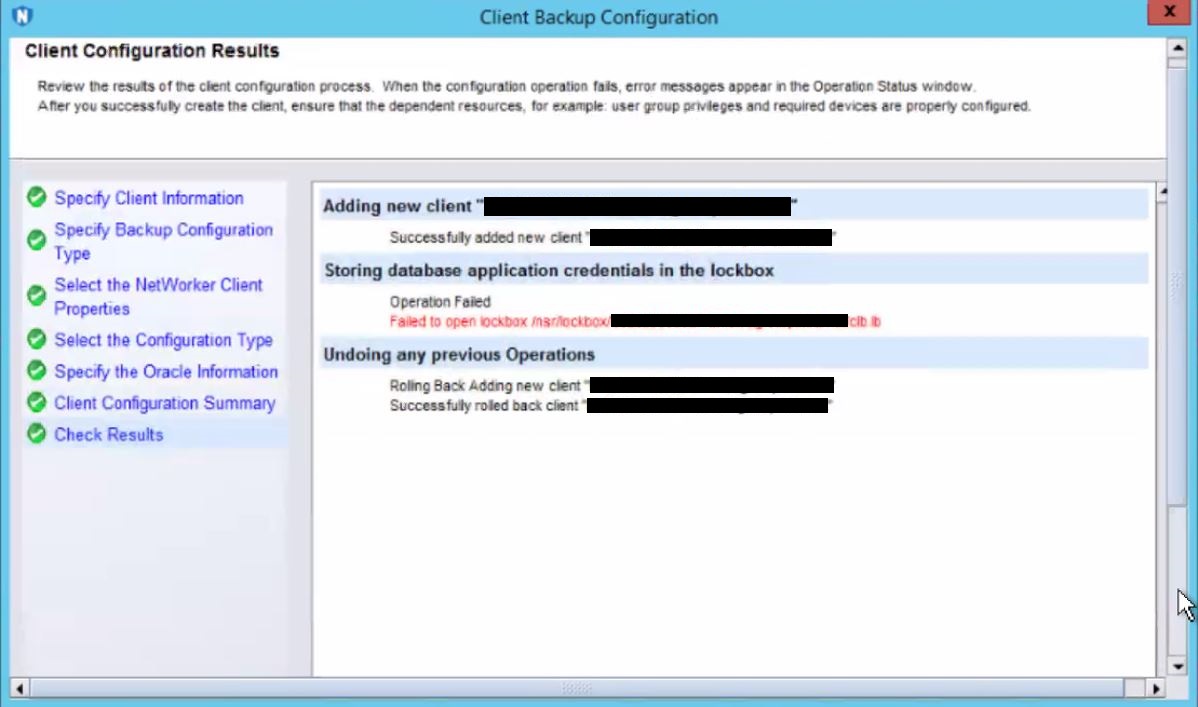
/nsr/lockbox/<client_fqdn>/clb.lb on the NetWorker server is either missing, corrupted, or inaccessible after the nsrdr recovery.
Cause
The exact root cause of the nsrdr procedure failing to restore access to the NetWorker Oracle client lockbox data is unknown. After the disaster recovery process completes, the lockbox file for the affected Oracle RMAN client is in an unusable state, which prevents the NetWorker server from retrieving the stored Oracle credentials.
File‑system backups are unaffected because they do not rely on lockbox‑stored credentials for authentication.
Resolution
Re‑create the NetWorker client lockbox for the affected Oracle RMAN client to restore the stored credentials. The following procedure uses myclient.mydomain.com as an example. Replace this value with the actual client FQDN in your environment.
- Delete the lockbox directory on the NetWorker server:
- On the NetWorker server, delete the lockbox directory for the affected client:
rm -rf /nsr/lockbox/myclient.mydomain.com - Replace myclient.mydomain.com with the FQDN of the affected Oracle RMAN client.
- On the NetWorker server, delete the lockbox directory for the affected client:
- Delete the lockbox entry in the NMC:
- Open the NetWorker Management Console (NMC).
- Navigate to Server → Lockboxes.
- Locate and delete the myclient.mydomain.com lockbox entry.
- When the NMC displays an error indicating it cannot find the lockbox file, select OK to acknowledge and proceed. This error is expected because the lockbox directory was already removed in Step 1.
- Re‑create the lockbox with Oracle credentials:
- Run the NetWorker Client Configuration Wizard to create a new client instance for the affected Oracle RMAN client.
- During the wizard, enter the Oracle database credentials. The wizard creates a new lockbox containing these credentials.
- Verify the new lockbox:
- In the NMC, navigate to Server → Lockboxes and confirm the new lockbox entry for myclient.mydomain.com appears.
- On the NetWorker server, verify that the lockbox file exists:
ls -la /nsr/lockbox/myclient.mydomain.com/clb.lb
- Run the Oracle RMAN backup:
- Run the protection workflow that contains the original NetWorker Oracle RMAN client entry. The workflow uses the newly created lockbox credentials for authentication.
- Confirm the Oracle RMAN backup completes successfully without lockbox errors.
- Remove the temporary client entry:
- Delete the temporary NetWorker Client entry that was created by the wizard in Step 3. This entry was needed only to generate the new lockbox. The original Oracle RMAN client entry in the protection workflow continues to use the lockbox.
-
Do not delete the original Oracle RMAN client entry from the protection workflow. Only delete the temporary client entry created by the wizard.
- Contact Dell Support: If the lockbox error persists after re‑creating the lockbox, or if additional Oracle RMAN clients are affected, contact Dell Support for additional investigation and reference this KB article.