PowerEdge17G:BIOS 不包含停用虛擬化的選項
Summary: 17G PowerEdge 伺服器上的 BIOS 處理器設定沒有可停用虛擬化技術的選項。
This article applies to
This article does not apply to
This article is not tied to any specific product.
Not all product versions are identified in this article.
Symptoms
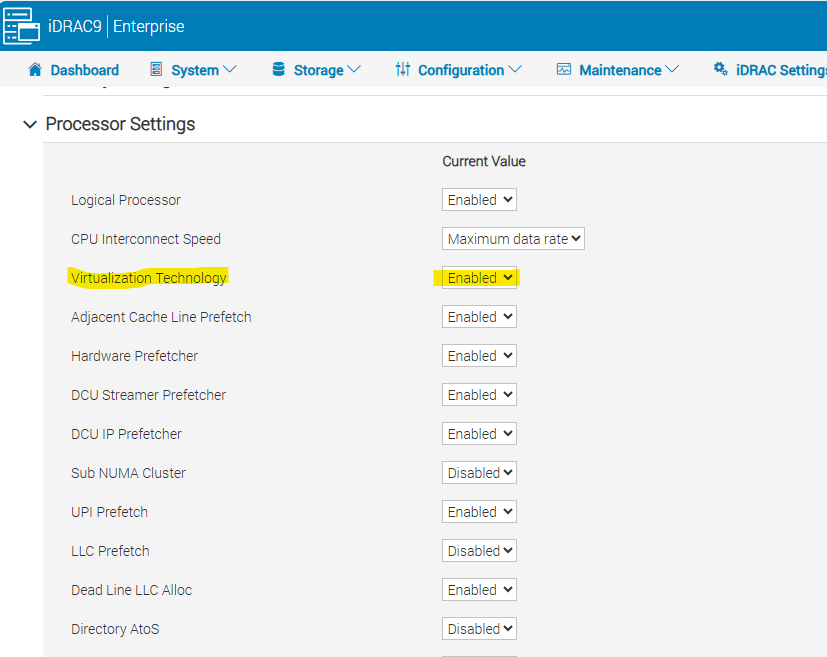
PowerEdge 14G-16G 伺服器可選擇在 BIOS 中啟用或停用虛擬化技術。
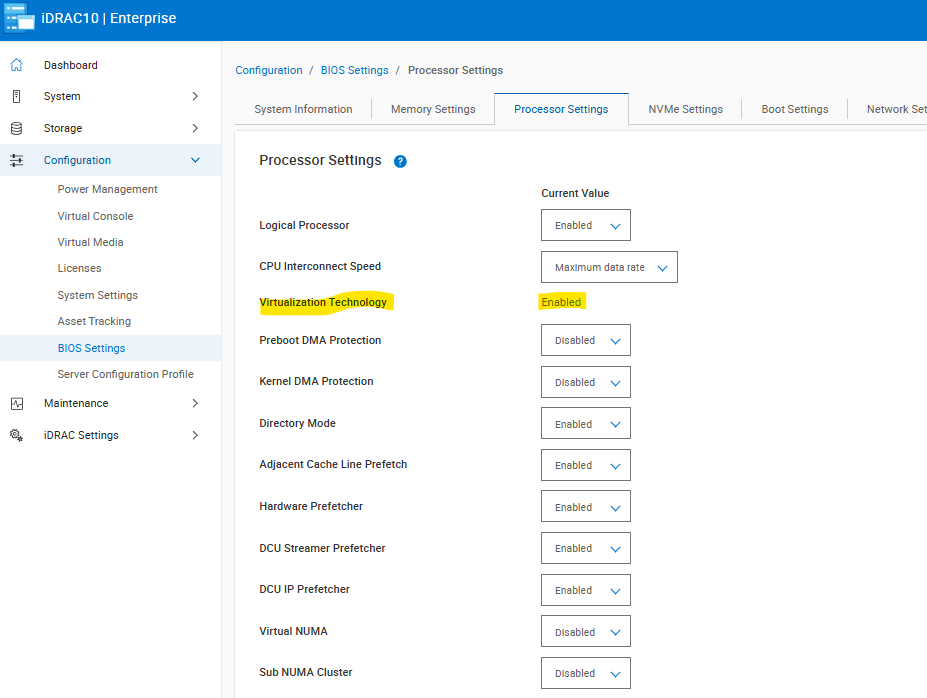
此欄位在 17G PowerEdge 伺服器中無法再變更,並設為啟用。
Cause
此功能最初已從 17G PowerEdge 伺服器移除;然而,有些客戶可能需要禁用虛擬化技術,特別是在低延遲環境中。
Resolution
請勿針對此問題更換硬體。此選項將在 2025 年 12 月的 BIOS 中重新引入。
對於較新的處理器、Xeon Platinum 8592+ 和四處理器系統,這有一些限制。 如需其他資訊,請參閱以下文章。
PowerEdge:R860 和 R960 伺服器沒有在 BIOS 設定中提供停用虛擬化技術或 x2APIC 的選項
PowerEdge XE9680:搭載 Intel Xeon 白金級 8592+ 處理器的 BIOS 中沒有虛擬化技術「停用」選項
PowerEdge:在 R770 上,BIOS 中的虛擬化技術選項會呈現灰色,如下所示。
Affected Products
PowerEdge R470, PowerEdge R570, PowerEdge R670, PowerEdge R770Article Properties
Article Number: 000379653
Article Type: Solution
Last Modified: 07 كانون الثاني 2026
Version: 3
Find answers to your questions from other Dell users
Support Services
Check if your device is covered by Support Services.