Data Domain: How to shut down, power-on, or reboot systems
Summary: This article provides best practices to safely shut down or reboot Data Domain systems using the command-line interface (CLI) or user interface (UI). These practices help to ensure data integrity and system stability. ...
Instructions
🛠️ Pre-Checks Before Shutdown or Reboot
Before proceeding, ensure that the system is idle and safe to stop:
✅ Verify I/O Activity is Stopped
Run: iostat 5
Confirm:
-
-
- No active read/write activity
- System is idle
-
✅ Verify No Active Replication
Run: ddboost file-replication show active
Confirm: No file replication jobs are in progress.
✅ HA Systems Only
Check HA status: ha status
-
-
-
If both nodes are online and healthy:
Run:ha offlineon the standby node - If HA is degraded, skip this step
-
-
🛠️ How to Shut Down the System (CLI Method)
To power off the DD head unit (Controller), run: system poweroff
-
-
Confirm the prompt:
-
Are you sure? (yes|no) [no]: yes\
-
-
Wait for the head unit to power down completely:
- Attached storage enclosures remain powered ON. Power can be safely removed from the attached storage (if needed) after the head unit is powered OFF.
- Attached storage enclosures remain powered ON. Power can be safely removed from the attached storage (if needed) after the head unit is powered OFF.
-
✅ This performs a clean shutdown and powers off the system safely.
🛠️ How to Power-On the DD system
Follow the correct startup sequence:
- Power on all expansion shelves first
- Wait approximately 3 minutes
- Power on the Data Domain head unit:
-
- Press the Power button on the DD unit | OR |
- Select the 'Power-on' option within iDRAC
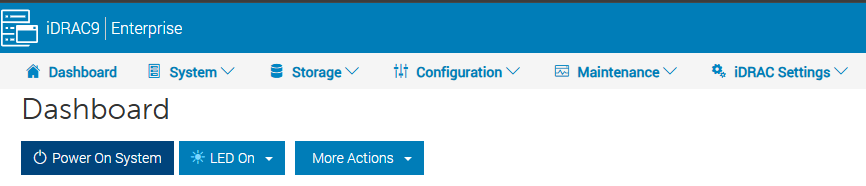
HA Systems
-
-
Power on the active node first, then the standby node
-
Verify status:
ha status -
If a node is offline:
ha online
-
🛠️ How to Reboot Using the UI
-
Navigate to: Maintenance → System
-
Select Reboot System
-
Confirm the action
⚠️ Important Notes
⚠️ Always use the Data Domain CLI or UI for power operations (do not use the power button to power-off the system)
-
- Avoid using out-of-band management tools (such as iDRAC) for shutdown or reboot.
- These methods may not perform a clean shutdown.
- Improper shutdown can lead to data integrity issues.
✅ Best Practices Summary
- Always stop I/O and replication before shutdown
- Verify system and HA health
- Use the CLI or UI for all power operations
- Follow correct power-on sequencing
Additional Information
- Do not use the chassis power switch to power off the system. Doing so prevents remote power control using Intelligent Platform Management Interface (IPMI). Use the '
system poweroff' command instead. This command shuts the system down and turns off the power. - The IPMI Remote System Power Down feature does not perform an orderly DD OS shutdown. Use this feature only if the '
system poweroff' command is unsuccessful. - The complete reboot process used for any system generally takes 30 minutes to one hour depending on the amount of attached storage.
- If the system takes more than one hour to come back up, contact your support team.