Dell Cloudlink: Deploying Cloudlink 8.x VM in Linux KVM fails with error /dev/disk/by-uuid/ does not exist
Shrnutí: A new deployment of a Cloudlink 8.x qcow2 image in Linux KVM boots into Emergency Mode.
Tento článek se vztahuje na
Tento článek se nevztahuje na
Tento článek není vázán na žádný konkrétní produkt.
V tomto článku nejsou uvedeny všechny verze produktu.
Příznaky
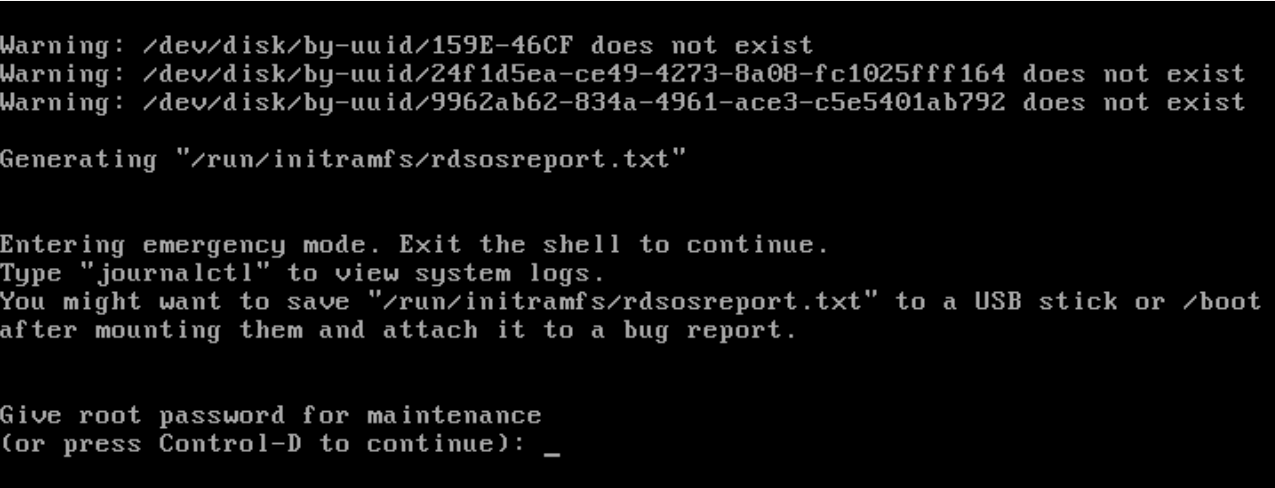
After a new deployment of a Cloudlink 8.x qcow2 image in Linux KVM boots into Emergency Mode and displays this error:
Warning: /dev/disk/by-uuid/159E-46CF does not exist
Warning: /dev/disk/by-uuid/24f1d5ea-cd49-4273-8a08-fc1025fff164 does not exist
Warning: /dev/disk/by-uuid/9962ab62-834a-4961-ace3-c5e5401ab792 does not exist
Příčina
Disk bus type was not set correctly.
Řešení
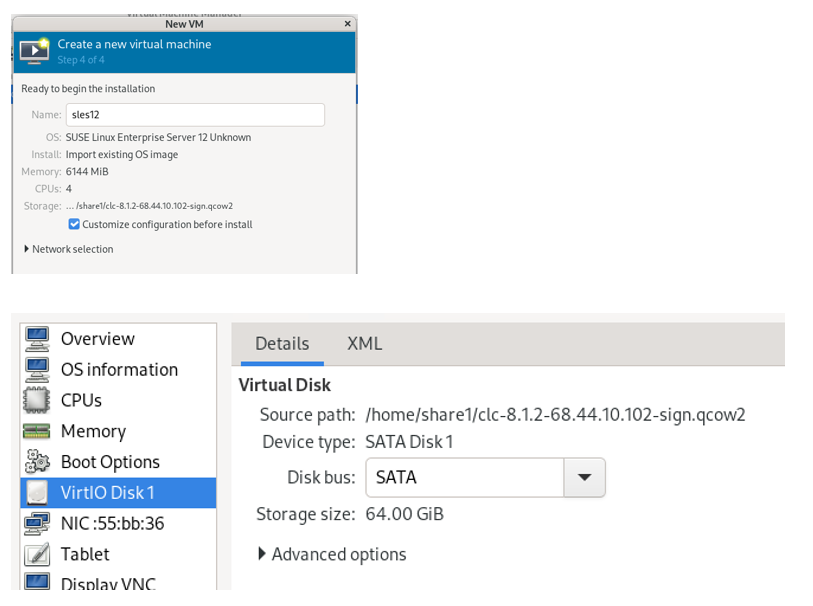
Select Customize configuration before install and select SATA for the Disk bus.
The default Disk bus is VirtIO, and you will have this issue if it is not set correctly.
The Cloudlink Deployment Guide does state that the Disk bus should be set to SATA.
Dotčené produkty
CloudLinkVlastnosti článku
Číslo článku: 000323281
Typ článku: Solution
Poslední úprava: 09 Feb 2026
Verze: 4
Najděte odpovědi na své otázky od ostatních uživatelů společnosti Dell
Služby podpory
Zkontrolujte, zda se na vaše zařízení vztahují služby podpory.