PowerFlex : Failed to Add Acceleration Device DAX after NVDIMM Replacement
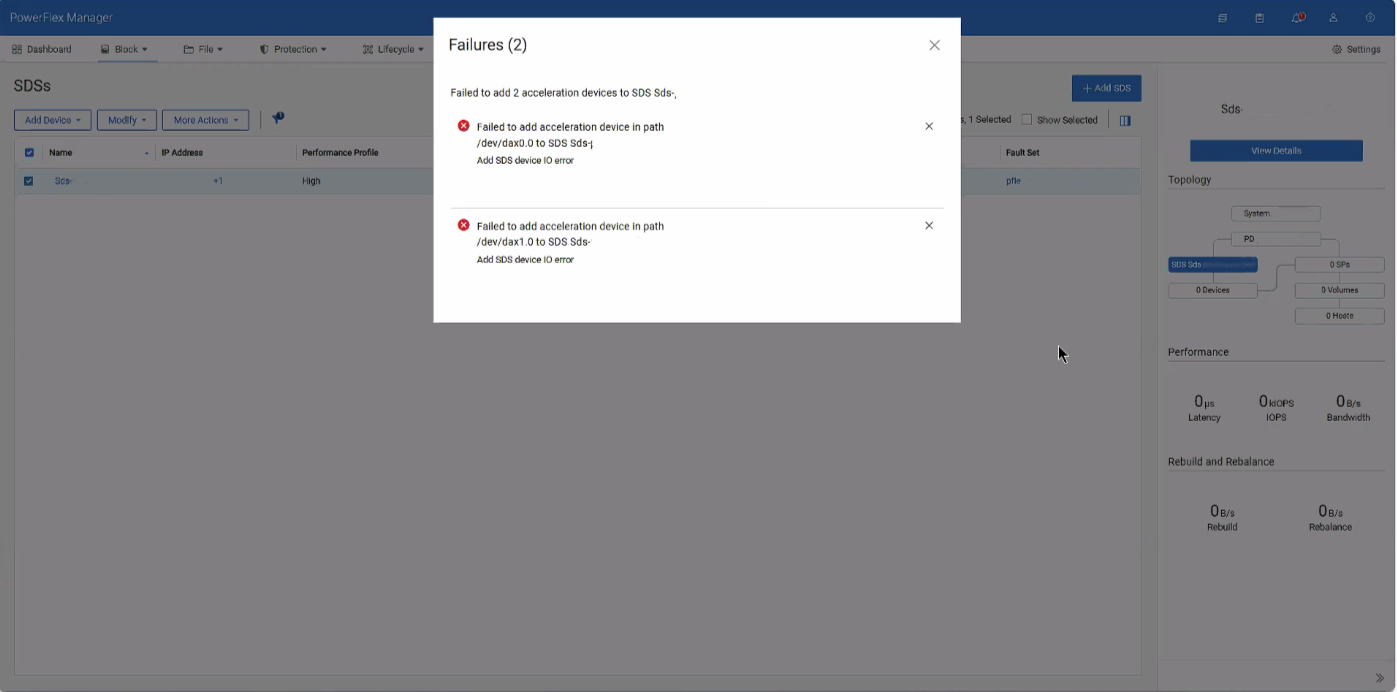
Shrnutí: After sanitizing or replacing an NVDIMM, adding the acceleration/dax devices back into PowerFlex Manager will generate an IO error if the namespace or region is in an error state. This will hinder the ability to add the devices back into PowerFlex as expected. ...
Tento článek se vztahuje na
Tento článek se nevztahuje na
Tento článek není vázán na žádný konkrétní produkt.
V tomto článku nejsou uvedeny všechny verze produktu.
Příznaky
When attempting to add the dax device back after sanitizing or replacing an NVDIMM, an error is given for IO errors on the dax device, despite being healthy.
Příčina
These errors occur due to conflicting namespace and regions within the SDS after removing the dax devices.
Řešení
1- SSH into the impacted SDS and destroy both namespaces of the dax devices
ndctl destroy-namespace namespace0.0

ndctl destroy-namespace namespace1.0
2- Disable the corresponding region of the dax devices
ndctl disable-region region0

ndctl disable-region region1
3- Re-enable the regions for the dax devices
ndctl enable-region region0

ndctl enable-region region1
4- Create the namespace for each dax device based on the namespace you destroyed from above
ndctl create-namespace --mode=devdax --region +region0 --align +4k

ndctl create-namespace --mode=devdax --region +region1 --align +4k
5- Afterwards, go to PowerFlex Manager and add the dax devices as needed.
Related article: PowerFlex: How to Replace NVDIMM in 15G and later PowerEdge Node
Dotčené produkty
ScaleIOVlastnosti článku
Číslo článku: 000496145
Typ článku: Solution
Poslední úprava: 07 Aug 2026
Verze: 1
Najděte odpovědi na své otázky od ostatních uživatelů společnosti Dell
Služby podpory
Zkontrolujte, zda se na vaše zařízení vztahují služby podpory.