Dell Unity: Failed to send an email alert (Invalid alert configuration or mail server error). Message Id:14:110001 (User Correctable)
Zusammenfassung: This article describes a possible SNMP error after a UnityOS upgrade and how to remediate.
Dieser Artikel gilt für
Dieser Artikel gilt nicht für
Dieser Artikel ist nicht an ein bestimmtes Produkt gebunden.
In diesem Artikel werden nicht alle Produktversionen aufgeführt.
Symptome
After upgrading the UnityOS, email alerts fail to send over the SMTP service.
UI Alert Examples:
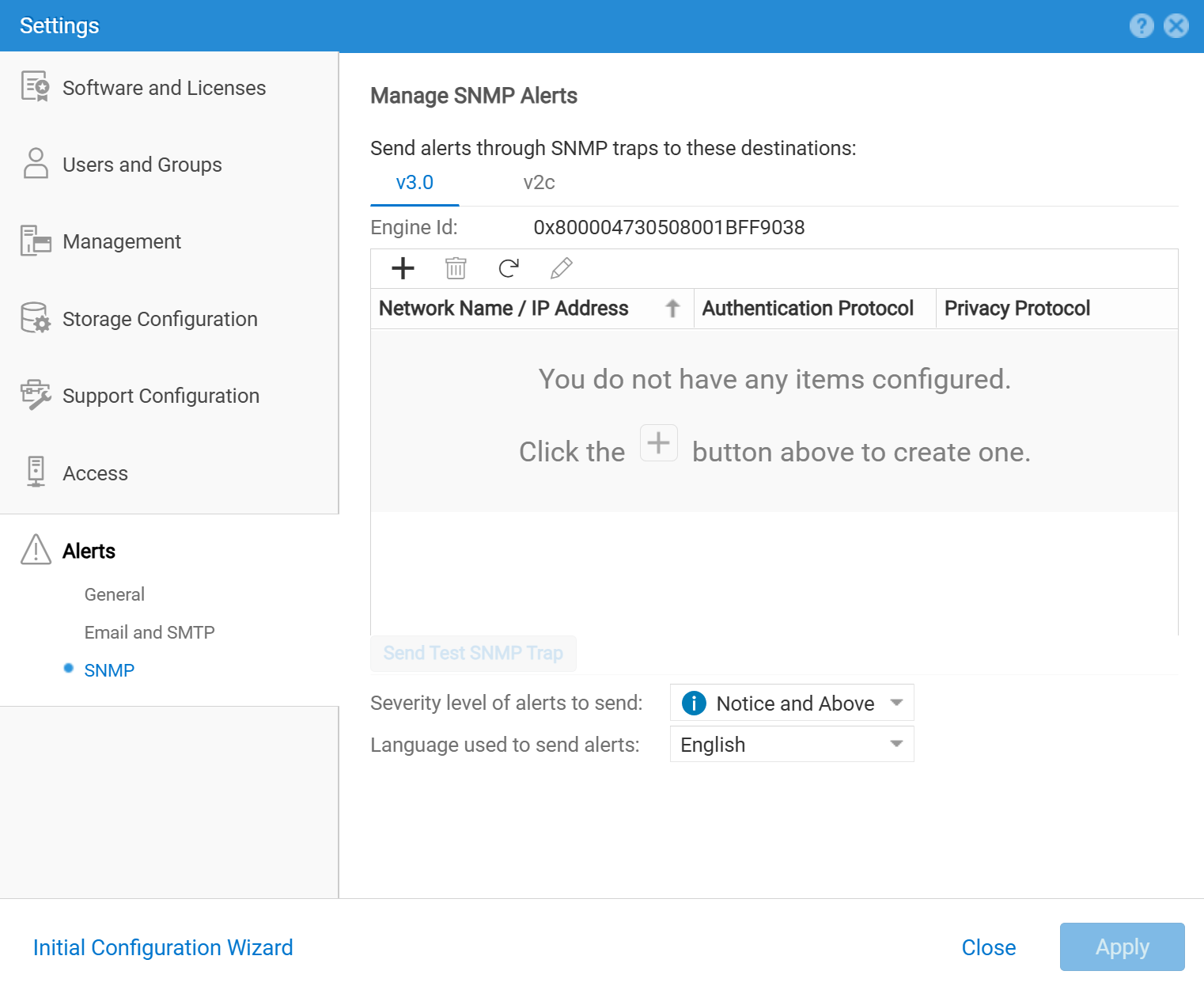
Failed to send SNMP Trap alert (Invalid alert configuration or snmp error). Alert text: This is a test message to be sent in an SNMP trap
AlertServices 70001 [WARN] User: e-mail alert notification (Invalid alert configuration or mail server error) failed to send alert due to a problem with the email server, SNMP servers or DNS server. Resolve the problem with the email, SNMP servers or DNS server.
spX\EMC\CEM\log\send_mail.log Examples:send_mail.py:113 - send_mail - [INFO] smtp_host: smtp.company.com, port: 25, sender: john.smith@company.com, destination: emc.support@company.com, subject: ERROR message from Unity (cgunityEFF/xx.xx.xx.xx)..
send_mail.py:159 - send_mail - [ERROR] Failed to send mail due to exception: 403: Tunnel or SSL Forbidden
Ursache
Note: After UnityOS 4.5, there is a new checkbox called "Bypass proxy settings for SMTP server" that is "unchecked" by default [See Settings > Alerts > Email and SMTP].
If using a global Proxy Server for the Unity system, and also using Email notifications for Alerts, the SMTP Server may fail to receive the Unity Email Alerts if the Proxy Server is not configured to allow the SMTP server to receive Email notifications.
Lösung
Scenario:
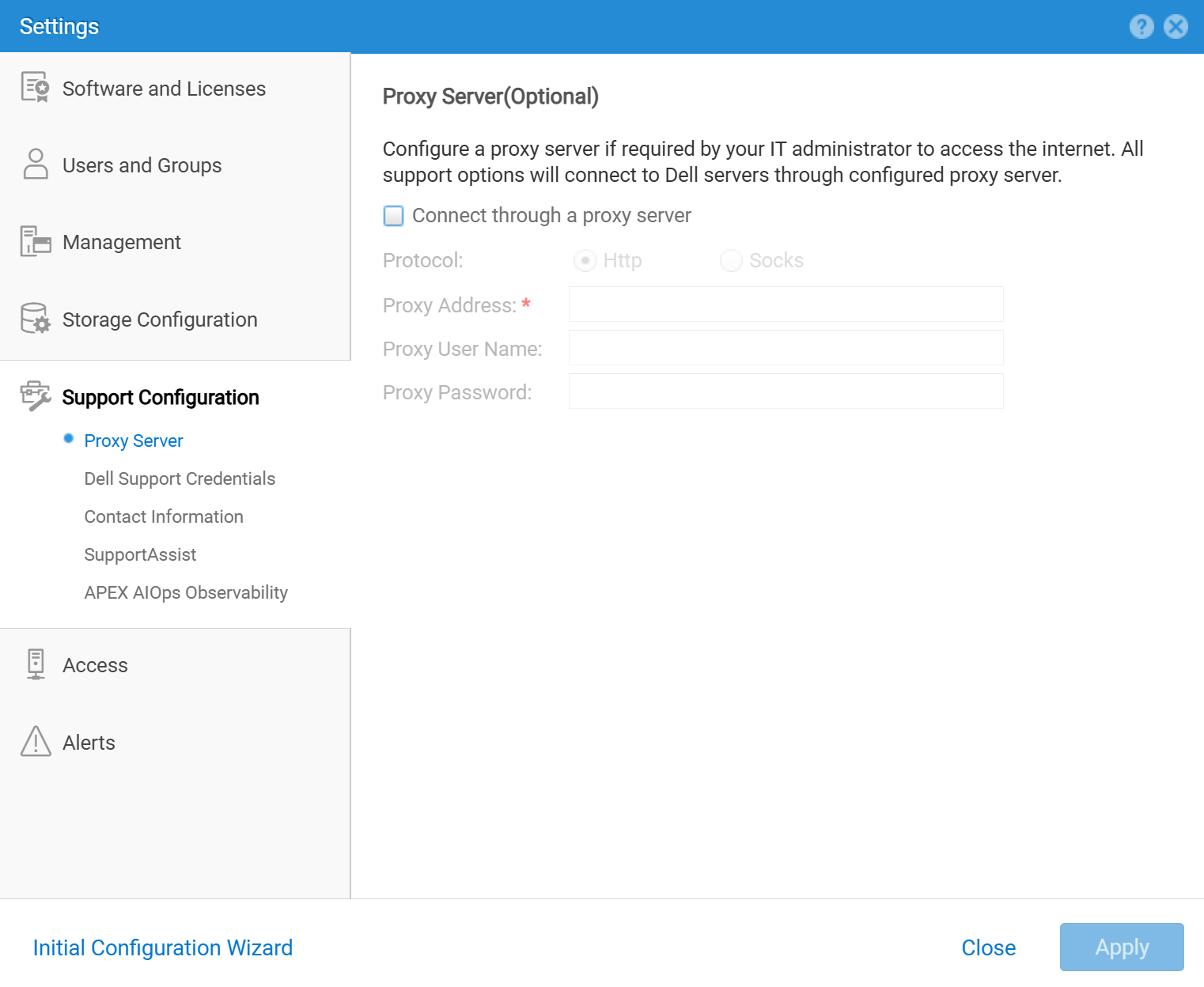
You are using a global Proxy Server configured for the Unity system [Settings > Support Configuration > Proxy Server], and also using Email Alerts for email notifications, and email alerts are failing after a UnityOS upgrade.
Resolution:
If you are using a Proxy Server on the Unity system, you may select one of the following corrective actions to restore Email Alert Notifications:
1) Modify your Proxy Server to support your SMTP Server for Email Alert Notifications.
2) If you want to bypass the Proxy Server for your SMTP Server, go to [Settings > Alerts > Email and SMTP], and select the checkbox to "Bypass proxy settings for SMTP server."
For more information about how to configure SMTP, reference the following documents:
Dell Unity™ Family Unisphere® Command Line Interface User Guide Version 5.5
Dell Unity™ Family Security Configuration Guide Version 5.5

Weitere Informationen
Simple Network Management Protocol (SNMP) and Simple Mail Transfer Protocol (SMTP) are distinct network protocols with different purposes.
SNMP is used for network management and monitoring, while SMTP is used for sending and receiving email.
In essence, SNMP helps manage and monitor network devices, while SMTP facilitates email communication.
Betroffene Produkte
Dell EMC Unity FamilyProdukte
Dell Unity 300, Dell EMC Unity 300F, Dell EMC Unity 350F, Dell EMC Unity XT 380F, Dell EMC Unity 400, Dell EMC Unity 400F, Dell EMC Unity 450F, Dell EMC Unity XT 480F, Dell EMC Unity 500, Dell EMC Unity 500F, Dell EMC Unity 550F, Dell EMC Unity 600
, Dell EMC Unity 600F, Dell EMC Unity 650F, Dell EMC Unity XT 680F, Dell EMC Unity XT 880F, Dell EMC Unity Family |Dell EMC Unity All Flash, Dell EMC Unity Family, Dell EMC Unity Hybrid
...
Artikeleigenschaften
Artikelnummer: 000055326
Artikeltyp: Solution
Zuletzt geändert: 24 Apr. 2025
Version: 4
Antworten auf Ihre Fragen erhalten Sie von anderen Dell NutzerInnen
Support Services
Prüfen Sie, ob Ihr Gerät durch Support Services abgedeckt ist.