How to Cancel Consumer Subscription Support Services
Zusammenfassung: Learn how to cancel Dell consumer subscription support services such as Premium Support. Follow simple steps to end your subscription.
Dieser Artikel gilt für
Dieser Artikel gilt nicht für
Dieser Artikel ist nicht an ein bestimmtes Produkt gebunden.
In diesem Artikel werden nicht alle Produktversionen aufgeführt.
Weisungen
Note: Screenshots are provided in English but the experience is localized as per your current location.
Cancel Subscription Using Dell Account
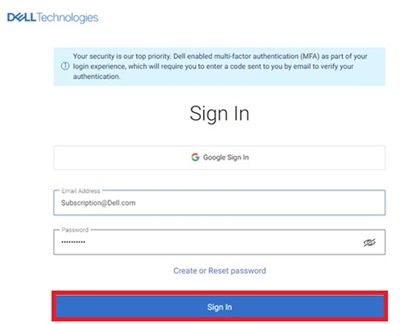
- Go to My Account page. Click the Sign In button to sign into your Dell Account using the email address used at the time of the purchase of the Dell Product or your Dell Account email address and password. For questions about creating or updating a My Account login, see the My Account FAQs.
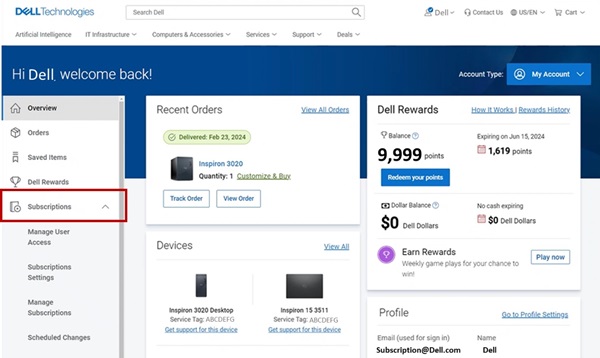
- Once you log in to the Dell Account, the home page displays a dashboard of products and services purchased, Account details, Rewards, and so on. Click Subscriptions from the left panel.
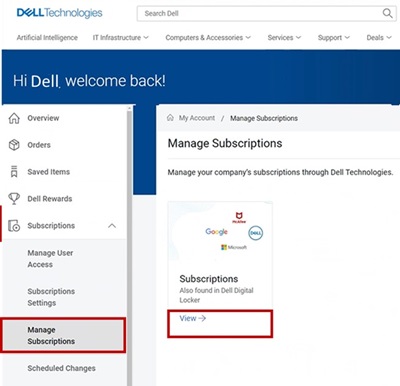
- Click Manage Subscriptions and then click View.
- The dashboard displays the hardware and software subscriptions purchased on your Dell Products.
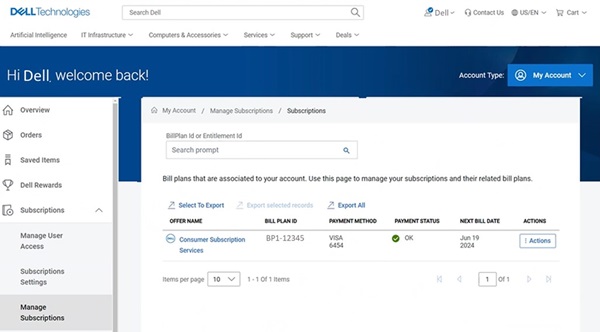
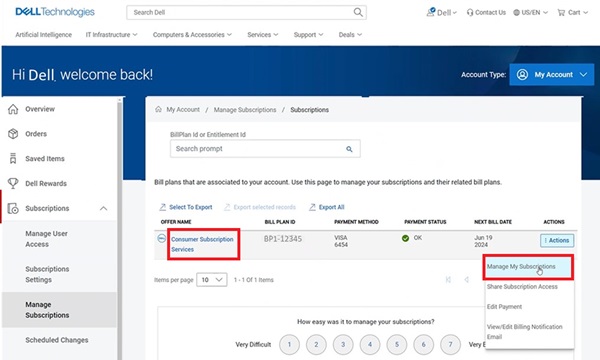
- Click the Action button on the Consumer Subscription Services which needs cancellation, and then click Manage Subscriptions. You can also click Consumer Subscription Services.
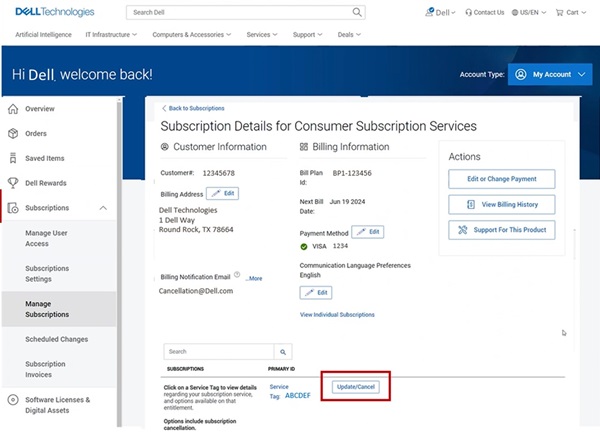
- Subscription detail of your Dell Product is displayed. Click the Update/Cancel button.
- The subscription product details page displays the subscription service details, Service tag, bill plan of your Dell Product. Click the Cancel button to cancel the Subscription.
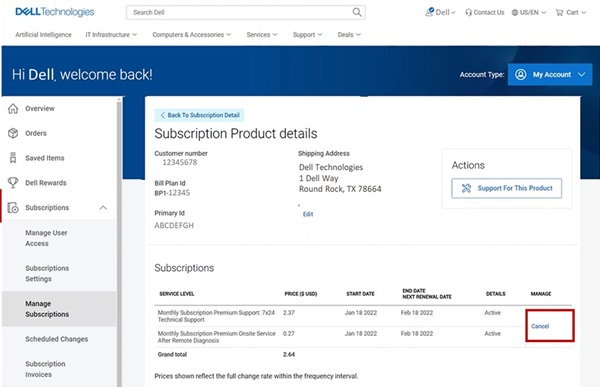 Note: The cancel button is displayed only if the subscription is eligible for cancellation. If the subscription has been previously cancelled, the Cancel button is not shown.
Betroffene Produkte
Dell Slim, Dell Tower, Inspiron, XPS, G Series, G Series, Dell Plus, Inspiron, XPSArtikeleigenschaften
Artikelnummer: 000126747
Artikeltyp: How To
Zuletzt geändert: 02 Sept. 2025
Version: 27
Antworten auf Ihre Fragen erhalten Sie von anderen Dell NutzerInnen
Support Services
Prüfen Sie, ob Ihr Gerät durch Support Services abgedeckt ist.