OME: Support for Dell OpenManage Enterprise Update Manager Plug-in
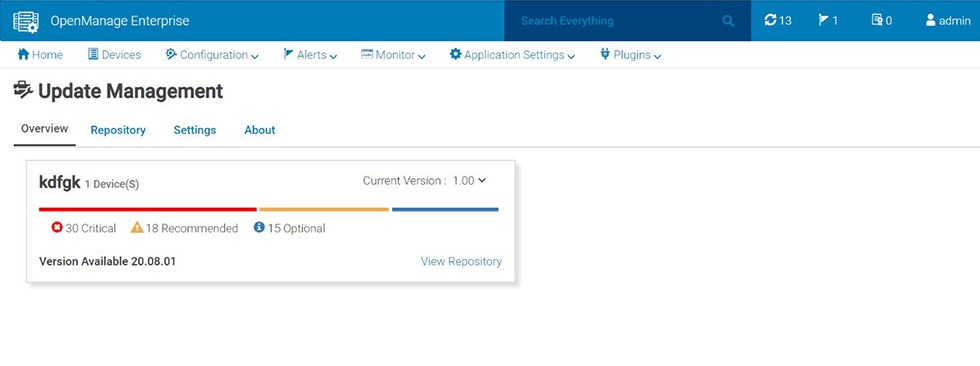
Zusammenfassung: Dell OpenManage Enterprise Update Manager plug-in brings Dell Repository Manager functionality to OpenManage Enterprise. Update Manager streamlines the custom repository creation, baseline creation, catalog creation, and downloads of update packages to a single workflow. Update Manager allows for simple management of the repository including delete, import, and schedule refreshes. Update Manager provides an overview screen that shows key information including repository name, catalog used for creation, version, and color-coded criticality. ...
Dieser Artikel gilt für
Dieser Artikel gilt nicht für
Dieser Artikel ist nicht an ein bestimmtes Produkt gebunden.
In diesem Artikel werden nicht alle Produktversionen aufgeführt.
Weisungen

Support for Dell OpenManage Update Manager
- Plug-in to the Dell OpenManage Enterprise
- Create custom repositories using the server inventory from OpenManage Enterprise
- Import or delete components or bundles to and from a repository.
- Update repositories when new content is available online at Dell support portal or in an offline source.
- Configure the OpenManage Enterprise proxy and manage storage alerts for the size of repositories.
Dell OpenManage Enterprise Update Manager is a plug-in to the Dell OpenManage Enterprise console. It enables IT Administrators to create and manage repositories for servers that are managed in OpenManage Enterprise through iDRAC or a Windows operating system. This plug-in is a vital piece of the OpenManage portfolio and provides out of the box integration.
Benefits of Dell OpenManage Enterprise Update Manager
Using Update Manager keeps your systems up to date with the latest or older firmware and selective windows drivers released by:
A repository consists of system bundles and their associated Dell Update Packages (DUP). A system bundle is a collection of related updates that are applicable to the same target platform. A Dell Update Package (DUP) is a self-contained executable in a standard format that updates a specific element on a Dell server such as the firmware or a device driver. These bundles and repositories allow the deployment of multiple firmware updates at once. Update Manager supports Dell Update Packages (DUPs) in .exe format.

Features of Dell OpenManage Enterprise Update Manager
Enhancements to Dell OpenManage Enterprise Update Manager
Dell Technologies is constantly improving OpenManage Enterprise Update Manager.
New Features in OpenManage Enterprise Update Manager Version 1.9
- Support for OME 4.5 and new platforms
New Features in OpenManage Enterprise Update Manager Version 1.8
- Support for OpenManage Enterprise version 4.4.x.
- Support for full life cycle management of Dell PowerEdge 17th generation server.
New Features in OpenManage Enterprise Update Manager Version 1.7
- Support for OpenManage Enterprise version 4.3.x.
- Update Manager version 1.7 and later, supports PowerEdge 17th Generation servers.
- Administrator can create custom roles to assign specific privileges in OpenManage Enterprise.
New Features in OpenManage Enterprise Update Manager Version 1.6
- Pre-enablement for Windows 2025 OS driver update with baseline support
- Scalability enhancement to support up to 8000 devices pre-repository (previously 5000)
New Features in OpenManage Enterprise Update Manager Version 1.5
- Support for OpenManage Enterprise 4.0
- Repository Refresh does not contain deleted content.
- Repository Refresh on Group or Component change.
- Compare Repository
- Compare Repository versions
- Compare Repository with Latest available catalog
- Create a comparison report in .csv format
New Features in OpenManage Enterprise Update Manager Version 1.4
- Support for OpenManage Enterprise 3.10.x
- Support for OpenManage Enterprise Backup and Restore.
New Features in OpenManage Enterprise Update Manager Version 1.3
- Support for OpenManage Enterprise 3.9
- Advanced pagination
New Features in OpenManage Enterprise Update Manager Version 1.2
- Support for HTTPS storage in all repository operations.
- Support for Windows server 2022 in repositories and baselines.
- User interface enhancements to ensure better usability.
New Features in OpenManage Enterprise Update Manager Version 1.1
- Support for Scope-Based Access Control:
- To create a repository
- To view a repository
- To refresh, or update a repository
- Edit repository name and baseline name.
- Transfer of ownership for repositories from one Device Manager to another Device Manager.
- Storage settings enhancements to provide more than 10 GB of storage.
- User interface enhancements to ensure better usability.
New Features in OpenManage Enterprise Update Manager Version 1.0
- Initial release of OpenManage Enterprise Update Manager.
See OpenManage Update Manager Plugin Release notes for each version for the complete list of enhancements, limitations, fixed issues, and known issues.
Dell OpenManage Enterprise Update Manager Documentation Collection including Release Notes
Role-based Privileges for OpenManage Enterprise Update Manager and OpenManage Enterprise
Dell OpenManage Enterprise Update Manager is free to use. The following table provides a summary of capabilities dependant of the role-based privileges.
Role-based privileges for Update Manager
The following table lists the permissions of an Update Manager user role.
| Function | Administrator | Device Manager | Viewers |
|---|---|---|---|
| Install or uninstall Update Manager | Allowed | Not allowed | Not allowed |
| Enable or disable Update Manager | Allowed | Not allowed | Not allowed |
| Configure proxy | Allowed | Not allowed | Not allowed |
| Configure preferences | Allowed | Not allowed | Not allowed |
| Create repository | Allowed | Allowed | Not allowed |
| Import update package | Allowed | Allowed | Not allowed |
| Delete repository or bundles or update packages | Allowed | Allowed | Not allowed |
| Repository refresh | Allowed | Allowed | Not allowed |
| View the repository dashboard | Allowed | Allowed | Not allowed |
| View the repository | Allowed | Allowed | Not allowed |
Role-based privileges for OpenManage Enterprise
The following table lists the OpenManage Enterprise features required for an Update Manager user.
| Function | Administrator | Device Manager | Viewers |
|---|---|---|---|
| Update firmware with baseline compliance report | Allowed | Allowed | Not allowed |
| Update settings | Allowed | Not allowed | Not allowed |
| Create alert policy | Allowed | Allowed | Not allowed |
Download and install for Dell OpenManage Enterprise Update Manager
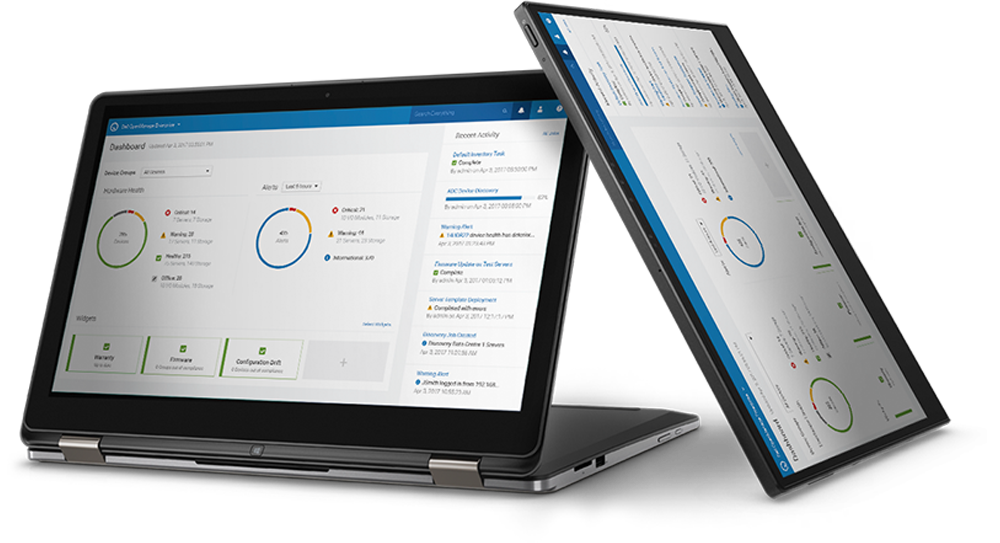
Update Manager 1.9 is a plug-in for the Dell OpenManage Enterprise (minimum version 4.5). To download and install or upgrade this plug-in:
Detect the plug-in using Update Settings in the Console and Plugins page. Next, install the plug-in from the Update Manager section in the Consoles and Plugins page or upgrade from a previous version.
Administrator rights are required for installing and configuration of Update Manager settings.
For more information about OpenManage Enterprise functionality, see Dell OpenManage Enterprise User's Guide.
Resources for Dell OpenManage Enterprise Update Manager
Community
Engage in the OpenManage Systems Management community to find:
- Boards to post questions and answers
- Blogs to read and comment on articles
- Idea exchanges to improve products and vote for ideas that other community members have posted
- And more....
Documentation
See Dell OpenManage Enterprise Update Manager Documentation for the latest documentation.
Videos
OpenManage Enterprise and FlexSelect Plugin Architecture
The OpenManage Enterprise console can be expanded with a plug-in architecture to include Power Manager, Services, and Update Manager plugins.
November 2020OpenManage Enterprise Overview
OpenManage Enterprise empowers IT pros with intelligent automation that delivers real-time efficiencies and cost savings.
March 2019Betroffene Produkte
OpenManage Enterprise Update Manager, Dell EMC OpenManage Enterprise, OpenManage Enterprise Update ManagerArtikeleigenschaften
Artikelnummer: 000180518
Artikeltyp: How To
Zuletzt geändert: 07 Aug. 2025
Version: 29
Antworten auf Ihre Fragen erhalten Sie von anderen Dell NutzerInnen
Support Services
Prüfen Sie, ob Ihr Gerät durch Support Services abgedeckt ist.