VPLEX:故障診斷 VPLEX Performance Monitor VM (VPM) 部署和使用
Summary: 有助於故障診斷 VPLEX Performance Monitor 工具部署和設定的資訊。
Instructions
VPLEX Performance Monitor 是一種虛擬裝置,可從 support.emc.com 下載並部署在客戶的 VMware 環境中,以便從 VPLEX 例項收集效能統計資料。
它以 OVA 檔案的形式出現,可作為虛擬裝置 (vm) 匯入到 VMware 環境中。
在 ESXi 主機上安裝後,您可以使用下列帳戶登入虛擬機器:
SSH 和 CLI 登入帳戶:
root 與密碼 root
appadmin 與密碼 appadmin
VPLEX 效能監視器 Web 登入帳戶:
管理員,密碼為管理員 (系統會在使用管理員帳戶首次登入時提示您變更密碼)
如果無法成功存取 url(vm 的 https://ip 位址),可以執行以下操作:
-
您可以從 Vcenter 連線至 VM 主控台,並確認其已取得 IP 位址
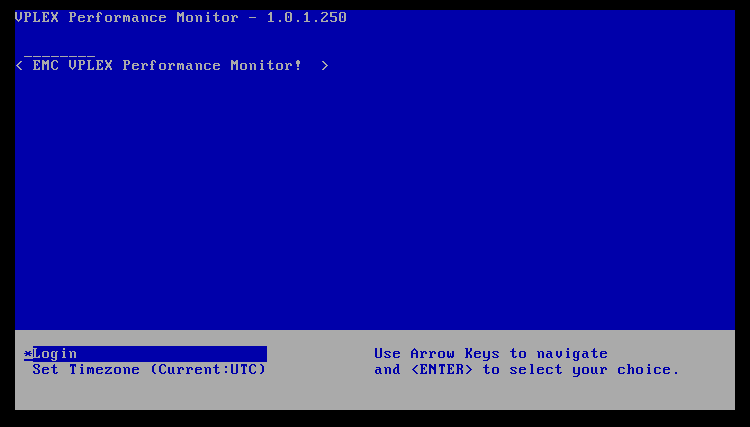
登入畫面看起來如下:
-
按下 ENTER 鍵以選擇登入。輸入 root 或 appadmin 帳戶詳細資料以登入。
-
執行下列命令檢查 IP 位址
/sbin/ifconfig
localhost:~ # /sbin/ifconfig
eth0      Link encap:Ethernet  HWaddr 00:0C:29:92:DC:76
          inet addr:99.99.88.88  Bcast:99.99.99.255  Mask:255.255.254.0
          inet6 addr: fegg::20c:29ff:fexx:dcyy/64 Scope:Link
          UP BROADCAST RUNNING MULTICAST  MTU:1500  Metric:1
          RX packets:26686 errors:0 dropped:0 overruns:0 frame:0
          TX packets:3855 errors:0 dropped:0 overruns:0 carrier:0
          collisions:0 txqueuelen:1000
          RX bytes:2619404 (2.4 Mb)  TX bytes:2583355 (2.4 Mb)
輸出應顯示 eth0 分配了有效的 IP 位址。
-
您現在應該可以從 VPLEX 管理伺服器 ping 並 SSH 至 vm IP 位址。
如果無法執行此操作,則必須與網路團隊聯繫,以確定相關子網之間沒有可用路由的原因。
如果可以 ping 虛擬機,但仍然無法通過「https://ip 位址」連接到 Web 介面,請確保埠 8443 可訪問。 -
在 VPLEX Performance Monitor vm (透過 vCenter 或您可以 ssh 至 vm IP 位址) 命令列上,您可以執行下列命令:
netstat -apn | grep 8443
您應該會看到 Tcp 進程的「偵聽」埠 8443 上的傳入連接localhost:~ # netstat -apn |grep 8443 tcp 0 0 0.0.0.0:8443 0.0.0.0:* LISTEN 2448/node
如果您沒有看到任何聆聽程序,請嘗試使用以下命令將 VM 重新開機
/sbin/shutdown -r now
如果重新開機無法解決問題,可能需要移除虛擬機器,然後使用 OVA 檔案重新部署。 -
在 VPLEX 管理伺服器上,您可以執行下列命令,檢查 TCP 連接埠 8443 的可用性:
telnet 99.99.88.88 8443
Trying 99.99.99.72...
Connected to 99.99.88.88.
Escape character is '^]'.
如果 tcp 連接埠 8443 已開啟,則會顯示連線狀態。
如果您收到回應「連接被拒絕」,則表示網路上有某些東西阻止了 tcp 連接埠(例如防火牆)客戶
必須與自己的網路團隊確認可能阻塞埠的原因。
VPLEX 效能監控工具具有下列 VPLEX GeoSynchrony 需求:
在 VPLEX 上要監控的 VPLEX GeoSynchrony 版本應至少為 5.5。
管理伺服器 (SMS2) 版本必須至少為 D27.0.0.17.0。
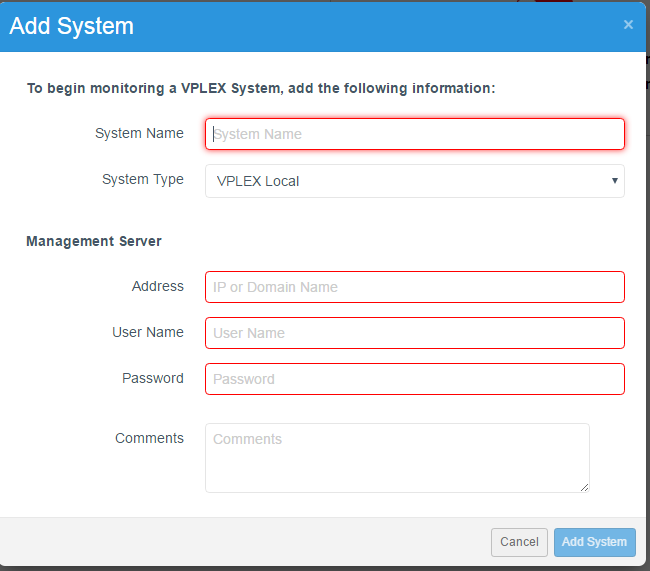
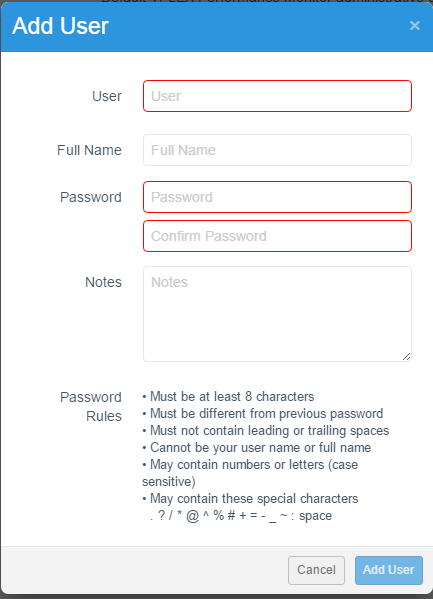
透過瀏覽器建立連線後,您可以設定其他登入帳戶,並新增您要由 VPLEX 效能監控器 (VPM) 監控的系統。
Additional Information
如需其他資訊,請參閱相關的版本資訊。