Dell EMC Unity : How to enable and configure NDMP [User Correctable]
Summary: How to configure NDMP on Array
This article applies to
This article does not apply to
This article is not tied to any specific product.
Not all product versions are identified in this article.
Instructions
From Unisphere GUI:
- First, You Select the NAS Server you want to configure NDMP on and then click the edit icon to modify
- From Protection & events tab, you can enable NDMP check box with your defined username and password
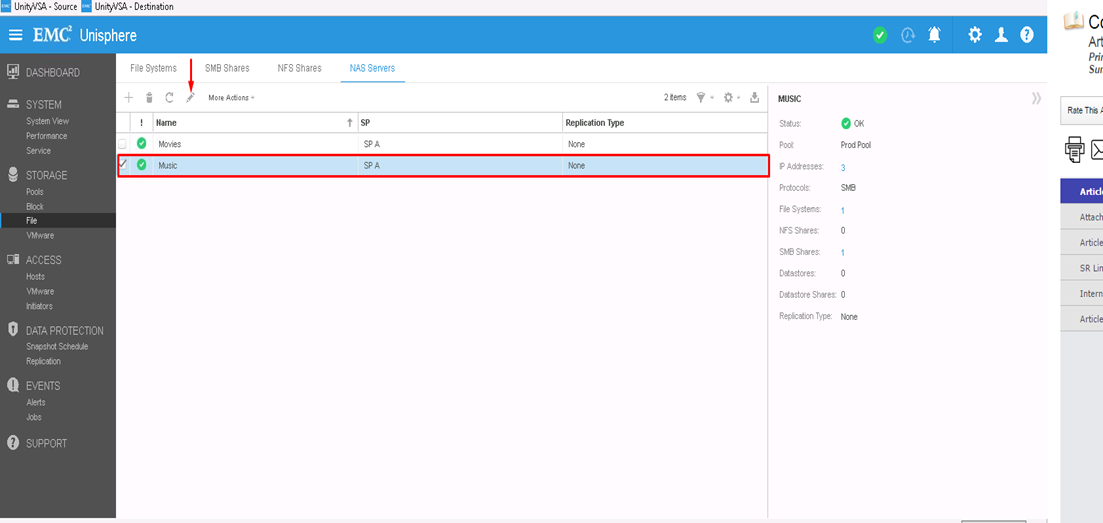
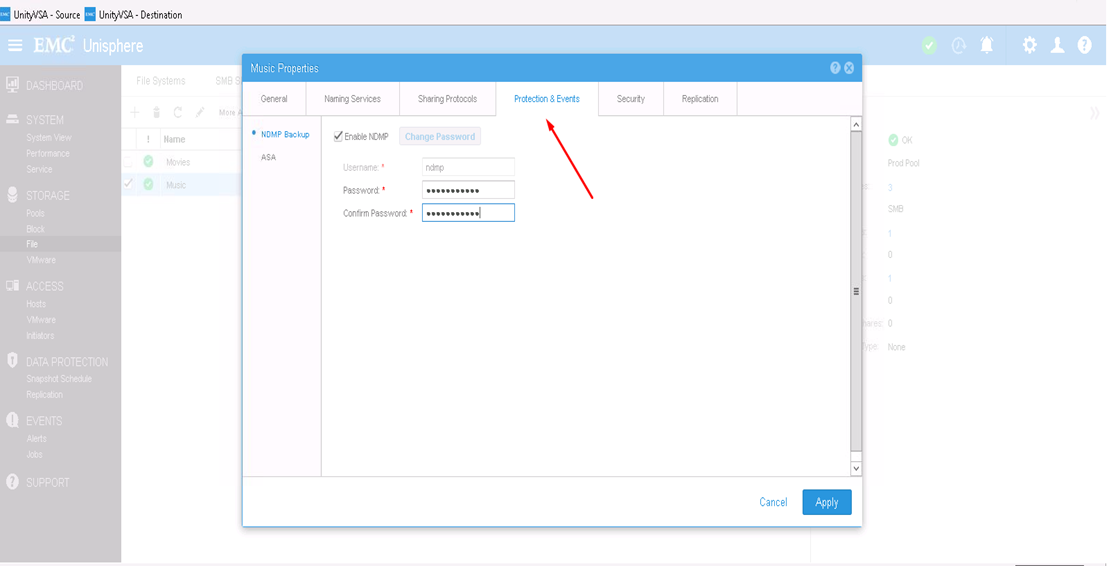
From CLI:
1) Find out the NAS Server resource id by : uemcli -d <array_ip> -u admin -p <admin_pwd> /net/nas/server show
2) Enable and Set NDMP password by : uemcli -d <array_ip> -u admin -p <admin_pwd> /net/nas/ndmp -server <nas_x> set enabled yes passwd ndmp_pwd
Above enables NDMP on unity with username "ndmp".
From Backup clients, you can use NAS Server IP address, "ndmp" as the login user and the password that is configured for NDMP Backups.
Affected Products
Dell EMC Unity FamilyProducts
Dell EMC Unity Family, VNXe1 Series, VNXe2 SeriesArticle Properties
Article Number: 000022637
Article Type: How To
Last Modified: 16 Oct 2025
Version: 3
Find answers to your questions from other Dell users
Support Services
Check if your device is covered by Support Services.