Dell EMC Unity: NDMP inschakelen en configureren [op te lossen door gebruiker]
Summary: NDMP configureren op array
This article applies to
This article does not apply to
This article is not tied to any specific product.
Not all product versions are identified in this article.
Instructions
Van Unisphere GUI:
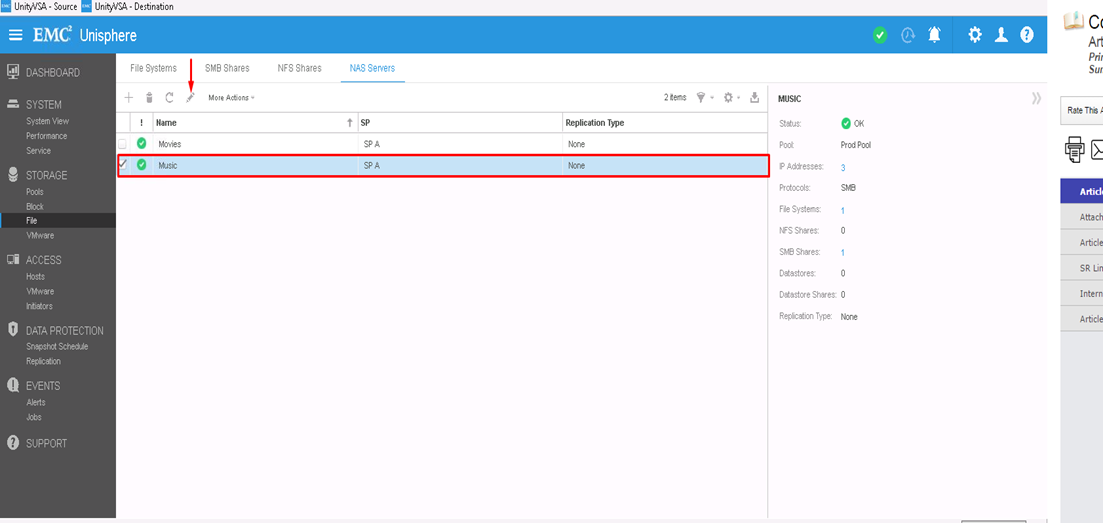
- Eerst selecteert u de NAS-server waarop u NDMP wilt configureren en klikt u vervolgens op het pictogram Bewerken om de functie aan te passen
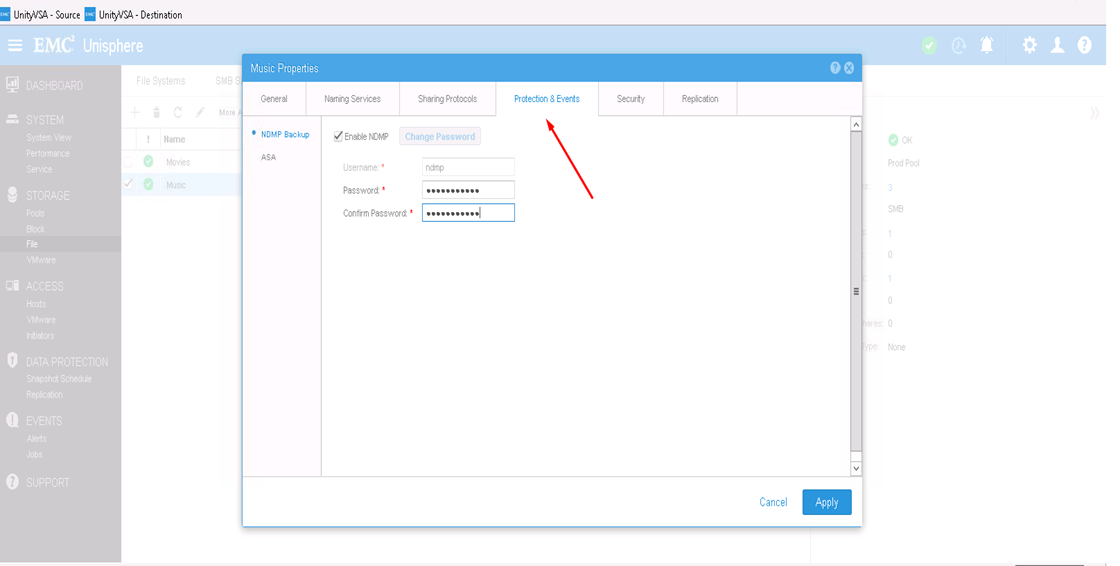
- Op het tabblad Protection & Events kunt u het selectievakje NDMP inschakelen met uw gedefinieerde gebruikersnaam en wachtwoord
Van CLI:
1) Ontdek de NAS Server resource ID door: uemcli -d <array_ip> -u admin -p <admin_pwd> /net/nas/server show
2) Schakel het NDMP-wachtwoord in en stel het in door: uemcli -d <array_ip> -u admin -p <admin_pwd> /net/nas/ndmp -server <nas_x> set enabled yes passwd ndmp_pwd
Bovenstaande schakelt NDMP in op unity met gebruikersnaam "ndmp".
Vanuit back-upclients kunt u het IP-adres van de NAS-server, "ndmp" gebruiken als aanmeldingsgebruiker en het wachtwoord dat is geconfigureerd voor NDMP-back-ups.
Affected Products
Dell EMC Unity FamilyProducts
Dell EMC Unity Family, VNXe1 Series, VNXe2 SeriesArticle Properties
Article Number: 000022637
Article Type: How To
Last Modified: 16 Oct 2025
Version: 3
Find answers to your questions from other Dell users
Support Services
Check if your device is covered by Support Services.