PowerProtect:服务器 DR 复制配置作业失败
Summary: PowerProtect Data Manager 服务器 DR 复制配置作业失败,并显示“无法与 Data Domain 建立连接”。修复方法是为服务器 DR 启用复制。
This article applies to
This article does not apply to
This article is not tied to any specific product.
Not all product versions are identified in this article.
Symptoms
单击 PowerProtect Data Manager 灾难恢复 (DR) 备份的“Enable Replication”后,配置作业失败,并显示错误“无法与 Data Domain 建立连接”。 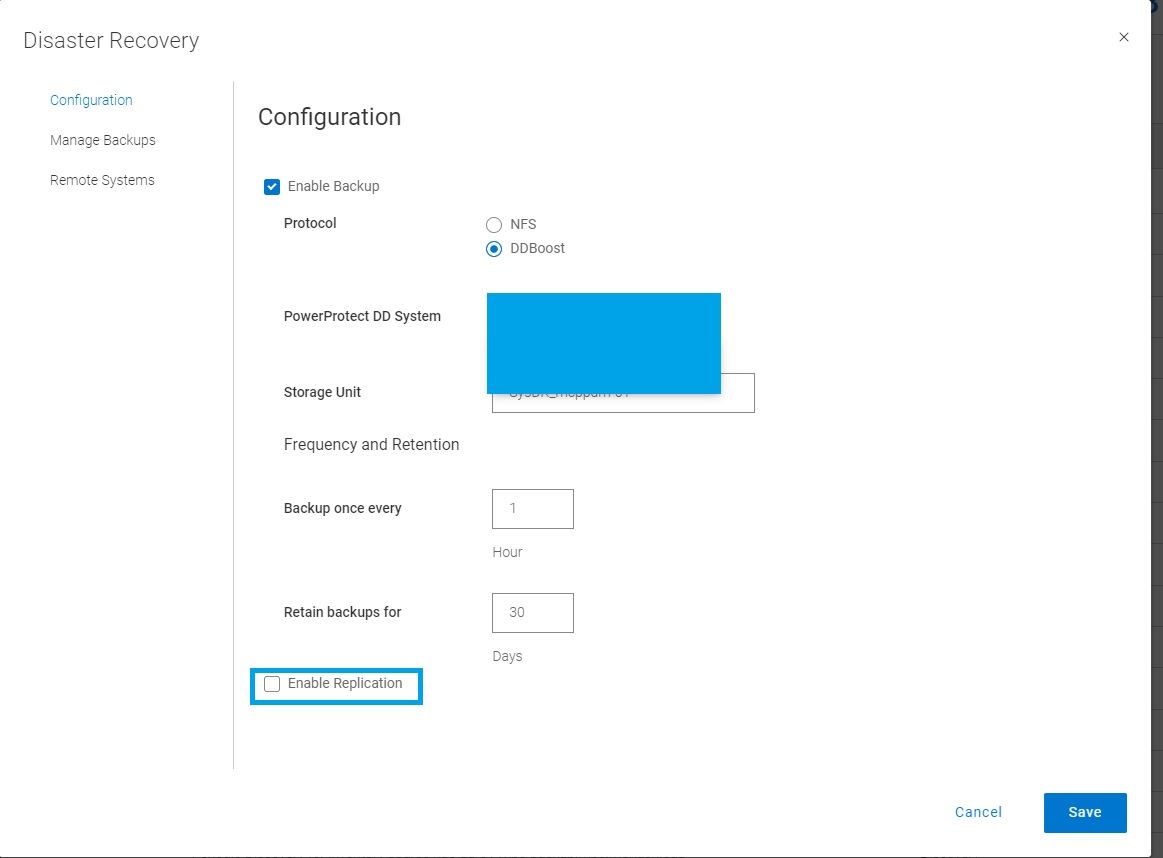
serverdr.log记录了以下消息或错误。
2022-08-29T05:56:37.455Z INFO [] [SimpleAsyncTaskExecutor-4] [][][][][] [c.e.b.s.common.SshManager.connect(121)] - *******timeout: socket is not established*******
2022-08-29T05:56:37.455Z INFO [] [SimpleAsyncTaskExecutor-4] [][][][][] [c.e.b.s.common.SshManager.sendCommand(143)] - Could not connect to the host <DD_hostname> with username: <DD_username> password: *****
...
2022-08-29T05:58:07.483Z INFO [] [SimpleAsyncTaskExecutor-4] [][][][][] [c.e.d.e.c.s.c.s.i.AutoConfigServiceImpl.configureStorageUnitForReplicationTarget(5748)] - configureStorageUnitForReplicationTarget exception: com.emc.dpsg.ecdm.cs.serverdr.core.exception.SdrException: SDR_REPL_SSH_NULL_ERROR code=500 reason="Unable to establish connection to Data Domain <DD_hostname>, received null response" remediation="none"
Cause
PowerProtect Data Manager 无法与源和/或复制 Data Domain 建立 SSH 连接。
Resolution
为了实现服务器 DR 的复制,PowerProtect 使用 SSH(端口 22)连接到复制源和目标 DD 存储系统。
源和目标 DD 系统的端口 22 必须向 PowerProtect 服务器开放。
Affected Products
PowerProtect Data ManagerArticle Properties
Article Number: 000202899
Article Type: Solution
Last Modified: 11 Dec 2025
Version: 5
Find answers to your questions from other Dell users
Support Services
Check if your device is covered by Support Services.