Dell Unity: Jak skonfigurować FTP i SFTP ze wszystkimi funkcjami
Summary: W tym artykule wyjaśniono, jak skonfigurować protokół FTP (File Transfer Protocol) i protokół SFTP (Secure File Transfer Protocol) dla serwerów NAS w macierzach Dell Unity.
Instructions
Aby włączyć i skonfigurować protokół FTP z Unisphere (UI):
Przejdź do Unisphere > File > NAS Servers > Edit > Sharing Protocols > FTP: 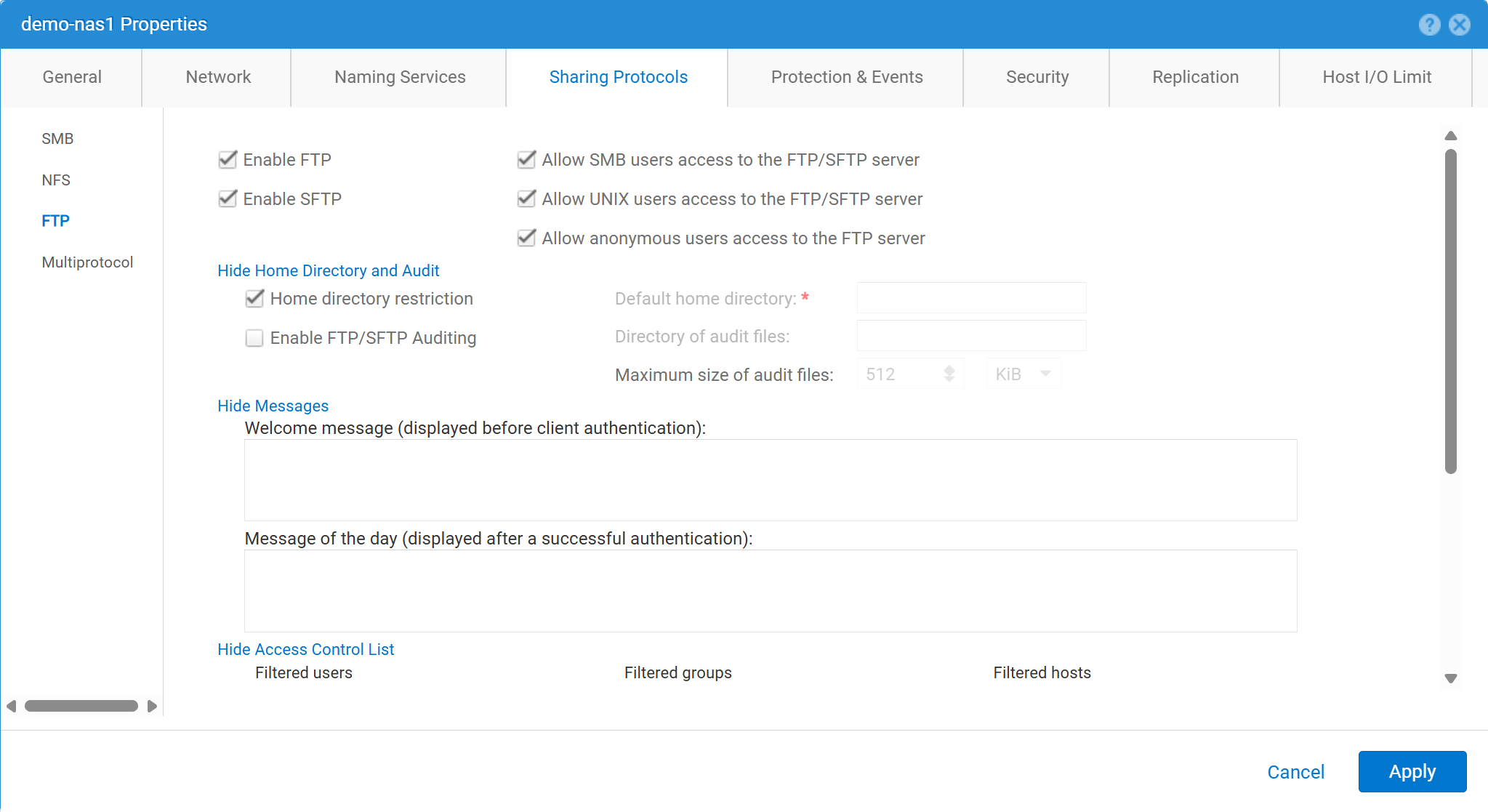
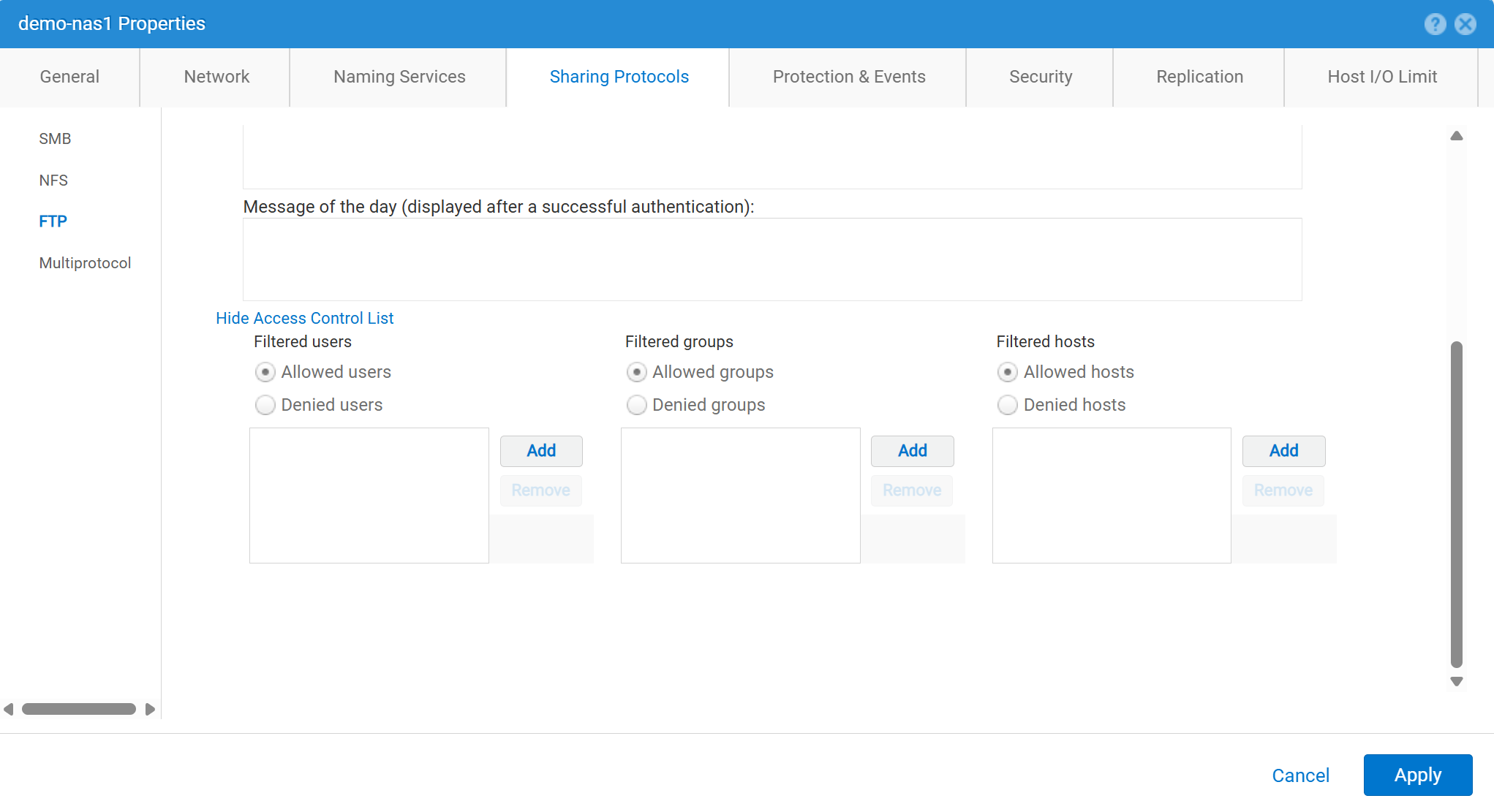
Aby włączyć i skonfigurować protokół FTP z Unisphere (UI):
service@spa spa:~> uemcli -no -u admin -p mypasswd /net/nas/ftp -server nas_8 set -ftpEnabled yes -sftpEnabled yes -anonymousUserEnabled yes -cifsUserEnabled yes -unixUserEnabled yes
Operation completed successfully.


Note : Refer to "uemcli /net/nas/ftp -help" for all other available options
Aby zalogować się jako użytkownik FTP:
Jeśli serwer NAS ma przyłączone do domeny Common Internet File System (CIFS), użytkownik domeny może zalogować się jako jeden z następujących adresów:
domain\user or user@domain

Example (domain name is EXAMPLE):
EXAMPLE\user100 or user100@example.com
Jeśli serwer NAS jest autonomicznym serwerem CIFS w Unity, logowanie jest możliwe przy użyciu następującej metody:
servername\user or user@servername or local\user or user@local

Example (standalone nas server name is MYCIFS):

MYCIFS\user100 or user100@mycifs or local\user100 or user100@local

C:\>ftp ftp02
Connected to ftp02
220 NASFTP FTP server (EMC:upc_Unity_6_HF5_upcBuilder:9328432) ready.
User ( ftp02   :( none)): Local\administrator
331 Password required for Local\administrator.
Password:
230- No directory! Logging in with home=/nasftp_fs01.
230 NT User Local\administrator logged in.
ftp>
Jeśli serwer NAS jest używany do Tylko w sieciowym systemie plików (NFS), Unity wymaga usługi katalogowej (takiej jak LDAP (Lightweight Directory Access Protocol) lub Network Information Service (NIS)) do uwierzytelniania użytkownika. Pliki lokalne mogą być również używane, jeśli nie ma dostępnego protokołu LDAP lub NIS (co wymaga ręcznej konfiguracji użytkownika/hasła).
C:\>ftp ftp02
Connected to ftp02
220 FTP02 FTP server (EMC:upc_Unity_6_HF5_upcBuilder:9328432) ready.
User (ftp02 :(none)): user100
331 Password required for user100.
Password:
230 UNIX User user100 logged in.
ftp> ls
200 PORT command successful.
150 Opening ASCII mode data connection for 'file list'.
lost+found
etc
publicftp
226 Transfer complete.
ftp: 29 bytes received in 0.00Seconds 29000.00Kbytes/sec.
ftp> bye
221 Goodbye.
Logowanie anonimowe (nazywane również ftp):
C:\>ftp ftp02
Connected to ftp02
220 FTP02 FTP server (EMC:upc_Unity_6_HF5_upcBuilder:9328432) ready.
User (ftp02  :(none)): anonymous
331 Guest login ok, type your name as password.
Password:
230 Guest login ok, access restrictions apply.
ftp> _
Aby skonfigurować użytkowników lokalnych:
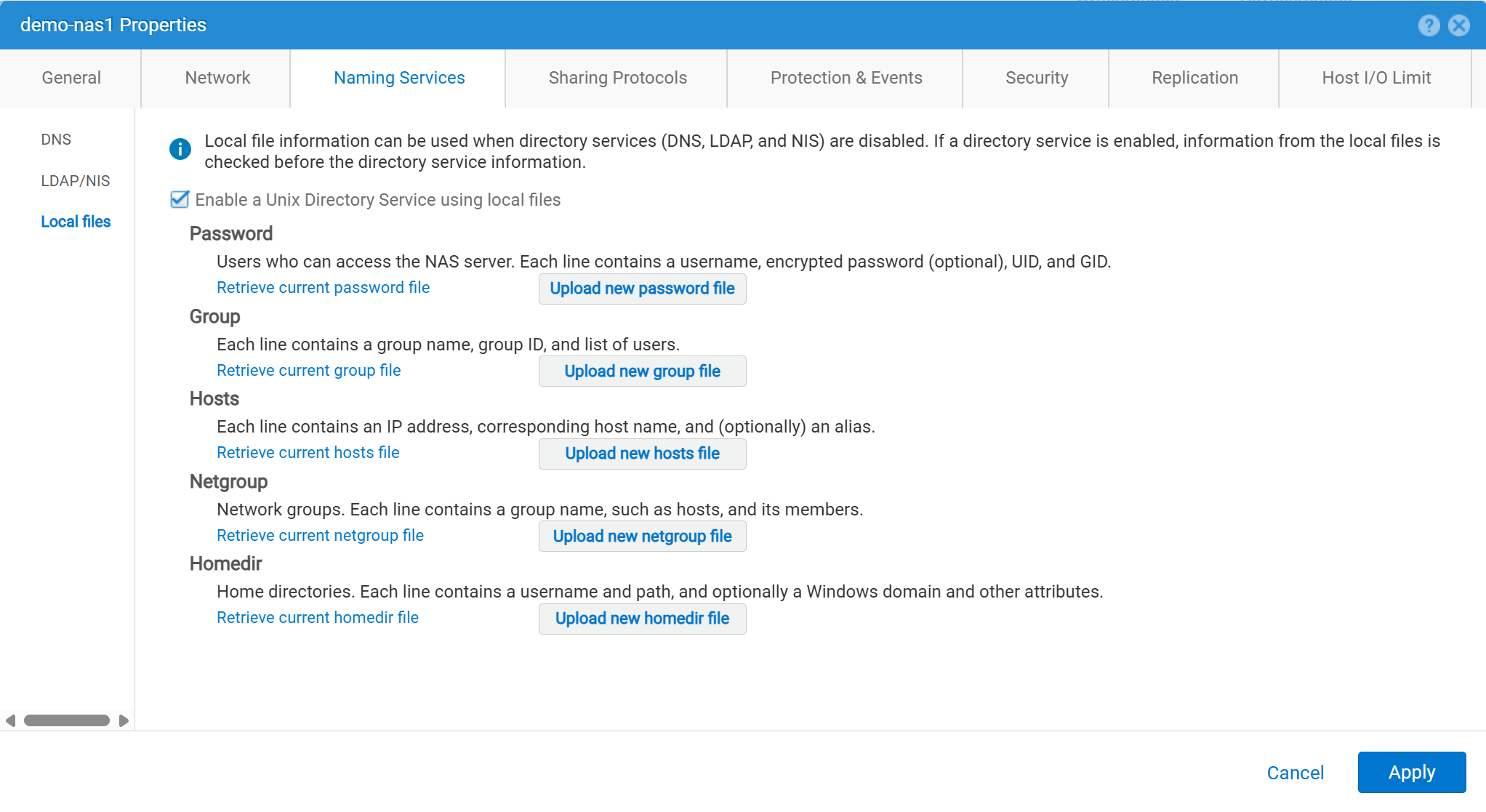
Dane użytkownika należy wprowadzić w następujący sposób:
01:42:18 service@spa spa:~> cat passwd
# The passwd file contains the users who can access the NAS server.
#
# Each line of the passwd file defines a user and has the format:
#   username:password:uid:gid:gcos
# where:
# - username is the user's login name.
#   When querying for Windows users, the system checks for CIFS usernames without domain extensions.
# - password is an empty field. The encrypted password for the user is in the
# corresponding entry in the shadow file.
# - uid is the user's unique numerical ID for the system.
# - gid is the unique numerical ID of the group to which the user belongs.
#
# user:password:uid:gid:gcos:homedir:
ftp:ffX6M7x34lzYI:2000:2000::/fs01:
user100:ffX6M7x34lzYI:2001:2001::/fs01:
user200:l8Yykofh8ckbU:2002:2002:
user300:ABVmdrEehFnsI:2002:2002:QLs4hM#3w2s1drrYowsXsaPMuz:/fs01/publicftp:
user400:QQueVwnnAFCjc:2003:2003:PZraGM#K321ldrWKowssLaPVgp::
usertest:eeRJFmFoGS4lw:2004:2004::/fs01/publicftp:
usertest2:8II12yC6iqFEY:2004:2004::/fs01/publicftp:
Użyj UEMCLI, aby pobrać:
uemcli -u admin -p password -download /net/nas/server -name server_name -type passwd


EXAMPLE:
03:37:51 service@spa spa:~> uemcli -u admin -p mypasswd -upload -f /home/service/passwd /net/nas/server -name FTP02 -type passwd

Uploaded 962 byte of 962 byte [ 100.0% ] -PROCESSING-
Operation completed successfully.
Użyj UEMCLI, aby przesłać:
uemcli -u admin -p password -upload -f /cores/service/passwd /net/nas/server -name server_name -type passwd


EXAMPLE:
03:37:40 service@spa spa:~> uemcli -download -f /cores/service/passwd /net/nas/server -name FTP02 -type passwd

Downloaded 962 byte of 962 byte [ 100.0% ] -STALLED-
Operation completed successfully.
Additional Information
Uwagi:
- Aby użytkownik anonimowy działał, musi istnieć użytkownik o nazwie
ftpnaUIDmuszą być zdefiniowane u dostawcy katalogów lub w plikach lokalnych.- Przykład plików lokalnych:
ftp:*:1000:1000::/fs01/publicftp:
- Przykład plików lokalnych:
- Jeśli używane są pliki lokalne, pole hasła można wygenerować za pomocą
openssl(bezpośrednio z Unity):- Przykład:
User user100, Password to be "Password123#", uid and gid as 3000, homedir as /fshomedir/data - To polecenie używa algorytmu hasła opartego na algorytmie SHA256. użyj polecenia
'openssl passwd -6 Password123#'jeśli potrzebny jest algorytm hasła oparty na algorytmie SHA512.
- Przykład:
$ openssl passwd Password123#
Warning: truncating password to 8 characters              <-- note, it takes only 1st 8 char
9QWNQEDjvlRog
$ openssl passwd
Password:                     <-- password can be typed here if not to be seen
Verifying - Password:
yT4C/OPx6AHXM
Entry on "passwd" file should be: user100:9QWNQEDjvlRog:3000:3000::/fshomedir/data:- SFTP wymaga, aby katalog główny należał do zalogowanego użytkownika.
- Może to zablokować anonimowego użytkownika.
- Protokół SFTP może zakończyć się niepowodzeniem, jeśli:
LACPjest używany.- Jeśli port 22 wydaje się być zablokowany, zapoznaj się z artykułem Dell Unity: Unity SFTP nie działa, gdy jest włączony protokół LACP.