DM5500:SSH 服务器使用的 SHA1 漏洞“SSH 弱消息身份验证代码算法”
Summary: 本文介绍如何在 DM5500 一体机的 SSH 服务器上禁用与安全哈希算法 1 (SHA-1) 相关的密码。需要禁用与 SHA 1 相关的密码,以修复 PowerProtect Data Manager DM5500 系统上发现的“SSH 弱消息身份验证代码 (MAC) 算法”漏洞。
This article applies to
This article does not apply to
This article is not tied to any specific product.
Not all product versions are identified in this article.
Symptoms
安全漏洞扫描程序可能会报告 "SSH Weak Message Authentication Code (MAC) Algorithms" 警报指示基于 SHA-1 的密码可用于与 DM5500 设备的 SSH 连接。
Cause
自 2026 年 2 月 1 日起,SHA-1 被正式认定为弱 SHA-1,并且由于易受冲突攻击而不适合用于加密。当前的 DM5500 软件版本早于此弃用。因此,与 SHA-1 相关的算法仍在 SSH 服务器中启用。
在下一个 DM5500 软件版本中,SSH 配置将得到加强,并且所有与 SHA-1 相关的密码都将被删除。
在该更新可用之前,客户应联系戴尔支持,以应用在 DM5500 SSH 服务器上禁用 SHA-1 密码的解决方法。
Resolution
提醒:DM5500 是封闭式设备;Linux 级别的 shell 访问权限仅限于戴尔员工或合作伙伴。如果需要,请联系 戴尔支持 人员或授权人员以实施以下解决方法。
提醒:如果客户执行系统配置,则必须再次应用该解决方法。
- 以“管理员”身份通过 SSH 登录到 DM5500,然后访问 Linux BASH
- 检查 SHA-1 密码是否在以下 SSH 服务器中可用:
sshd -T |grep -i sha1
示例输出:
!!!! ppoe YOUR DATA IS IN DANGER !!!! # sshd -T |grep -i sha1 macs hmac-sha2-256-etm@openssh.com,hmac-sha2-512-etm@openssh.com,hmac-sha1-etm@openssh.com,hmac-sha2-256,hmac-sha2-512,hmac-sha1 kexalgorithms ecdh-sha2-nistp256,ecdh-sha2-nistp384,ecdh-sha2-nistp521,diffie-hellman-group-exchange-sha256,diffie-hellman-group14-sha1 !!!! ppoe YOUR DATA IS IN DANGER !!!! # - 复制
/etc/ssh/sshd_config文件,使用以下命令:
cp -p /etc/ssh/sshd_config /etc/ssh/sshd_config.default - 添加以下两行
/etc/ssh/sshd_config文件下面的文件HostKey进入:
MACs hmac-sha2-512-etm@openssh.com,hmac-sha2-512,hmac-sha2-256-etm@openssh.com,hmac-sha2-256
kexalgorithms ecdh-sha2-nistp256,ecdh-sha2-nistp384,ecdh-sha2-nistp521,kex-strict-s-v00@openssh.com
预期变化: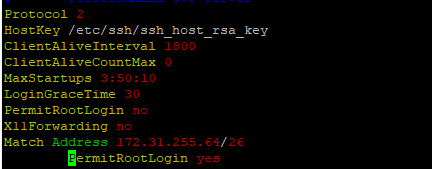
收件人:
- 使用以下命令重新启动 SSH 服务器:
systemctl restart sshd - 重新启动后,验证 SSH 服务器是否已启动(活动)并正在运行:
systemctl status sshd
预期的输出:
!!!! ppoe YOUR DATA IS IN DANGER !!!! # systemctl status sshd ● sshd.service - OpenSSH Daemon Loaded: loaded (/usr/lib/systemd/system/sshd.service; enabled; vendor preset: disabled) Active: active (running) since Mon 2026-03-09 05:01:09 UTC; 5min ago Process: 54258 ExecStartPre=/usr/sbin/sshd -t $SSHD_OPTS (code=exited, status=0/SUCCESS) Process: 54255 ExecStartPre=/usr/sbin/sshd-gen-keys-start (code=exited, status=0/SUCCESS) Main PID: 54261 (sshd) Tasks: 1 Memory: 1.9M CPU: 2.939s CGroup: /system.slice/sshd.service └─54261 /usr/sbin/sshd -D ... skipped ... !!!! ppoe YOUR DATA IS IN DANGER !!!! # - 验证 SHA-1 密码是否不再使用:
sshd -T |grep -i sha1 - 打开到 DM5500 的新 SSH 会话,以验证用户是否可以成功登录到 DM5500。
Affected Products
PowerProtect Data Manager Appliance, PowerProtect DM5500Article Properties
Article Number: 000436070
Article Type: Solution
Last Modified: 16 Mar 2026
Version: 1
Find answers to your questions from other Dell users
Support Services
Check if your device is covered by Support Services.