Cyber Recovery: NetWorker DR fails with error "Unable to set user privileges based on user token for SYSTEM..."
Summary: Cyber Recovery: NetWorker DR fails with an error message. Unable to set user privileges based on user token for SYSTEM on networker.server.vault: Failed to validate security token.
This article applies to
This article does not apply to
This article is not tied to any specific product.
Not all product versions are identified in this article.
Symptoms
The point of failure in the logs is after the nsrdr command has recovered the bootstrap data. It then tries to unmount the devices using REST. An error occurs which breaks the automated Cyber Recovery DR.
Below is an extract from the 'apps.log' of the Cyber Recovery host.
Extract from the rendered daemon.log of the vault NetWorker Server.
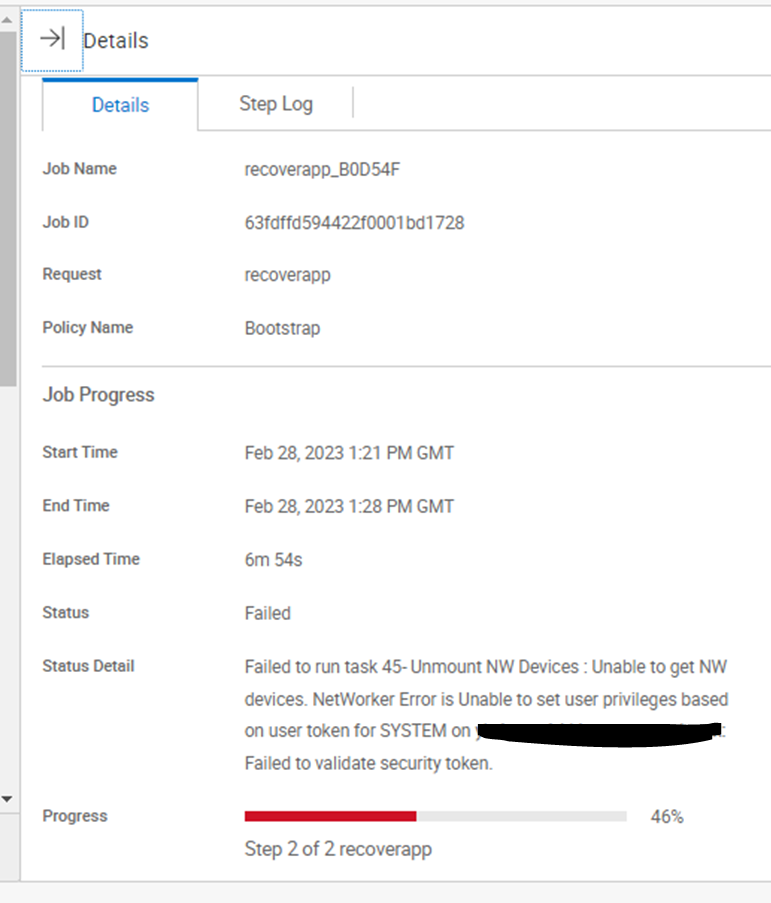
Error in Cyber Recovery manager;
Below is an extract from the 'apps.log' of the Cyber Recovery host.
[2023-02-28 13:22:54.062] [INFO] [apps] [ddssh.go:718 CreateSSHClientConn()] : SSH connecting to 192.168.1.10:22
[2023-02-28 13:22:54.179] [INFO] [apps] [ddssh.go:317 RunSSHCmd()] : Running: 192.168.1.10:22 nsrdr -d 192.168.1.20_vault_dev_0 -B 2432563240 -a -A
[2023-02-28 13:28:14.608] [INFO] [apps] [RecoverNetWorkerApp.go:1278 NWUnmountDevices()] : Umounting devices from the vault before running DR procedure...
[2023-02-28 13:28:14.609] [INFO] [apps] [restapi_client.go:261 CallRESTAPI()] : Methods is :GET URL is:https://192.168.1.10:9090/nwrestapi/v2/datazone/devices
[2023-02-28 13:28:19.522] [INFO] [apps] [appsUtils.go:109 HandleNWResponse()] : REST status code :500
[2023-02-28 13:28:19.523] [ERROR] [apps] [appsUtils.go:123 HandleNWResponse()] : Error response is : {Message:Unable to set user privileges based on user token for SYSTEM on networker.server.vault: Failed to validate security token.
 Status:{Code:500 Class:Server Error Reason:Internal Server Error}}
Extract from the rendered daemon.log of the vault NetWorker Server.
28/02/2023 13:28:10  nsrd NSR info Disaster Recovery Notice: Bootstrap recovery from the backup 2432563240 is completed with the status Succeeded
28/02/2023 13:28:15  nsrd AUTHC critical Unable to set user privileges based on user token for SYSTEM on networker.server.vault: Failed to validate security token.
Error in Cyber Recovery manager;
Cause
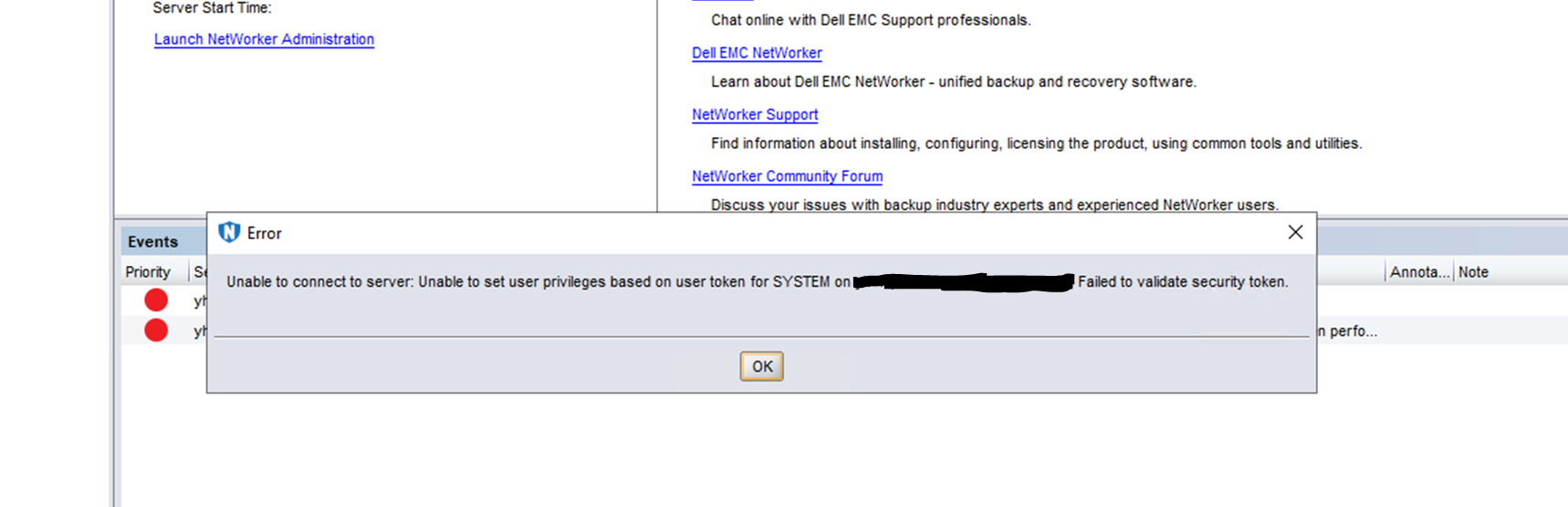
SYSTEM token on the vault NetWorker Server is invalid. Even logging into the vault NetWorker Server's NMC in its default state (before running any DR) fails with an error.
Resolution
- Clean up the failed NetWorker application recovery so the vault NetWorker Server is in its default state (if not done already).
- Uninstall NetWorker in the vault.
- Rename the '..\EMC NetWorker\nsr' folder to '..\EMC NetWorker\old.nsr' and '..\EMC NetWorker\Management' folder to '..\EMC NetWorker\old.Management'.
- Reinstall NetWorker in the vault to the same location and using the same version and using the same credentials as before.
- Verify NetWorker is up and running.
- Delete and re-create the NetWorker asset in Cyber Recovery.
- Run the DR again.
Affected Products
PowerProtect Cyber Recovery, NetWorkerProducts
Cyber Recovery SeriesArticle Properties
Article Number: 000210780
Article Type: Solution
Last Modified: 19 Sept 2023
Version: 3
Find answers to your questions from other Dell users
Support Services
Check if your device is covered by Support Services.